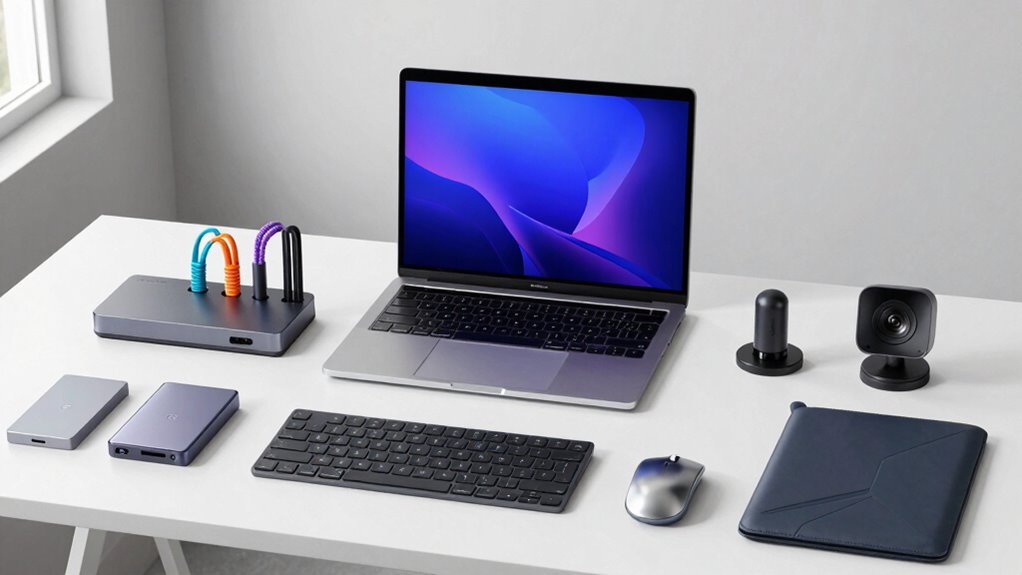

Building an effective marketing setup around your MacBook requires the right accessories to boost productivity, organization, and presentation. The best options include versatile docks, reliable hubs, and ergonomic stands that help streamline your workflow. The 8-in-1 Laptop Stand with USB-C Docking Station stands out as the overall top pick for its all-in-one functionality, while the Anker USB C Hub offers an excellent balance of ports and affordability. However, choosing the right accessories involves tradeoffs: some prioritize portability, others focus on expandability or ergonomic comfort. Continue reading for a detailed breakdown of the best options and what makes each unique.

Get office and shipping supplies delivered free — and shop member deals
- Fast, free delivery on millions of items
- Access to Prime Big Deal Days deals on October 6–7
- Prime Video, Amazon Music and more included
Key Takeaways
- The top-ranked accessories combine multiple functions—ports, stands, and power delivery—reducing clutter and streamlining workflows.
- Build quality and durability are critical, especially for products intended for daily use in a professional setting.
- Compatibility with various MacBook models remains a key consideration, as some accessories are optimized for specific sizes or ports.
- Ergonomics matter; adjustable stands prevent strain during long marketing sessions or presentations.
- Price varies widely; investing in premium accessories can provide better longevity and performance, but budget options still deliver solid value.
| 8-in-1 Laptop Stand with USB-C Docking Station |  | Best Two-in-One Workstation | Ports: 8 total (HDMI, USB-A, USB-C, SD/TF) | HDMI Output: 4K @ 30Hz (3840×2160) | Power Delivery: 100W (85W to laptop) | VIEW ON AMAZON | See Our Full Breakdown |
| Anker 332 USB-C Hub (5-in-1) |  | Best Value Connectivity | Ports: 5 (HDMI, 2x USB-A, USB-C data, PD-IN) | HDMI Output: 4K @ 30Hz | Pass-Through Charging: Up to 85W (charger not included) | VIEW ON AMAZON | See Our Full Breakdown |
| UGREEN Vertical Laptop Stand Holder |  | Best for Clamshell Mode Setups | Material: Aluminum alloy | Adjustable Thickness: 0.47″ – 1″ | Max Laptop Size: 17.3 inches | VIEW ON AMAZON | See Our Full Breakdown |
| Adjustable Laptop Stand for Desk, Metal Laptop Riser Holder |  | Best Budget Ergonomics | Compatibility: 10-15.6″ laptops | Weight Capacity: 17.6 lbs (8kg) | Material: Metal with silicone pads | VIEW ON AMAZON | See Our Full Breakdown |
| Nulaxy Ergonomic Adjustable Laptop Stand |  | Best Overall Ergonomics | Compatibility: 10-16″ laptops | Weight Capacity: 22 lbs (10kg) | Dimensions: 11.81 x 11.02 x 2.76 inches | VIEW ON AMAZON | See Our Full Breakdown |
| USB C Adapter HDMI Hub for MacBook Air/Pro 2026-2018 Mac Multiport Dongle |  | Best for Dual-Monitor Setups | Ports: 1x HDMI, 1x Thunderbolt 3/4, 3x USB-A, 1x USB-C data, 3.5mm audio | HDMI Output: 4K@60Hz | Thunderbolt Output: 5K@60Hz | VIEW ON AMAZON | See Our Full Breakdown |
| UGREEN 5-in-1 USB C Hub Multiport Adapter with 4K HDMI and 100W Power Delivery |  | Best Value | Ports: 1x HDMI, 1x USB-C PD, 1x USB-A 3.0, 2x USB-A 2.0 | Power Delivery: 100W input, 95W pass-through | Max Video Resolution: 4K @ 30Hz | VIEW ON AMAZON | See Our Full Breakdown |
| Anker 547 USB-C Hub (7-in-2) for MacBook with 4K@60Hz HDMI |  | Best Premium | Ports: 1 multi-function USB-C, 1 USB-C data, 2 USB-A, 1 HDMI, SD slot, microSD slot | HDMI Resolution: 4K @ 60Hz | USB-C Display: 5K @ 60Hz | VIEW ON AMAZON | See Our Full Breakdown |
| USB C Hub Adapter 8-in-2 for MacBook Pro/Air (M1-M5, 2016-2026) |  | Best Full-Featured Workstation Hub | Ports: HDMI, Thunderbolt 3, 2x USB 3.0, USB-C, USB 2.0, SD + microSD readers | HDMI Output: 4K @ 60Hz | Thunderbolt 3: 5K@60Hz video, 40Gbps data, 100W PD input | VIEW ON AMAZON | See Our Full Breakdown |
| UANTIN 7-in-1 USB-C Hub Multiport Adapter |  | Best Budget Pick | Ports: 1x HDMI, 3x USB-A, SD/TF card reader, 1x USB-C PD | Video Output: 4K@30Hz, 1080p@120Hz | Power Delivery: 100W pass-through | VIEW ON AMAZON | See Our Full Breakdown |
| accessories for macbook marketing setup | Compatibility | Ports |
|---|---|---|
| 8-in-1 Laptop Stand with USB-C | 10-17" laptops including MacBook | 8 total (HDMI, USB-A, USB-C, SD/TF) |
| Anker 332 USB-C Hub | MacBook Pro/Air, Dell XPS, Lenovo ThinkPad, HP | 5 (HDMI, 2x USB-A, USB-C data, PD-IN) |
| UGREEN Vertical Laptop Stand H | MacBook Air/Pro, HP, Dell, ThinkPad | — |
| Adjustable Laptop Stand for De | 10-15.6" laptops | — |
| Nulaxy Ergonomic Adjustable La | 10-16" laptops | — |
| USB C Adapter HDMI Hub for Mac | MacBook Air/Pro 13"–16", 2018–2025, M1–M5 and Intel | 1x HDMI, 1x Thunderbolt 3/4, 3x USB-A, 1x USB-C data, 3.5mm audio |
| UGREEN 5-in-1 USB C Hub Multip | MacBook Pro/Air M1–M5, iPad Pro, Chromebook, Surface, XPS, ThinkPad, iPhone 15+ | 1x HDMI, 1x USB-C PD, 1x USB-A 3.0, 2x USB-A 2.0 |
| Anker 547 USB-C Hub | MacBook Air and Pro (no dual external display on M1/M2/M3) | 1 multi-function USB-C, 1 USB-C data, 2 USB-A, 1 HDMI, SD slot, microSD slot |
| USB C Hub Adapter 8-in-2 for M | MacBook Pro 13"–16" (2016–2026), MacBook Air (2018–2026), M1–M5 | HDMI, Thunderbolt 3, 2x USB 3.0, USB-C, USB 2.0, SD + microSD readers |
| UANTIN 7-in-1 USB-C Hub Multip | USB-C/Thunderbolt 3-4 laptops, MacBook Pro/Air | 1x HDMI, 3x USB-A, SD/TF card reader, 1x USB-C PD |
More Details on Our Top Picks
8-in-1 Laptop Stand with USB-C Docking Station
This pick stands out for solving two problems at once: it lifts a MacBook to a healthier viewing angle while acting as a docking station, so a marketing desk running a monitor, card reader, and external drives gets tidier instantly. Compared with the Anker 332 hub, which offers five ports in a flat dongle, this unit adds an SD/TF reader and integrates everything into an adjustable riser — no dangling cable cluster. The tradeoff is flexibility: the HDMI only works with USB-C ports that support DisplayPort Alt Mode, and it caps out at 4K @ 30Hz, which is fine for dashboards but not for editing high-frame-rate video. It also handles only one hard drive at a time, so heavy media archivists will feel pinched.
Pros:- Combines a 9-level adjustable stand and 8-in-1 USB-C hub in one device
- Foldable at 0.9 lbs with an included travel pouch
- 100W pass-through charging keeps the MacBook powered while docked
- SD/TF card readers built in for photo and asset workflows
Cons:- HDMI output requires DisplayPort Alt Mode and caps at 4K @ 30Hz
- Supports only one hard drive and isn’t suited to high-power peripherals
Best for: Marketers building a compact single-monitor workstation who want ergonomics and connectivity solved in one purchase
Not ideal for: Video editors or designers needing 4K @ 60Hz output and multiple simultaneous external drives
- Ports:8 total (HDMI, USB-A, USB-C, SD/TF)
- HDMI Output:4K @ 30Hz (3840×2160)
- Power Delivery:100W (85W to laptop)
- Data Transfer:5Gbps USB 3.0; 25MB/s card readers
- Compatibility:10-17″ laptops including MacBook
- Height Adjustment:9 levels
- Folded Dimensions:10.5 x 2.2 x 0.9 inches
- Weight:0.9 lbs
Our verdict“Buy this if your desk needs a stand and a hub and you’d rather not buy or carry both.”
Anker 332 USB-C Hub (5-in-1)
For the price of lunch, this hub covers the essentials a marketing laptop needs: 4K HDMI, two USB-A ports, a USB-C data port, and 85W pass-through charging. At 1.44 ounces, it disappears into a laptop sleeve, which is exactly the point — compared with the 8-in-1 stand/dock hybrid, it gives up ergonomics and card readers but wins on portability and cost. Against the UGREEN 5-in-1The limitations are real, though: the USB-C ports carry data only — no video output — so a second external display beyond the HDMI port is off the table, and the charger isn’t included.
Pros:- 85W pass-through charging keeps the laptop topped up in use
- Ultra-light at 1.44 ounces for commute and travel setups
- Trusted brand with 18-month warranty and massive review base
- 5Gbps data transfer across USB-A and USB-C ports
Cons:- USB-C ports do not support video output, limiting multi-display setups
- Charger not included; full iPad power requires a 45W adapter
- No SD/microSD card reader
Best for: Budget-conscious marketers who need one external monitor, a couple of USB accessories, and charging from a single dongle
Not ideal for: Dual-monitor power users or photographers who need SD card readers — this hub has neither
- Ports:5 (HDMI, 2x USB-A, USB-C data, PD-IN)
- HDMI Output:4K @ 30Hz
- Pass-Through Charging:Up to 85W (charger not included)
- Data Transfer:5Gbps
- Compatibility:MacBook Pro/Air, Dell XPS, Lenovo ThinkPad, HP
- Weight:1.44 ounces
- Warranty:18 months
Our verdict“This is the smart cheap pick for a clean, single-monitor MacBook setup — just don’t expect it to scale to a dual-display battlestation.”
UGREEN Vertical Laptop Stand Holder
If your marketing workflow lives on an external monitor and keyboard, this stand does something the adjustable risers here can’t: it stores the MacBook vertically in clamshell mode, reclaiming most of the desk the laptop used to occupy. Compared with the Nulaxy ergonomic riser, which lifts the open screen to eye level, the UGREEN is for people whose laptop screen isn’t used at all — a fundamentally different setup. The aluminum build feels solid with no wobble, and the adjustable slot fits machines from 0.47 to 1 inch thick, up to 17.3 inches. My one gripe is the screw-based width adjustment: swapping between a MacBook Air and a thicker work laptop means twisting by hand rather than clicking a quick-release.
Pros:- Frees up significant desk space by holding the laptop upright
- Sturdy aluminum construction with zero wobble
- Adjustable slot fits laptops up to 17.3 inches
- Silicone pads prevent scratches and slipping
Cons:- Width adjustment uses a twist screw, not a quick-release mechanism
- Adds no ports or connectivity — pair it with a hub like the Anker 332
Best for: Marketers running clamshell mode with an external monitor who want their desk back
Not ideal for: Anyone who still uses the laptop screen — a vertical stand makes the built-in display unusable
- Material:Aluminum alloy
- Adjustable Thickness:0.47″ – 1″
- Max Laptop Size:17.3 inches
- Dimensions:5.9″ x 3.2″ x 2″
- Color:Gray
- Compatibility:MacBook Air/Pro, HP, Dell, ThinkPad
Our verdict“The right choice only if your MacBook lid stays closed and your desk real estate matters more than its built-in screen.”
Adjustable Laptop Stand for Desk, Metal Laptop Riser Holder
This is the no-frills option for marketers who spend all day in analytics dashboards and feel it in their neck. The height and angle adjustability does the core ergonomic job of the more expensive Nulaxy dual-support stand at a lower price, and the ventilated metal top helps keep a MacBook from thermal throttling during long export sessions. Where it falls short of the Nulaxy is stability under heavier machines — the 8kg rating is respectable, but the single-pivot design wobbles more during active typing than a dual-rod stand. Compatibility also stops at 15.6-inch laptops, so 16-inch MacBook Pro owners need to check fit carefully before buying. Still, for raising a MacBook Air on a budget, it’s hard to argue with the value.
Pros:- Adjustable height and angle reduces neck and eye strain
- Holds up to 17.6 lbs (8kg) with anti-skid silicone padding
- Ventilation holes improve airflow over a flat desk
- Folds flat for backpack storage
Cons:- Not rated for laptops above 15.6 inches
- Less rigid than dual-support stands during active typing
Best for: Students and early-career marketers who want posture relief without spending much
Not ideal for: Owners of 16-inch MacBook Pros — the stand tops out at 15.6 inches and typing stability is only average
- Compatibility:10-15.6″ laptops
- Weight Capacity:17.6 lbs (8kg)
- Material:Metal with silicone pads
- Adjustability:Height and angle
- Cooling:Ventilation-hole top panel
- Portability:Foldable design
Our verdict“A cheap, functional posture fix for smaller laptops — spend a little more on the Nulaxy if you type heavily all day.”
Nulaxy Ergonomic Adjustable Laptop Stand
This option stands out as the stability champion of this lineup. Its dual-support rod mechanism holds up to 22 lbs and keeps the platform rigid while typing — a genuine advantage over the budget metal riser, which flexes noticeably under the same load. For marketers writing campaigns for hours at a stretch, the wobble-free base means the screen stays put, and the geometric heat-vent panel helps sustained renders avoid thermal slowdowns. It folds flat for travel, though at 1.7 pounds it’s noticeably heavier to carry than the 0.9-pound 8-in-1 stand/dock, so it’s more of a desk-first accessory than a daily-commute one. The fixed base design also means less positioning freedom than a fully articulating arm — fine for most desks, limiting for unusual setups.
Pros:- Dual-support rods deliver wobble-free typing stability
- 22 lb weight capacity handles any laptop made
- Heat-vent panel prevents thermal throttling during long sessions
- Folds flat for occasional transport
Cons:- Heavier than competing stands at 1.7 pounds
- Fixed base limits positioning compared to articulating arms
Best for: Full-time content and campaign writers who type for hours and need rock-solid stability at eye level
Not ideal for: Frequent travelers who count every ounce — 1.7 pounds adds up in a bag fast
- Compatibility:10-16″ laptops
- Weight Capacity:22 lbs (10kg)
- Dimensions:11.81 x 11.02 x 2.76 inches
- Weight:1.7 pounds
- Features:Adjustable, foldable, heat-vent design
- Color:Silver
Our verdict“The best pick if a rock-stable, all-day ergonomic riser is the priority and portability is secondary.”
USB C Adapter HDMI Hub for MacBook Air/Pro 2026-2018 Mac Multiport Dongle
For a marketing workstation built around two external displays, this adapter stands out because it actually explains its chip-dependent display limits before you buy — a rarity in this category. The HDMI 4K@60Hz output plus a Thunderbolt 3 port at 5K@60Hz means one crisp monitor for your design canvas and a second for analytics dashboards. Compared with the UANTIN 7-in-1, which caps at 4K@30Hz, the smoother 60Hz output here makes scrolling-heavy work like social media monitoring far less fatiguing. The tradeoff is real: M1/M2 MacBooks get a single display only, and M3 owners need Clamshell Mode for dual screens. It also won’t fit over a case, unlike cable-style hubs like the UGREEN 5-in-1.
Pros:- Dual display output at 4K@60Hz HDMI plus 5K@60Hz via Thunderbolt 3 on supported chips
- Full-featured Thunderbolt 3 port with 100W charging and 40Gbps data
- Honest, documented compatibility breakdown by chip generation
- MagSafe-friendly dual-plug design keeps charging unobstructed
Cons:- Dual displays unavailable on M1/M2 and limited to Clamshell Mode on M3
- Incompatible with MacBook cases, so protected laptops need to be stripped down
- Thunderbolt port cannot run charging, data, and video simultaneously
Best for: Marketers on M4/M5 or Intel MacBooks who run two external monitors for design and analytics work side by side
Not ideal for: M1 or M2 MacBook owners — the dual-display promise doesn’t apply, and a cheaper hub would deliver the same single-screen result
- Ports:1x HDMI, 1x Thunderbolt 3/4, 3x USB-A, 1x USB-C data, 3.5mm audio
- HDMI Output:4K@60Hz
- Thunderbolt Output:5K@60Hz
- Power Delivery:100W laptop charging / 15W downstream
- Data Transfer:Up to 40Gbps (Thunderbolt), 5Gbps (USB-A/C)
- Compatibility:MacBook Air/Pro 13″–16″, 2018–2025, M1–M5 and Intel
- Warranty:18 months, lifetime technical support
Our verdict“If you edit video or juggle campaigns across two 4K monitors on a recent M4/M5 MacBook, this is the hub that makes that setup possible.”
UGREEN 5-in-1 USB C Hub Multiport Adapter with 4K HDMI and 100W Power Delivery
This is the pick that makes the most sense for marketers who need dependable everyday connectivity without paying for display bandwidth they’ll never use. Five ports — HDMI, 95W pass-through charging, one 5Gbps USB-A, and two USB 2.0 ports — cover the standard desk setup of monitor, power, and peripherals. Compared with the Anker 547, you give up the SD card slots and the 5K/60Hz display path, but you also sidestep its MacBook-only design: this UGREEN works on everything from a Chromebook to an iPhone 15, which matters if your toolkit includes an iPad for content review. The honest drawback is the 4K@30Hz HDMI ceiling — fine for static dashboards, noticeably less fluid for video editing timelines.
Pros:- Broad plug-and-play compatibility across macOS, Windows, Linux, tablets, and phones
- 95W pass-through charging keeps a MacBook fully powered during use
- 5Gbps data port handles hard drive transfers at full USB 3.0 speed
- Compact single-cable design works with cased laptops
Cons:- HDMI limited to 4K@30Hz, noticeably less smooth than 60Hz rivals
- USB-A ports can’t be used for charging peripherals
- Host device must support DisplayPort Alt Mode for HDMI to function
Best for: Budget-conscious marketers who want one hub that works across a MacBook, iPad, and any work-issued Windows laptop
Not ideal for: Video editors and motion designers — the 30Hz refresh at 4K makes playback and timeline scrubbing feel choppy
- Ports:1x HDMI, 1x USB-C PD, 1x USB-A 3.0, 2x USB-A 2.0
- Power Delivery:100W input, 95W pass-through
- Max Video Resolution:4K @ 30Hz
- Data Transfer:5 Gbps (USB 3.0), 480 Mbps (USB 2.0)
- Compatibility:MacBook Pro/Air M1–M5, iPad Pro, Chromebook, Surface, XPS, ThinkPad, iPhone 15+
- Drivers Required:None — plug and play
Our verdict“The smart money pick for generalists who need solid connectivity across multiple devices rather than maximum display performance on one.”
Anker 547 USB-C Hub (7-in-2) for MacBook with 4K@60Hz HDMI
Anker’s 7-in-2 is the most complete MacBook-specific hub in this lineup, pairing a 5K@60Hz USB-C display path with 4K@60Hz HDMI, dual card readers, and 40 Gb/s data transfer in a slim aluminum shell. Where the UGREEN 5-in-1 treats the MacBook as one device among many, the 547 is engineered around it — the two-plug layout leaves MagSafe charging untouched, and the SD/microSD slots are a genuine workflow advantage for photographers feeding assets into campaigns. The premium price buys bandwidth: transferring a client’s raw photo library happens at Thunderbolt speed here versus 5Gbps on the UANTIN. The catch mirrors the Selore adapter: M1/M2/M3 MacBooks are locked to one external display, and the tight MacBook-only fit makes it a poor traveler’s companion for mixed-device users.
Pros:- 40 Gb/s data transfer moves large media files at Thunderbolt speed
- Dual card readers (SD + microSD) built in for camera-to-Mac workflows
- 5K@60Hz and 4K@60Hz dual-display support on capable chips
- MagSafe-friendly design with 100W pass-through charging
Cons:- No dual external displays on M1/M2/M3 MacBooks despite the port count
- MacBook-exclusive design limits use with other laptops
- Priced well above functionally similar 7-in-1 alternatives
Best for: Content-heavy marketers on newer M4/M5 MacBooks who move large photo and video files daily and want one hub to do everything
Not ideal for: Anyone working across non-Apple laptops — the MacBook-specific fit and MagSafe-aware layout are wasted elsewhere
- Ports:1 multi-function USB-C, 1 USB-C data, 2 USB-A, 1 HDMI, SD slot, microSD slot
- HDMI Resolution:4K @ 60Hz
- USB-C Display:5K @ 60Hz
- Max Charging Power:100W
- Data Transfer Speed:40 Gb/s
- Compatibility:MacBook Air and Pro (no dual external display on M1/M2/M3)
- Warranty:18 months
Our verdict“The best-built all-rounder for a dedicated MacBook workstation — if your chip supports what it offers and you only carry Apple hardware.”
USB C Hub Adapter 8-in-2 for MacBook Pro/Air (M1-M5, 2016-2026)
With eight ports across two plugs, this is the closest thing to a docking station in hub form — and compared with the Anker 547, it adds the ability to read SD and microSD cards simultaneously, which matters when you’re offloading both drone footage and phone b-roll in one sitting. The Thunderbolt 3 port carries the heavy loads: 40Gbps transfers, 100W input passthrough, and 5K@60Hz video, while HDMI handles a second 4K@60Hz screen. Coverage stretches back to 2016 MacBooks, a wider net than the Selore adapter’s 2018 start, making it a fit for teams with aging hardware. Be aware that the passthrough drops to 85W output after the hub’s own overhead, and like most dual-plug designs it won’t fit over a case — a dealbreaker for protected machines.
Pros:- Simultaneous SD and microSD reading at up to 104MB/s
- Thunderbolt 3 with 40Gbps data, 5K@60Hz video, and 100W input
- Dual 4K@60Hz monitors supported on M2 and newer chips
- Widest model coverage in this lineup, back to 2016 MacBooks
Cons:- M1 MacBooks limited to a single external display
- Does not fit MacBooks with a bottom case attached
- Supports only one hard drive and no Apple USB SuperDrive
Best for: Marketers running a permanent multi-monitor desk setup with cameras, card-based media, and multiple USB peripherals all connected at once
Not ideal for: Owners of cased MacBooks or anyone needing to connect multiple external hard drives simultaneously
- Ports:HDMI, Thunderbolt 3, 2x USB 3.0, USB-C, USB 2.0, SD + microSD readers
- HDMI Output:4K @ 60Hz
- Thunderbolt 3:5K@60Hz video, 40Gbps data, 100W PD input
- Charging:100W input, 85W output passthrough
- Card Reader Speed:Up to 104MB/s
- Compatibility:MacBook Pro 13″–16″ (2016–2026), MacBook Air (2018–2026), M1–M5
Our verdict“The closest a portable hub gets to a full desk dock — ideal when everything from card readers to dual monitors needs to stay plugged in.”
UANTIN 7-in-1 USB-C Hub Multiport Adapter
This option stands out as the lowest-cost way to build a functional marketing desk: one USB-C port becomes HDMI, three USB-A ports, card readers, and 100W passthrough charging. For a freelancer assembling a first real setup — monitor, mouse, keyboard, card reader — it covers every base without the Thunderbolt premium of the Anker 547 or the dual-monitor ambitions of the Selore adapter. The compromises are predictable: 4K@30Hz video is acceptable for slides and dashboards but not for judging motion graphics, and the three USB-A ports share bandwidth, so backing up a drive while using peripherals slows everything down. Compared with the similarly priced UGREEN 5-in-1, you gain SD/TF readers and an extra USB-A port at the cost of cross-brand polish and support.
Pros:- Seven ports from a single USB-C connection at a budget price
- 100W pass-through charging eliminates a separate power swap
- Built-in SD/TF card reader for basic camera offloads
- Plug and play with no drivers across USB-C laptops
Cons:- HDMI capped at 4K@30Hz
- Shared bandwidth across USB-A ports slows simultaneous transfers
- No Thunderbolt-level data speeds for large media libraries
Best for: First-time setup builders and students who need maximum port count per dollar for email, docs, and light design work
Not ideal for: Video-focused marketers — 30Hz output and shared USB bandwidth make playback and large file transfers frustrating
- Ports:1x HDMI, 3x USB-A, SD/TF card reader, 1x USB-C PD
- Video Output:4K@30Hz, 1080p@120Hz
- Power Delivery:100W pass-through
- USB 3.0 Speed:5Gbps
- USB 2.0 Speed:480Mbps
- Compatibility:USB-C/Thunderbolt 3-4 laptops, MacBook Pro/Air
- Drivers Required:None
Our verdict“A sensible entry point that gets a monitor, peripherals, and card reader connected for minimal spend — just don’t expect video-grade performance.”
How We Picked
The products were evaluated based on their performance, versatility, build quality, and value for a MacBook marketing setup. Priority was given to accessories that combine multiple functions—such as ports, stands, and power management—to reduce desk clutter. Compatibility with the latest MacBook models and user-friendliness also played a major role. Products were ranked by how well they balance these factors, with a bias toward durability and ease of use for professional environments. This approach ensures that each pick offers practical benefits for marketing professionals who need reliable, efficient accessories.Factors to Consider When Choosing Accessories For Macbook Marketing Setup
When selecting accessories for a MacBook marketing setup, focus on how each product enhances your workflow and presentation quality. Consider the types of connections you need, ergonomic comfort, and portability, especially if you often work on the go. The right accessories should seamlessly integrate with your existing equipment without creating clutter or compatibility issues. Be aware of potential tradeoffs: more ports often mean bulkier hubs, while sleek stands might sacrifice adjustability. Prioritize features that align with your specific work style and environment to maximize your investment.Compatibility and Connectivity
Ensure that accessories are compatible with your specific MacBook model, especially if you have a newer or older version. Check port options—HDMI, USB-A, SD card readers, Thunderbolt, and power delivery—to match your workflow and peripheral needs. Investing in versatile hubs or docks can simplify your setup, but beware of devices that may not support high-speed data transfer or 4K video if those features are crucial for your marketing work. Compatibility issues can lead to frustration and additional expenses, so verifying specifications upfront is essential.
Ergonomics and Comfort
Prolonged marketing sessions benefit from adjustable stands that promote proper posture and reduce neck or wrist strain. Look for stands that allow height and angle adjustments, especially if you frequently present or review content. However, highly adjustable models may be bulkier or less portable, so consider your workspace size and mobility needs. Ergonomic accessories can boost productivity and comfort, but sacrificing portability might be a drawback if you work remotely or travel often.
Build Quality and Durability
High-quality materials like aluminum or reinforced plastics tend to last longer and withstand daily use better than cheaper options. Durable accessories also maintain their appearance over time, which is important for a professional marketing environment. Cheaper hubs or stands might save money initially but can break or malfunction prematurely. Think about your work environment—if you transport your setup frequently, investing in rugged, well-built accessories is wise to avoid replacements and downtime.
Portability and Size
If your marketing work involves frequent travel or working from different locations, portability becomes a key consideration. Compact, lightweight hubs and foldable stands support mobility without sacrificing essential features. Conversely, larger multi-port docks might be more suitable for a dedicated home or office setup. Balancing functionality with size helps ensure your accessories support your workflow without becoming an inconvenience during transit.
Price and Value
Affordable options can deliver good value for those on a budget, especially for basic connectivity needs. However, premium accessories often offer better durability, faster data transfer, and more comprehensive features, justifying their higher price tags. Consider how much you are willing to invest—if your marketing setup is central to your business, spending more on robust, feature-rich accessories can pay off in reliability and performance over time. Be mindful of unnecessary features that inflate costs without adding real benefit.
Frequently Asked Questions
Can I connect multiple monitors to my MacBook using these accessories?
Yes, many of the hubs and docking stations reviewed include HDMI or DisplayPort outputs capable of supporting multiple monitors. However, the total number of displays supported depends on the specific port specifications and your MacBook model’s capabilities. For example, some docks support two 4K monitors simultaneously, while others might only support one at full resolution. Always check the maximum supported resolution and monitor count before purchasing if multi-screen setups are essential for your marketing tasks.
Are these accessories compatible with MacBook Air and MacBook Pro models from different years?
Most of these accessories are designed to be compatible with a wide range of MacBook models, including recent Air and Pro versions from 2018 to 2026. However, some older models may lack Thunderbolt 3 or 4 ports, which could limit compatibility with certain docks or hubs. Always verify the port types and specifications of your MacBook against the accessory’s requirements to ensure seamless functionality and avoid connectivity issues.
Will using a hub or dock slow down my MacBook’s performance?
In most cases, high-quality hubs and docks are designed to operate without impacting your MacBook’s performance. Devices that support Power Delivery and high-speed data transfer are optimized to handle demanding workflows, including marketing content creation and presentation. Cheaper or poorly manufactured accessories might introduce latency or power issues, so investing in reputable brands is advisable. Properly rated docks connected to the correct ports generally maintain your MacBook’s performance standards.
How do I choose between a portable hub and a larger docking station?
Your choice depends on your mobility needs and workflow. Portable hubs are compact and ideal for frequent travelers or remote work, offering essential ports without bulk. Docking stations, on the other hand, are larger and typically provide more ports and power options, suited for a dedicated workspace. If your marketing setup is primarily stationary, a larger dock can streamline your entire workspace, but if you move often, a portable hub provides flexibility with minimal compromise on features.
Are there any accessories I should avoid for my MacBook marketing setup?
Products with questionable build quality or those that are not explicitly compatible with your MacBook model should be avoided. Cheap, non-branded hubs or docks may cause connectivity issues or damage your device over time. Additionally, accessories that do not support the necessary power or data transfer speeds can hinder your workflow, especially if you rely on high-resolution displays or fast data sharing. Always choose accessories from reputable brands with positive reviews to ensure reliability and safety.
Conclusion
For most users, the 8-in-1 Laptop Stand with USB-C Docking Station offers the best all-in-one solution, combining connectivity, ergonomics, and portability—ideal for professionals needing a comprehensive setup. The Anker USB C Hub makes sense for those prioritizing affordability and straightforward expansion, especially if you mainly connect external displays and peripherals. If you prefer a premium experience with durable materials and advanced features, the UGREEN 5-in-1 USB C Hub or similar high-end docks are worth considering. Beginners or those with simple needs should focus on compact, easy-to-use hubs, while power users requiring multi-monitor setups and maximum expandability should look toward full docking stations. Tailor your choice based on your work environment, budget, and specific marketing demands.
Halloween Picks
halloween
As an affiliate, we earn on qualifying purchases.