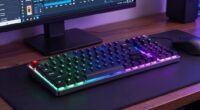
For productivity-heavy roles, mechanical keyboards are a great choice because they’re durable, highly customizable, and provide precise, effortless typing that can reduce fatigue over long hours. They often feature ergonomic designs, helping you maintain good posture, but can be noisier in quiet environments. Membrane keyboards are quieter and more affordable, making them suitable for less intense tasks. To discover which option suits your workflow best, keep exploring the details behind each type.
Key Takeaways
- Mechanical keyboards offer precise actuation and ergonomic design, reducing fatigue during long, productivity-heavy typing sessions.
- Membrane keyboards are quieter, minimizing distractions in shared or quiet work environments.
- Mechanical models are highly customizable, enabling tailored setups to enhance workflow efficiency.
- Membrane keyboards are more affordable and portable, ideal for on-the-go productivity needs.
- Durability and long-term investment favor mechanical keyboards for frequent, intensive use.
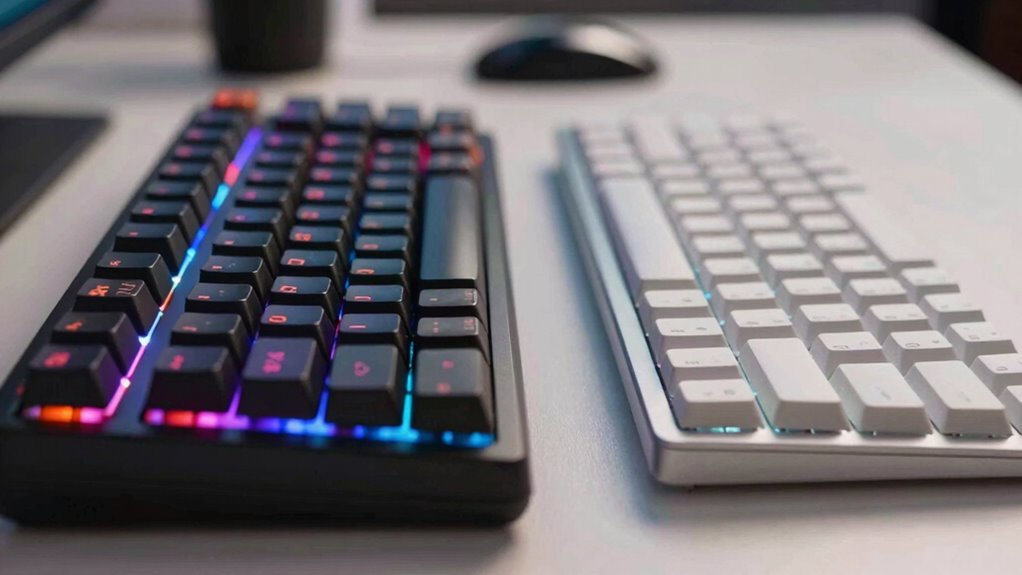
Are you torn between choosing a mechanical or membrane keyboard? When it comes to productivity-heavy roles, your decision impacts not just comfort but also efficiency. Mechanical keyboards often feature an ergonomic design that promotes better posture and reduces strain during long typing sessions. Their keys tend to have a more defined actuation point, allowing you to type with precision and less effort. This ergonomic aspect can be essential if you spend hours working on documents, coding, or data entry, as it helps minimize fatigue and potential repetitive strain injuries. On the other hand, membrane keyboards usually have a flatter profile, which might seem less ergonomic initially, but some models are designed with comfort in mind, offering cushioned keys and softer keystrokes. Still, they generally don’t provide the same level of ergonomic support as mechanical options. Additionally, the ergonomic design of mechanical keyboards can significantly influence long-term comfort and health.
Noise levels are another significant factor worth to consider. Mechanical keyboards are known for their distinct, often louder, keystrokes. This can be distracting in shared workspaces or quiet environments, potentially disrupting your focus or disturbing colleagues. However, if you prefer a tactile and audible response that confirms each keystroke, mechanical keyboards might actually enhance your typing experience. Conversely, membrane keyboards tend to produce less noise, making them ideal if you work in an environment where noise could be an issue. They’re quieter by design, which helps maintain a peaceful workspace and prevents disrupting others around you. If noise levels are a high priority, you might lean toward membrane keyboards or seek mechanical models with noise-dampening features, such as rubber o-rings or silent switches.
Your choice also depends on how much you value durability and customization. Mechanical keyboards generally last longer due to their individual mechanical switches, which can withstand millions of keystrokes. They often offer more customization options—such as programmable keys, different switch types, and adjustable backlighting—allowing you to tailor your setup for maximum productivity. Additionally, durability plays a crucial role in long-term investment, as mechanical switches are more resistant to wear over time. Membrane keyboards tend to be less durable and less customizable but are usually more affordable and lighter, making them easy to carry around if you need portability.

Keychron C2 Full Size Wired Mechanical Keyboard Compatible with Mac, Keychron Brown Switch, 104 Keys ABS Retro Color Keycaps Gaming Keyboard for Windows, USB-C Type-C Braid Cable
- Full Size 104-Key Layout: Includes number pad for productivity
- Mac & Windows Compatibility: Optimized layout with dedicated keys
- Retro Color Keycaps: Stylish vintage-inspired design
As an affiliate, we earn on qualifying purchases.
As an affiliate, we earn on qualifying purchases.
Frequently Asked Questions
How Do Keyboard Switch Types Affect Typing Speed?
Switch types directly impact your typing speed by affecting switch responsiveness and accuracy. Mechanical switches tend to be more responsive, allowing you to press keys faster with less effort, boosting your typing speed. They also enhance typing accuracy because of clearer tactile feedback. Membrane switches might be quieter but can cause slower responses and less precision, which could hinder your productivity during long typing sessions.
Are Membrane Keyboards More Durable Than Mechanical Ones?
Membrane keyboards generally aren’t as durable as mechanical ones. Their material resilience is lower because the rubber membranes wear out faster with frequent use, leading to a shorter lifespan. Mechanical keyboards use sturdy switches and durable components, making them more resilient over time. If you’re in a productivity-heavy role, you’ll likely find mechanical keyboards a better investment for longevity and consistent performance.
Do Mechanical Keyboards Require More Maintenance?
Yes, mechanical keyboards generally require more maintenance. You’ll need to regularly perform keyboard cleaning to remove dust and debris, especially around the switches. Additionally, switch lubrication can help keep keys smooth and reduce noise, but it demands more upkeep. Unlike membrane keyboards, which need less attention, mechanical ones benefit from periodic cleaning and lubrication to maintain ideal performance and longevity.
Which Keyboard Type Is Better for Long Typing Sessions?
Choosing between mechanical and membrane keyboards for long typing sessions is like picking a comfortable pair of shoes; you want support and comfort. Mechanical keyboards often have better ergonomic design, reducing fatigue, but they can be noisier. Membrane keyboards are quieter and softer, making them ideal if noise is a concern. Ultimately, your choice depends on your comfort preference and the environment where you’ll be working most comfortably and efficiently.
How Do Customization Options Differ Between Mechanical and Membrane Keyboards?
Mechanical keyboards typically offer more switch customization, allowing you to choose from various switch types for different feels and sounds. They also provide a wider range of aesthetic options, like custom keycaps and RGB lighting, letting you personalize your setup. Membrane keyboards usually have limited customization, focusing more on basic functions. If you want a highly customizable experience, mechanical keyboards are the better choice for your needs.

TECKNET Wired Keyboard,Silent USB Keyboard for Office,Spill-Resistant,Slim Full-Size Membrane Layout,Plug and Play for PC/Laptop/Mac-RGB Backlit
- Quiet and Comfortable Keys: Low-profile membrane keys reduce noise
- Full-Size Ergonomic Layout: 104-key design with adjustable tilt
- Anti-Slip and Stable Design: Supports long-term comfortable use
As an affiliate, we earn on qualifying purchases.
As an affiliate, we earn on qualifying purchases.
Conclusion
Ultimately, choosing between mechanical and membrane keyboards comes down to your specific needs and preferences. Mechanical keyboards offer durability and satisfying feedback, making them ideal for long hours of work. Membrane keyboards, on the other hand, are more budget-friendly and quieter. Remember, it’s all about finding the right tool that clicks with your workflow. Don’t put all your eggs in one basket—try both to see which keyboard truly helps you hit the ground running and stay productive.
As an affiliate, we earn on qualifying purchases.

Redragon Mechanical Gaming Keyboard Wired, 11 Programmable Backlit Modes, Hot-Swappable Red Switch, Anti-Ghosting, Double-Shot PBT Keycaps, Light Up Keyboard for PC Mac
- Vibrant Backlit Modes: 11 customizable lighting effects
- Adjustable Brightness & Speed: 5 levels for brightness and speed
- Clear Double-Shot Keycaps: Enhanced backlight and durability
As an affiliate, we earn on qualifying purchases.
As an affiliate, we earn on qualifying purchases.