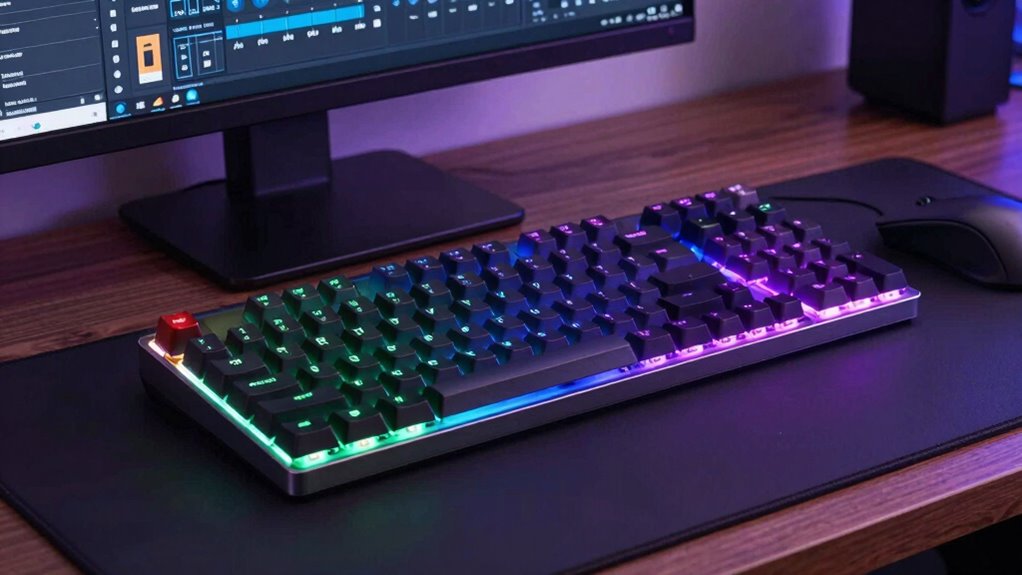
Choosing a mechanical keyboard for productivity involves balancing comfort, responsiveness, and features tailored for long hours of work. The Keychron K10 Max QMK stands out as the best overall, thanks to its customizable layout and wireless flexibility. For those seeking a sleek, tactile experience, the Logitech MX Mechanical with Tactile Switches offers quiet operation suited for shared spaces. A major tradeoff in this category is between feature-rich options that can be more expensive and simpler models that may lack advanced customization. Continue reading for a detailed breakdown of the top picks and what makes each one unique.

Get business pricing on office and shipping supplies
- Business-only prices and quantity discounts
- Tax-exempt purchasing
- Multiple users, one account, clear invoices
Key Takeaways
- Customization options like QMK firmware significantly enhance productivity by tailoring key functions.
- Wireless features provide greater desk flexibility but can introduce latency or battery concerns.
- Build quality and switch type directly impact typing comfort and noise levels during long work sessions.
- Full-size layouts with number pads boost efficiency for data entry, but reduce desk space for others.
- Price often correlates with features; premium models offer superior durability and customization, but more affordable options can still perform well.
| Keychron K10 Max QMK Wireless Custom Mechanical Full-Size Keyboard |  | Best Overall for Customization and Versatility | Layout: Full-size (108 keys) | Connectivity: 2.4 GHz wireless, Bluetooth 5.1, wired | Polling Rate: 1000 Hz | VIEW ON AMAZON | See Our Full Breakdown |
| Logitech K835 TKL Wired Mechanical Keyboard with Aluminum Frame and Linear Red Switch |  | Best Compact TKL Keyboard for Space-Saving Productivity | Layout: Tenkeyless (TKL), no numeric keypad | Switch Type: Linear mechanical (Red) | Frame: Aluminum | VIEW ON AMAZON | See Our Full Breakdown |
| Logitech Alto Keys K98M Wireless Mechanical Gasket Keyboard – Graphite |  | Best Compact Wireless with Vibrations Absorbing Gasket Mount | Layout: 98-key compact 1800-style with numpad | Switches: Hot-swappable Marble Switches (clicky) | Mount: Gasket mount with UniCushion | VIEW ON AMAZON | See Our Full Breakdown |
| Keychron V5 Max Custom Wireless Mechanical Keyboard, 96% Layout with Number Pad |  | Best for Customization in a Compact 96% Layout | Layout: 96% with number pad | Connectivity: 2.4 GHz wireless, Bluetooth 5.1, wired | Polling Rate: 1000 Hz | VIEW ON AMAZON | See Our Full Breakdown |
| Logitech MX Mechanical Wireless Illuminated Keyboard – Clicky Switches |  | Best Full-Size Wireless Clicky Keyboard for Productivity | Switch Type: Low-profile clicky | Form Factor: Full-size | Connectivity: Bluetooth / Logi Bolt USB receiver | VIEW ON AMAZON | See Our Full Breakdown |
| Keychron K8 Tenkeyless Wireless Mechanical Keyboard for Mac with White Backlight |  | Best Overall for Versatile Productivity | Layout: Tenkeyless (87 keys, 80%) | Backlight: White | Switches: Keychron super brown switches (tactile) | VIEW ON AMAZON | See Our Full Breakdown |
| Keychron C2 Full Size Wired Mechanical Keyboard, Brown Switch, Retro Color Scheme |  | Best for Traditional Full-Size Productivity Setup | Layout: Full size (104 keys) | Connection: USB Type-C wired (braided cable) | Switch Type: Keychron tactile brown switch | VIEW ON AMAZON | See Our Full Breakdown |
| Keychron V6 Wired Custom Mechanical Keyboard (Knob Version, Black) |  | Best for Customization and Advanced Users | Keys: 108 (full-size) | Switches: Keychron K Pro Brown (pre-lubed, tactile) | Hot-swappable: Yes (3-pin and 5-pin MX switches) | VIEW ON AMAZON | See Our Full Breakdown |
| Keychron K3 Version 2 QMK 75% Wireless Low-Profile Mechanical Keyboard |  | Best for Compact, Wireless Productivity | Layout: 75% | Connectivity: Bluetooth 5.1 (up to 3 devices) | Firmware: Open-source QMK | VIEW ON AMAZON | See Our Full Breakdown |
| Logitech MX Mechanical Wireless Illuminated Keyboard – Tactile Quiet Switches, Graphite (Renewed) | | Best for Quiet, Smart Multi-Device Productivity | Switch Type: Tactile Quiet | Connectivity: Bluetooth Low Energy, Logi Bolt USB receiver | Number of Keys: 104 | VIEW ON AMAZON | See Our Full Breakdown |
| Logitech G413 SE Full-Size Mechanical Gaming Keyboard – Black |  | Best for Durable, Reliable Performance with Tactile Feedback | Switch Type: Tactile mechanical | Keycaps: PBT (heat- and wear-resistant) | Backlighting: White LED | VIEW ON AMAZON | See Our Full Breakdown |
| mechanical keyboards for productivity | Layout | Connectivity | Switch Type |
|---|---|---|---|
| Keychron K10 Max QMK Wireless | Full-size (108 keys) | 2.4 GHz wireless, Bluetooth 5.1, wired | Pre-lubed linear red (hot-swappable, 3-pin and 5-pin MX compatible) |
| Logitech K835 TKL Wired Mechan | Tenkeyless (TKL), no numeric keypad | — | Linear mechanical (Red) |
| Logitech Alto Keys K98M Wirele | 98-key compact 1800-style with numpad | Bluetooth Low Energy, Logi Bolt USB Receiver | — |
| Keychron V5 Max Custom Wireles | 96% with number pad | 2.4 GHz wireless, Bluetooth 5.1, wired | — |
| Logitech MX Mechanical Wireles | — | Bluetooth / Logi Bolt USB receiver | Low-profile clicky |
| Keychron K8 Tenkeyless Wireles | Tenkeyless (87 keys, 80%) | Bluetooth 5.1 (up to 3 devices) and USB Type-C wired | — |
| Keychron C2 Full Size Wired Me | Full size (104 keys) | — | Keychron tactile brown switch |
| Keychron V6 Wired Custom Mecha | — | — | — |
| Keychron K3 Version 2 QMK 75% | 75% | Bluetooth 5.1 (up to 3 devices) | — |
| Logitech MX Mechanical Wireles | — | Bluetooth Low Energy, Logi Bolt USB receiver | Tactile Quiet |
| Logitech G413 SE Full-Size Mec | Full-size | — | Tactile mechanical |
More Details on Our Top Picks
Keychron K10 Max QMK Wireless Custom Mechanical Full-Size Keyboard
The Keychron K10 Max stands out for its full-size layout combined with exceptional connectivity options, including Bluetooth 5.1, 2.4 GHz wireless, and wired modes, making it ideal for users who need maximum flexibility. Its support for QMK firmware and the Keychron Launcher web app allows extensive customization, surpassing the more straightforward features of the Logitech MX Mechanical. The hot-swappable switches and high-quality PBT keycaps contribute to a premium typing experience, though the large footprint can be a drawback for those with limited desk space. Compared to the Logitech K835, which emphasizes durability and simplicity, the K10 Max offers deep programmability at the expense of size and complexity. This keyboard is perfect for productivity-focused users who value tailored setups and wireless convenience but require ample desk real estate.
Pros:- Triple connectivity options (Bluetooth, 2.4 GHz, wired) with 1000 Hz polling rate
- Full programmability via QMK and web app for tailored workflows
- Hot-swappable switches for easy customization without soldering
- Premium PBT double-shot keycaps and acoustic foam for quality feel and sound
Cons:- Full-size layout demands significant desk space
- Lack of integrated backlighting may reduce visibility in low-light environments
Best for: Power users who need a fully customizable, wireless full-size keyboard for intensive work setups
Not ideal for: Desk users with limited space or those preferring a straightforward, plug-and-play experience
- Layout:Full-size (108 keys)
- Connectivity:2.4 GHz wireless, Bluetooth 5.1, wired
- Polling Rate:1000 Hz
- Firmware:QMK / Keychron Launcher web app
- Switch Type:Pre-lubed linear red (hot-swappable, 3-pin and 5-pin MX compatible)
- Keycaps:OSA profile double-shot PBT
- Backlighting:South-facing RGB
- Acoustic Foams:IXPE and EPDM
- Compatibility:macOS, Windows, Linux
Our verdict“This keyboard is best suited for tech-savvy users seeking maximum customization and wireless flexibility in a full-size format.”
Logitech K835 TKL Wired Mechanical Keyboard with Aluminum Frame and Linear Red Switch
The Logitech K835 offers a practical tenkeyless design that delivers a balance of durability and comfort, making it well-suited for users who want a no-fuss workspace. Its sturdy aluminum frame ensures longevity, and the tested 50 million click switches provide a reliable typing experience. While it lacks wireless options, the wired connection guarantees responsiveness crucial for productivity tasks. The curved profile and adjustable tilt help optimize ergonomics, but its limited connectivity and Windows-only support may deter multi-OS users or those seeking wireless convenience. Compared to the Keychron V5 Max, which offers customizable features, the K835 emphasizes simplicity and durability for users who prioritize straightforward performance over extensive programmability. This makes it an ideal choice for office environments or compact desks where space is at a premium.
Pros:- Aluminum frame with tested durability for long-term use
- Compact tenkeyless layout saves desk space
- Curved profile and adjustable tilt for ergonomic comfort
- Reliable switches rated for 50 million clicks
Cons:- Wired-only connection limits flexibility
- Limited to Windows support, excluding Mac or Linux users
Best for: Professionals needing a durable, space-efficient wired keyboard for daily work tasks
Not ideal for: Users requiring wireless connectivity or macOS/Linux support
- Layout:Tenkeyless (TKL), no numeric keypad
- Switch Type:Linear mechanical (Red)
- Frame:Aluminum
- Switch Durability:Tested up to 50 million clicks
- Dual-Function Keys:12
- Cable:5ft USB (wired)
- Compatibility:Windows 10 and above, Windows 8, Windows 7
- Ergonomics:Curved profile, adjustable tilt
Our verdict“This keyboard is ideal for users who want a durable, space-saving wired option for everyday productivity in a Windows environment.”
Logitech Alto Keys K98M Wireless Mechanical Gasket Keyboard – Graphite
The Logitech Alto Keys K98M combines a compact 98-key layout with a gasket mount design that absorbs vibrations, providing a satisfying and stable typing experience. Its hot-swappable Marble Switches cater to users who want easy customization, while the white backlighting adds a subtle glow suitable for focused work. The wireless flexibility via Bluetooth Low Energy or Logi Bolt USB Receiver makes it a strong choice for multitasking across devices. Its long battery life of up to 12 months and USB-C charging add convenience, but the non-RGB backlighting limits visual customization, and the clicky switches may be loud in shared environments. Compared to the Keychron V5 Max, it offers less programmability but excels in vibration absorption and clean aesthetics, appealing to those who prioritize switch feel and compactness.
Pros:- Gasket mount with UniCushion absorbs vibrations for a stable, satisfying feel
- Hot-swappable Marble Switches for simple customization
- Long-lasting battery life up to 12 months
- Compact 98-key layout with numpad helps save desk space
Cons:- White backlighting offers limited customization options
- Clicky switches may be too loud for shared or quiet environments
Best for: Creative professionals or developers who value vibration damping and easy switch customization in a compact wireless package
Not ideal for: Quiet workspaces or users seeking RGB lighting and extensive programmability
- Layout:98-key compact 1800-style with numpad
- Switches:Hot-swappable Marble Switches (clicky)
- Mount:Gasket mount with UniCushion
- Backlighting:White (non-RGB)
- Connectivity:Bluetooth Low Energy, Logi Bolt USB Receiver
- Battery Life:Up to 12 months
- Charging:USB-C (usable while charging)
- Compatibility:Windows, macOS
Our verdict“This keyboard is well-suited for users seeking a vibration-absorbing, compact wireless keyboard with switch customization and long battery life.”
Keychron V5 Max Custom Wireless Mechanical Keyboard, 96% Layout with Number Pad
The Keychron V5 Max offers a highly adaptable 96% layout, including a number pad, making it a versatile option for users who want a compact yet fully functional keyboard. Its support for 2.4 GHz wireless, Bluetooth 5.1, and wired connections, combined with a 1000 Hz polling rate, makes it stand out for multitasking. The gasket mount design with sound-absorbing foam enhances typing comfort, and its compatibility with QMK firmware allows deep customization, similar to the Keychron K10 Max but in a smaller footprint. Unlike the Logitech Alto Keys, which emphasizes vibration damping, the V5 Max’s focus is on configurability and layout efficiency. This makes it ideal for users who want a personalized, space-efficient keyboard with extensive connectivity options.
Pros:- Tri-mode connectivity (2.4 GHz, Bluetooth 5.1, wired) with 1000 Hz polling
- Hot-swappable switches compatible with most MX-style switches
- Fully programmable via QMK and Keychron Launcher app
- Durable PBT keycaps with shine-through legends
Cons:- Lack of backlighting limits visual customization
- 96% layout requires adjustment for users used to full-size or TKL boards
Best for: Advanced users seeking a customizable, space-efficient keyboard that supports multiple OS and connection modes
Not ideal for: Beginners or those preferring a plug-and-play setup without firmware tinkering
- Layout:96% with number pad
- Connectivity:2.4 GHz wireless, Bluetooth 5.1, wired
- Polling Rate:1000 Hz
- Switch Compatibility:3-pin and 5-pin MX style (hot-swappable)
- Mount:Gasket with sound-absorbing foam
- Programming:QMK / Keychron Launcher web app
- Compatibility:macOS, Windows, Linux
- Keycaps:PBT, shine-through
Our verdict“Ideal for power users wanting a customizable, space-saving keyboard with advanced connectivity and layout flexibility.”
Logitech MX Mechanical Wireless Illuminated Keyboard – Clicky Switches
The Logitech MX Mechanical excels as a full-size wireless keyboard with low-profile, clicky switches that deliver satisfying tactile feedback. Its smart backlit keys automatically adjust to ambient lighting, ensuring easy visibility without manual adjustments, unlike the static backlighting on the Logitech Alto Keys. Support for up to three devices across nearly any OS, combined with a USB-C charging port, makes it highly flexible for multi-device workflows. While the full-size layout offers comprehensive key access, it also demands more desk space, and the audible switches may be distracting in shared environments. Compared with the Keychron K10 Max, the MX Mechanical emphasizes seamless multi-device support and auto-illuminating keys at the expense of layout compactness. It’s ideal for users who value responsiveness and multi-device productivity but don’t mind the larger footprint.
Pros:- Low-profile clicky switches with tactile, audible feedback
- Smart backlit keys auto-adjust to ambient light for convenience
- Supports up to 3 devices across multiple OS platforms
- Long battery life up to 15 days with backlight on, 10 months with backlight off
Cons:- Full-size footprint requires more desk space
- Clicky switches generate noise that can disturb others
Best for: Professionals who need a full-size wireless keyboard with tactile feedback and multi-device support
Not ideal for: Users with limited desk space or those working in shared quiet environments due to the clicky switches
- Switch Type:Low-profile clicky
- Form Factor:Full-size
- Connectivity:Bluetooth / Logi Bolt USB receiver
- Multi-device Support:Up to 3 devices
- Battery Life:Up to 15 days (backlight on), up to 10 months (backlight off)
- Charging:USB-C
- Backlighting:Auto-adjusting
- Software:Logi Options+
Our verdict“This keyboard suits users seeking a full-size, multi-device, tactile typing experience with auto-adjusting backlighting and long battery life.”
Keychron K8 Tenkeyless Wireless Mechanical Keyboard for Mac with White Backlight
The Keychron K8 stands out as the most adaptable choice for users who need both wireless flexibility and a compact layout. Unlike the Keychron C2, which is wired and full-sized, the K8 offers Bluetooth 5.1 connectivity to multiple devices, making switching between work and personal setups seamless. Its tactile brown switches provide a satisfying feel without excessive noise, ideal for long typing sessions. The large 4000 mAh battery ensures up to 200 hours of use with backlight off, surpassing many competitors. However, its white backlight is limited in customization compared to RGB models, and full NKRO only works in wired mode. Overall, this keyboard suits multitaskers who value portability and long battery life but can accept basic backlighting.
Pros:- Large 4000 mAh battery offering up to 200 hours of use
- Dual connectivity with Bluetooth 5.1 for 3 devices plus USB Type-C wired mode
- Tactile brown switches with 50 million keystroke lifespan
- Ergonomic design with adjustable feet
Cons:- White backlight only, no RGB customization
- Full NKRO only available in wired mode
Best for: Professionals who switch between multiple devices and need a reliable, wireless keyboard for productivity.
Not ideal for: Gamers or RGB enthusiasts who want vibrant lighting options and wired-only keyboards for maximum NKRO performance.
- Layout:Tenkeyless (87 keys, 80%)
- Backlight:White
- Switches:Keychron super brown switches (tactile)
- Pre-travel:2.0±0.4 mm
- Actuation force:55±10 gf
- Battery:4000 mAh
- Battery life:Up to 200 hours (backlight off)
- Connectivity:Bluetooth 5.1 (up to 3 devices) and USB Type-C wired
- Key rollover:NKRO (wired), 6KRO (wireless)
Our verdict“Ideal for users who need a versatile, long-lasting wireless keyboard that works well with Mac and Windows but don’t mind limited lighting options.”
Keychron C2 Full Size Wired Mechanical Keyboard, Brown Switch, Retro Color Scheme
The Keychron C2 offers a classic full-size layout with dedicated number pad, making it a strong choice for those who prioritize traditional desk setups. Compared to the Keychron K8, which is compact and wireless, the C2’s wired connection may limit mobility but provides a more consistent typing experience with no latency. Its tactile brown switches deliver reliable feedback for extended typing, and the adjustable tilt feet enhance ergonomics for long work sessions. The absence of backlighting simplifies the design but might be a downside for users who prefer illuminated keys. This model is perfect for users who need a dependable, full-sized keyboard for frequent data entry or extensive typing, but it might not appeal to those seeking wireless flexibility or RGB lighting.
Pros:- Full-size layout with dedicated number pad for productivity
- Dual compatibility with Mac and Windows, with extra keycaps
- Rated for 50 million keystrokes, ensuring durability
- Two-level adjustable tilt for ergonomic comfort
Cons:- No backlight, limiting visibility in dark environments
- Wired-only connection reduces portability
- Num Lock key functions only on Windows
Best for: Data entry professionals or office workers who prefer a full-sized wired keyboard with tactile feedback.
Not ideal for: Users who prioritize wireless convenience or prefer backlit keys for low-light work environments.
- Layout:Full size (104 keys)
- Connection:USB Type-C wired (braided cable)
- Switch Type:Keychron tactile brown switch
- Switch Lifespan:Up to 50 million keystrokes
- Adjustable Feet:2 levels (6° and 9°)
- Compatibility:Mac and Windows
Our verdict“Best suited for users who need a stable, traditional full-size keyboard for office work and data entry without wireless or lighting features.”
Keychron V6 Wired Custom Mechanical Keyboard (Knob Version, Black)
The Keychron V6 elevates the custom keyboard experience with full programmability via QMK/VIA firmware and hot-swappable switches. Its 108-key layout and open-source software make it ideal for power users who want to tailor every key to their workflow. The inclusion of a rotary knob adds extra functionality, such as volume control or macros, which can boost productivity. The durable double-shot PBT keycaps and screw-in stabilizers ensure longevity and a premium feel. Compared to the wireless Keychron K3, the V6’s wired design may limit portability but provides more stable, reliable connectivity, especially for demanding tasks. Its non-transparent case could restrict RGB lighting visibility, but it’s a tradeoff for a more subdued, professional aesthetic.
Pros:- Full programmability with QMK/VIA firmware for macro and key remapping
- Hot-swappable switches support most MX-style keys without soldering
- Durable double-shot PBT keycaps resistant to oil and wear
- Includes extra keycaps and a system toggle for Mac/Windows
Cons:- Wired-only, reducing flexibility for mobile use
- Non-transparent case limits RGB lighting visibility
- Slightly more complex setup for beginners
Best for: Tech enthusiasts and power users who want a fully customizable, wired keyboard for intensive productivity tasks.
Not ideal for: Users who prefer wireless setups or prioritize RGB lighting effects over customization features.
- Keys:108 (full-size)
- Switches:Keychron K Pro Brown (pre-lubed, tactile)
- Hot-swappable:Yes (3-pin and 5-pin MX switches)
- Backlight:South-facing RGB
- Programmable:QMK/VIA open-source firmware
- Stabilizers:Screw-in stabilizers
Our verdict“Ideal for users who want deep customization and a sturdy, wired keyboard for dedicated workstations over portability.”
Keychron K3 Version 2 QMK 75% Wireless Low-Profile Mechanical Keyboard
The Keychron K3 V2 offers a sleek, ultra-thin profile ideal for tight spaces and mobile setups. Its 75% layout balances compactness with most essential keys, while the low-profile switches provide a lighter, more responsive typing experience than traditional tall switches. Connecting via Bluetooth 5.1 to three devices, it’s perfect for multitasking across platforms. Its reinforced aluminum body adds durability, and the open-source QMK firmware enables extensive key remapping, boosting productivity. However, its plastic bottom frame might feel less premium than all-metal options, and Bluetooth stability can be sensitive if the device isn’t close enough. This keyboard suits those who value portability and a modern aesthetic but don’t need RGB lighting or extensive programmability.
Pros:- Ultra-thin, lightweight design with aluminum reinforced body
- Bluetooth 5.1 supporting up to 3 devices for effortless switching
- Open-source QMK firmware for full key remapping and macros
- Compact 75% layout suitable for small desks
Cons:- Plastic bottom may feel less sturdy than metal counterparts
- Bluetooth connection can be sensitive to interference
- Limited lighting options with white backlight only
Best for: Frequent travelers or remote workers who need a compact, wireless keyboard with customization options.
Not ideal for: Gamers or users who want RGB lighting and a more robust, full-sized setup for intense typing sessions.
- Layout:75%
- Connectivity:Bluetooth 5.1 (up to 3 devices)
- Firmware:Open-source QMK
- Backlight:White
- Frame:Reinforced aluminum
- Profile:Low-profile
Our verdict“Best for users who need a portable, customizable wireless keyboard that balances size with functionality for everyday productivity.”
Logitech MX Mechanical Wireless Illuminated Keyboard – Tactile Quiet Switches, Graphite (Renewed)
The Logitech MX Mechanical excels in environments where quiet, efficient typing is essential. Its tactile Quiet switches cut down noise significantly compared to traditional mechanical keys, making it suitable for open-plan offices or shared spaces. The smart backlit keys that illuminate only when hands approach and auto-adjust to ambient light add a touch of convenience. Unlike the Keychron K8, which offers more customization, the MX Mechanical emphasizes seamless multi-device support across Windows, macOS, Linux, iOS, and Android via Bluetooth or the Logi Bolt receiver. With up to 15 days of use on a single charge, it’s excellent for all-day productivity. The tradeoff is the single-color backlighting and the fact it’s a renewed product, which might concern some buyers about long-term reliability.
Pros:- Quiet tactile switches reduce typing noise significantly
- Smart backlighting with proximity detection and ambient adjustment
- Supports up to 3 devices across multiple OSes for versatile multitasking
- Long battery life of up to 10 months without backlight
Cons:- Refurbished (renewed) condition may vary in reliability
- Only single-color backlighting available
- Lacks customization features like macros or key remapping
Best for: Office workers or remote professionals who prioritize quiet, multi-device connectivity and sleek design over DIY customization.
Not ideal for: Enthusiasts seeking RGB lighting effects or full programmability for advanced workflows.
- Switch Type:Tactile Quiet
- Connectivity:Bluetooth Low Energy, Logi Bolt USB receiver
- Number of Keys:104
- Backlighting:Single color
- Battery Life:Up to 15 days (backlit) / up to 10 months (backlight off)
- Color:Graphite
- Condition:Renewed
Our verdict“Ideal for users who need a quiet, multi-device, full-size keyboard with intelligent lighting for professional environments but less for those wanting full customization or RGB effects.”
Logitech G413 SE Full-Size Mechanical Gaming Keyboard – Black
The Logitech G413 SE stands out for its robust build quality and dependable tactile switches, making it a solid choice for those who prioritize durability over flashy features. Compared with the Keychron K10 Max, which offers wireless convenience and customizable keys, the G413 focuses on straightforward, wired reliability—ideal for high-precision tasks. However, its lack of RGB lighting and wired-only connection limit aesthetic flexibility and mobility. The sturdy aluminum-magnesium alloy top case minimizes flex during intense typing, and durable PBT keycaps resist wear over time, ensuring long-term performance. The 6-key rollover guarantees input accuracy, especially during fast-paced work. While it’s missing features like wireless connectivity or RGB, this model’s focus on durability and tactile feedback makes it well-suited for those who need a reliable, no-nonsense keyboard for productivity.
Pros:- Durable PBT keycaps resist heat and wear
- Sturdy aluminum-magnesium alloy chassis minimizes flex
- 6-key rollover ensures input accuracy during fast typing
- Convenient FN-key media controls
Cons:- Wired-only connection limits mobility
- No RGB lighting, only white LED
Best for: Professionals who need a sturdy, reliable wired keyboard with tactile switches and minimal fuss.
Not ideal for: Users seeking wireless functionality or customizable lighting effects, as the G413 SE is wired-only and has white LED backlighting only.
- Switch Type:Tactile mechanical
- Keycaps:PBT (heat- and wear-resistant)
- Backlighting:White LED
- Chassis:Brushed aluminum-magnesium alloy top case
- Anti-Ghosting:6-key rollover
- Connection:Wired
- Layout:Full-size
- Color:Black
Our verdict“This keyboard is ideal for those who prioritize durability and tactile feedback in a wired setup for productivity tasks.”
How We Picked
The products in this roundup were evaluated based on a combination of performance, build quality, customization potential, and suitability for prolonged use. We prioritized models that offer reliable key actuation, comfortable typing experiences, and features that boost productivity such as programmable keys or wireless connectivity. Durability and ease of maintenance also factored into our rankings, as these are essential for daily work. The selection process aimed to showcase a range of options—from budget-friendly to premium—so that users with different needs and preferences can find a suitable fit. Ultimately, the ranking reflects a balance of value, versatility, and how well each keyboard supports sustained productivity tasks.| mechanical keyboards for productivity | Switch Type |
|---|---|
| Keychron K10 Max QMK Wireless | Pre-lubed linear red (hot-swappable, 3-pin and 5-pin MX compatible) |
| Logitech K835 TKL Wired Mechan | Linear mechanical (Red) |
| Logitech Alto Keys K98M Wirele | — |
| Keychron V5 Max Custom Wireles | — |
| Logitech MX Mechanical Wireles | Low-profile clicky |
| Keychron K8 Tenkeyless Wireles | — |
| Keychron C2 Full Size Wired Me | Keychron tactile brown switch |
| Keychron V6 Wired Custom Mecha | — |
| Keychron K3 Version 2 QMK 75% | — |
| Logitech MX Mechanical Wireles | Tactile Quiet |
| Logitech G413 SE Full-Size Mec | Tactile mechanical |
Factors to Consider When Choosing Mechanical Keyboards For Productivity
Selecting the right mechanical keyboard for productivity involves considering several factors that influence your daily work experience. Beyond just switch types or layout, it’s important to think about how the keyboard’s features align with your workflow, comfort needs, and setup. A well-chosen keyboard can reduce fatigue, improve typing speed, and enhance overall efficiency, but making the wrong choice can lead to discomfort or frustration over time. Below are key considerations to help you evaluate your options more effectively.Switch Type and Feel
Switches determine the tactile feedback and noise level of your keyboard. Linear switches, like Cherry MX Red or Gateron Reds, offer smooth keystrokes ideal for quick typing, reducing finger fatigue. Tactile switches provide a noticeable bump, helping you confirm key presses, which can boost accuracy for intensive tasks. Clicky switches add audible feedback, which some find satisfying but may be distracting in shared environments. Consider your workspace and personal preference when choosing switch types, as comfort can significantly impact your productivity over long hours.
Layout and Size
The layout affects both desk space and efficiency. Full-size keyboards include a number pad, which benefits users handling lots of numerical data. Tenkeyless (TKL) models omit the number pad, saving space and encouraging a more ergonomic hand position. Compact layouts like 75% or 65% reduce footprint further but often require function layer shortcuts for secondary keys. Think about your typical tasks—if you frequently input numbers, a full-size makes sense; for minimal desk clutter, a TKL or smaller might be better. However, smaller sizes can sometimes complicate access to function keys or macros, impacting productivity if you rely on them heavily.
Wireless Versus Wired
Wireless keyboards offer greater flexibility and a cleaner workspace, which can improve focus and comfort. Modern wireless options generally provide low latency, suitable for typing and even some gaming, but may require regular charging or batteries. Wired keyboards eliminate connectivity concerns and typically offer more consistent response times, which can be advantageous for precision tasks. Consider your environment—if you move around a lot or prefer a tidy desk, wireless is appealing; if you need absolute reliability, wired might be safer, especially in high-stakes work scenarios.
Build Quality and Durability
High-quality materials like aluminum frames enhance durability and lend a premium feel that can withstand daily use. Keycaps made from PBT plastic resist shine and wear better than ABS, maintaining their appearance longer. Mechanical switches rated for hundreds of thousands of keystrokes ensure longevity. For heavy daily use, investing in a well-built keyboard reduces the need for replacements and repairs. However, more premium models tend to cost more, so balancing budget and durability is essential to avoid overpaying for features you might not need.
Additional Features
Features like programmable keys, backlighting, and customizable layouts can boost productivity by allowing tailored workflows. Backlit keys improve visibility in low-light environments, while programmability enables quick access to macros or shortcuts. Some keyboards include dedicated function keys or rotary knobs for volume or other controls—these can streamline multitasking. Nevertheless, extra features often increase complexity and cost. Prioritize features that align with your workflow to avoid paying for bells and whistles that won’t improve your daily efficiency.
Frequently Asked Questions
Is a wireless mechanical keyboard reliable enough for intense productivity work?
Wireless mechanical keyboards have improved significantly, offering low latency connections suitable for most productivity tasks. Modern Bluetooth and 2.4 GHz options provide stable connections with minimal input lag, making them reliable for typing, spreadsheets, and multitasking. However, in environments where absolute response precision is critical—such as competitive gaming or high-speed data entry—wired connections still hold an edge. For most office or remote work setups, a quality wireless keyboard balances convenience and performance effectively.
Should I choose a TKL or full-size keyboard for productivity?
The decision depends on your workspace and typing habits. Full-size keyboards with a number pad are ideal if you frequently input numerical data or use the pad for shortcuts. TKL models save space, making them suitable for smaller desks or if you prefer a more ergonomic hand position without sacrificing too much functionality. Keep in mind that smaller layouts may require additional key combinations for certain functions, which could slow you down if you rely heavily on function keys or macros. Balance your space constraints with your workflow needs when choosing.
How important are switch types for productivity?
Switch types directly influence typing speed, accuracy, and comfort. Linear switches facilitate quick, effortless keystrokes, which can benefit fast typists or those who prefer smooth feedback. Tactile switches help confirm key presses without bottoming out, reducing fatigue over long periods. Clicky switches provide audible feedback, which some find motivating, but may be distracting or disruptive in shared workspaces. Selecting the right switch type depends on your personal preference and the environment—testing different options can clarify what feels best for sustained productivity.
Are premium mechanical keyboards worth the investment for productivity?
Premium keyboards often feature superior build quality, highly customizable options, and enhanced durability, which can translate into a better typing experience and longer lifespan. They typically include features like programmable keys, high-quality switches, and premium materials that support extended use without fatigue. While they cost more upfront, the investment can pay off through increased comfort, efficiency, and fewer replacements over time. For users who spend many hours typing daily, the comfort and reliability of premium models often justify the higher price.
What should I consider if I want a keyboard that adapts to different work environments?
If flexibility is a priority, look for a wireless keyboard with good battery life and compatibility across multiple devices. Compact layouts can be advantageous in tight spaces or for portability, but ensure they still accommodate your most-used keys. Features like adjustable backlighting and programmable keys help customize your experience for various settings. Durability is also key—choose models with sturdy construction if you frequently move your keyboard. Balancing portability, adaptability, and robustness ensures your keyboard remains effective across different work environments.
Conclusion
For most users seeking a reliable, well-rounded option, the Keychron K10 Max QMK offers excellent customization and wireless flexibility, making it the best overall choice. Budget-conscious buyers or those new to mechanical keyboards will appreciate the Keychron K3 Version 2 for its compact design and affordability. Professionals who prioritize a quiet, tactile experience might prefer the Logitech MX Mechanical with Tactile Switches. Power users and enthusiasts should consider premium models like the Keychron V5 Max for advanced features and durability. Ultimately, aligning your choice with your workflow, workspace, and comfort preferences will lead to the best productivity experience.
Fall Picks
fall essentials
As an affiliate, we earn on qualifying purchases.