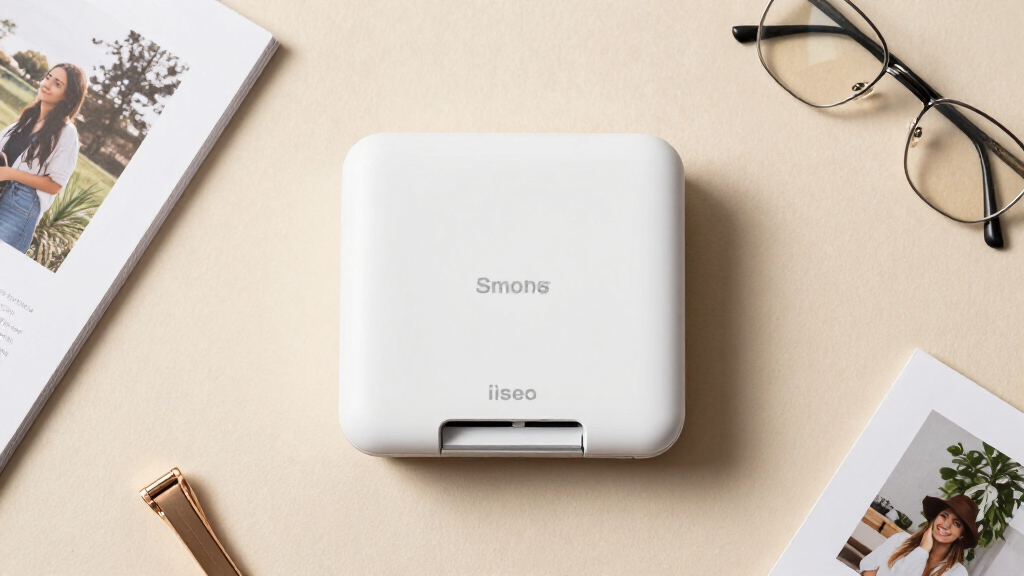
If you run a small business that sells printed photos, event favors, product labels, or branded merchandise, the right portable photo printer can pay for itself within a few events. My top pick overall is the Canon Selphy CP1500, because it pairs professional dye-sublimation print quality with fast output and a consumable supply chain that is easy to keep stocked — the two things that matter most when you are printing for paying customers. Close behind are the Liene M100 bundle (180 sheets and 5 cartridges) for high-volume event work at a lower running cost, and the Canon SELPHY QX20 for businesses that need stylish small-format prints without hauling a full-size unit. The main tradeoff in this category is print size versus portability versus cost per print: 4×6 dye-sub printers produce the most sellable output but are bulkier, while pocket-size sticker printers travel anywhere but limit what you can charge per print. Keep reading for the full breakdown, including which bundles actually save money and which printers to skip for commercial use.

Get business pricing on office and shipping supplies
- Business-only prices and quantity discounts
- Tax-exempt purchasing
- Multiple users, one account, clear invoices
Key Takeaways
- Dye-sublimation models (Canon Selphy, Liene, Kodak, iDPRT) dominated the top spots because their laminated, smudge-proof prints survive handling at events — ZINK-based alternatives did not make the commercial cut.
- Bundle versions of the same printer (Canon CP1500 bundle, Liene M100 180-sheet bundle) ranked higher than their standalone counterparts purely on consumable economics: for a business, the bundled paper and ink lower cost per print from day one.
- The 4×6 format is the sweet spot for revenue — clients pay more for it — which is why the top three picks all print 4×6 while the compact 2×3 and sticker-only models were ranked for niche, add-on use cases.
- The Liene PixCut S1 and Brother ColAura VC500W serve a different buyer than photo printers: they are label and sticker machines, and I ranked them as picks for product-based businesses, not photographers or event vendors.
- Wi-Fi and multi-device connectivity separated business-ready models from home units; printers limited to a single phone connection bottleneck any booth with more than one staff member.
| Liene M100 4×6” Photo Printer with 100 Sheets & 3 Cartridges |  | Best Overall | Print Technology: Thermal dye sublimation with lamination | Print Size: 4 x 6 inches | Connectivity: Built-in Wi-Fi hotspot, up to 5 simultaneous devices | VIEW LATEST PRICE | See Our Full Breakdown |
| Liene Pearl N200 Pro Portable Mini Sticker Photo Printer |  | Best for On-the-Go Sticker Marketing | Print Technology: Thermal dye sublimation | Print Size: 2 x 3 inches, adhesive-backed | Resolution: 300 x 300 dpi | VIEW LATEST PRICE | See Our Full Breakdown |
| KODAK Dock Plus 4×6 Photo Printer, 50 Sheets |  | Best for Beginner Booths | Print Technology: 4PASS dye sublimation with lamination | Print Size: 4 x 6 inches | Connectivity: Bluetooth via KODAK Photo Printer app | VIEW LATEST PRICE | See Our Full Breakdown |
| Epson PictureMate PM-400 Wireless Compact Photo Printer |  | Best Print Quality for Client Deliverables | Print Technology: Inkjet (CMYBK) | Resolution: 5760 x 1440 dpi | Print Sizes: Borderless 4×6 and 5×7 inches | VIEW LATEST PRICE | See Our Full Breakdown |
| Canon Selphy CP1500 Bundle with KP-108IN Ink & Paper Set |  | Best Versatile Workhorse Bundle | Print Technology: Dye sublimation | Resolution: 300 x 300 dpi, 16.7 million colors | Paper Sizes: Four sizes, including 4×6 postcard and 2.1 x 3.4 adhesive stickers | VIEW LATEST PRICE | See Our Full Breakdown |
| Canon SELPHY QX20 Wireless Compact Photo Printer |  | Best Compact Pocket-Sized Pick | Print Technology: Dye Sublimation | Max Print Size: 2.1″ x 3.4″ card / 2.7″ x 2.7″ square | Resolution: 300 x 300 dpi | VIEW LATEST PRICE | See Our Full Breakdown |
| Liene Amber M110 Bluetooth Photo Printer with 80 Sheets and 2 Cartridges |  | Best for Two Print Sizes at Events | Print Technology: Thermal Dye Sublimation | Print Sizes: 4×6 inch and 3×3 inch sticker | Connectivity: Bluetooth | VIEW LATEST PRICE | See Our Full Breakdown |
| Liene M100 4×6” Photo Printer, Wi-Fi Picture Printer, 20 Sheets |  | Best Value Wi-Fi Workhorse | Print Technology: Thermal Dye Sublimation | Max Print Size: 4×6 inches, borderless | Resolution: 300 x 300 dpi | VIEW LATEST PRICE | See Our Full Breakdown |
| Canon Selphy CP1500 Wireless Compact Photo Printer (Black) |  | Best Overall for Client-Facing Quality | Print Technology: Dye Sublimation | Max Print Size: 4×6 inches (Postcard size) | Resolution: 300 dpi | VIEW LATEST PRICE | See Our Full Breakdown |
| Canon Selphy CP1500 Photo Printer Bundle (Black) with KP-108 Paper (108 Sheets), 3 Color Ink Cartridges & Cleaning Cloth |  | Best Turnkey Event Bundle | Print Technology: Dye Sublimation | Max Print Size: 4×6 inches | Resolution: 300 dpi | VIEW LATEST PRICE | See Our Full Breakdown |
| Liene M100 4×6” Photo Printer Bundle (180 Sheets + 5 Ink Cartridges) |  | Best High-Volume Event Bundle | Print technology: Thermal dye-sublimation with protective overcoat | Photo size: 4×6 inches | Connectivity: Built-in Wi-Fi hotspot, up to 5 simultaneous devices | VIEW LATEST PRICE | See Our Full Breakdown |
| Liene PixCut S1 Color Sticker Printer & Cutting Machine |  | Best for Custom Stickers and Branded Merch | Print technology: Thermal dye-sublimation, 4-layer with lamination | Resolution: 300 dpi, 16.7 million colors | Functions: Print plus AI-guided precision die-cutting in one device | VIEW LATEST PRICE | See Our Full Breakdown |
| Brother ColAura VC500W Color Photo and Label Printer |  | Most Compact Label-and-Photo Hybrid | Print technology: ZINK Zero Ink (color embedded in adhesive paper) | Resolution: 313 dpi | Media: CZ/CK ZINK rolls in 3/8, 1/2, 3/4, 1, and ~2 inch widths | VIEW LATEST PRICE | See Our Full Breakdown |
| iDPRT CP4100 4×6 Photo Printer with 108 Sheets & 2 Cartridges |  | Best Value Starter Kit for Client Prints | Print technology: Thermal dye-sublimation, CMYK | Resolution: 300 dpi | Photo size: 4×6 inches, borderless | VIEW LATEST PRICE | See Our Full Breakdown |
| portable photo printers for small businesse | Print Technology | Connectivity | Resolution | Weight |
|---|---|---|---|---|
| Liene M100 4×6” Photo Printer | Thermal dye sublimation with lamination | Built-in Wi-Fi hotspot, up to 5 simultaneous devices | — | — |
| Liene Pearl N200 Pro Portable | Thermal dye sublimation | Bluetooth, multi-device pairing | 300 x 300 dpi | 340 g (0.75 lb) |
| KODAK Dock Plus 4×6 Photo Prin | 4PASS dye sublimation with lamination | Bluetooth via KODAK Photo Printer app | — | — |
| Epson PictureMate PM-400 Wirel | Inkjet (CMYBK) | Wi-Fi, USB | 5760 x 1440 dpi | 6 pounds |
| Canon Selphy CP1500 Bundle wit | Dye sublimation | Wi-Fi, USB, memory card slot | 300 x 300 dpi, 16.7 million colors | — |
| Canon SELPHY QX20 Wireless Com | Dye Sublimation | Wi-Fi (QR pairing), Android and iOS | 300 x 300 dpi | 1.4 pounds |
| Liene Amber M110 Bluetooth Pho | Thermal Dye Sublimation | Bluetooth | 300 dpi | — |
| Liene M100 4×6” Photo Printer | Thermal Dye Sublimation | Built-in Wi-Fi hotspot, supports 5 simultaneous devices, USB to PC | 300 x 300 dpi | 2.2 pounds |
| Canon Selphy CP1500 Wireless C | Dye Sublimation | Wi-Fi, USB, memory card, USB flash drive | 300 dpi | — |
| Canon Selphy CP1500 Photo Prin | Dye Sublimation | Wi-Fi, smartphone, tablet, computer | 300 dpi | — |
| Liene M100 4×6” Photo Printer | Thermal dye-sublimation with protective overcoat | Built-in Wi-Fi hotspot, up to 5 simultaneous devices | — | — |
| Liene PixCut S1 Color Sticker | Thermal dye-sublimation, 4-layer with lamination | Bluetooth via iOS/Android app | 300 dpi, 16.7 million colors | 6.2 pounds |
| Brother ColAura VC500W Color P | ZINK Zero Ink (color embedded in adhesive paper) | Wi-Fi, wireless direct, AirPrint, Windows/Mac via P-touch Editor | 313 dpi | 1.5 pounds |
| iDPRT CP4100 4×6 Photo Printer | Thermal dye-sublimation, CMYK | Built-in Wi-Fi hotspot, 2.4GHz Wi-Fi, Bluetooth | 300 dpi | 2.2 pounds |
More Details on Our Top Picks
Liene M100 4×6” Photo Printer with 100 Sheets & 3 Cartridges
The Liene M100 earns the top spot because it solves the two problems small businesses actually face at events: consumable logistics and connection chaos. The 100-sheet starter supply with matched cartridges means day-one event printing without scavenging for refills, unlike the Kodak Dock Plus, which ships with only 50 sheets. Its self-contained Wi-Fi hotspot lets up to five devices connect simultaneously without depending on venue Wi-Fi, a real advantage when a client and an assistant both need to queue prints. The dye-sublimation output is laminated, so prints survive being handled at a trade show booth all day. The tradeoff is portability: at 4×6 inches per print with a paper cassette, it is chunkier than the pocket-sized Liene Pearl N200 Pro, so it belongs on a table rather than in a tote bag.
Pros:- Generous 100-sheet and 3-cartridge starter bundle covers a full event without immediate refills
- Dedicated Wi-Fi hotspot supports 5 simultaneous devices with no external network needed
- Laminated dye-sub prints resist water, scratches, fingerprints and fading during handling
- App supports branding touches like borders, filters, plus ID and visa photo printing
- Works with iPhone, Android and PC for flexible workflows
Cons:- Larger and less pocket-friendly than mini 2×3 sticker printers
- Hotspot connection means switching your phone off venue Wi-Fi, which can interrupt other tasks
- Print head requires occasional cleaning to avoid smudges
Best for: Event photographers and small businesses running booths, open houses, or client appreciation events who need reliable 4×6 output volume straight out of the box
Not ideal for: Businesses needing truly pocketable sticker printing on the move, since the cassette-based 4×6 design favors a tabletop setup
- Print Technology:Thermal dye sublimation with lamination
- Print Size:4 x 6 inches
- Connectivity:Built-in Wi-Fi hotspot, up to 5 simultaneous devices
- Included Supplies:100 photo sheets, 3 color cartridges
- Compatibility:iPhone, Android, PC
- App Features:Borders, filters, brightness/contrast editing, ID photo printing
Our verdict“This is the pick for a small business that needs dependable, event-grade 4×6 photo printing with enough supplies to start earning money immediately.”
Liene Pearl N200 Pro Portable Mini Sticker Photo Printer
Where the Liene M100 anchors a booth, the Pearl N200 Pro travels with you. At roughly 340 grams and palm-sized, it prints 2×3 adhesive-backed stickers, which is a different business use case entirely: branded takeaways stuck to packaging, name tags, or laptop swag. Its InstaPic shoot-and-print mode collapses the capture-to-print workflow into one step, useful when a line of customers is waiting. Compared with the Canon QX20’s square format, the adhesive backing here makes output immediately usable without extra adhesive or sleeves. The battery covers about 27 prints per charge, which is enough for a pop-up but demands planning for longer events. The obvious compromise is size and permanence: 2×3 stickers are giveaways, not framable product shots, and the 300 dpi resolution is fine at that scale but not for larger client deliverables.
Pros:- Truly pocketable at 340 g with a 3-inch footprint for printing anywhere
- Adhesive-backed 2×3 prints are instantly usable as branded handouts or labels
- One-touch shoot-and-print mode keeps lines moving at busy events
- Multi-device Bluetooth pairing lets a team print from several phones
Cons:- Battery limited to roughly 27 prints per charge, restrictive for all-day events
- Small 2×3 format unsuitable for sellable or framable photo products
- Creative features lean heavily on the Liene app rather than standalone controls
Best for: Pop-up vendors, market stalls and mobile businesses that want adhesive photo stickers as freebies or branded handouts without hauling a tabletop printer
Not ideal for: Studios selling framed or album prints, since 2×3 adhesive stickers are a novelty format rather than a deliverable
- Print Technology:Thermal dye sublimation
- Print Size:2 x 3 inches, adhesive-backed
- Resolution:300 x 300 dpi
- Connectivity:Bluetooth, multi-device pairing
- Battery Life:Up to 27 prints per charge
- Weight:340 g (0.75 lb)
- Included Supplies:50 sheets, 5 cartridges
Our verdict“Choose this if your business lives at markets and pop-ups and giveaway stickers matter more than print size.”
KODAK Dock Plus 4×6 Photo Printer, 50 Sheets
The Kodak Dock Plus is the least intimidating entry into event photo printing, which is why it slots in as the beginner pick. Dock your phone, connect over Bluetooth, and print within seconds, with the bonus that the dock charges your device while it works, something no other printer in this lineup does. The 4PASS dye-sub process delivers the same laminated, fingerprint-resistant finish as the Liene M100, though the 50-sheet starter supply is half of what Liene bundles, so consumable planning starts sooner. Its simplified app covers basic cropping and editing without overwhelming a first-time operator. The main drawback is that it is a desktop unit tethered to wall power, so unlike the battery-capable Canon Selphy CP1500, it cannot run at an outdoor pop-up without an inverter or generator.
Pros:- Docking station charges your phone while printing, reducing cable clutter at a booth
- 4PASS laminated prints resist fingerprints, water and fading
- Nearly zero learning curve, ideal for training temporary staff
- Straightforward Bluetooth pairing with iOS and Android
Cons:- Wall-power-only design rules out battery-powered outdoor use
- Only 50 starter sheets versus 100 with the Liene M100
- Roughly 55 seconds per print slows down high-traffic moments
Best for: First-time business owners or staff running simple indoor photo giveaway stations who want plug-in simplicity and phone charging built in
Not ideal for: Outdoor or off-grid events, since it requires a wall outlet and offers no battery option
- Print Technology:4PASS dye sublimation with lamination
- Print Size:4 x 6 inches
- Connectivity:Bluetooth via KODAK Photo Printer app
- Included Supplies:50 photo sheets
- Print Speed:Approximately 55 seconds per print
- Power:AC outlet required
Our verdict“A sensible first printer for an indoor, low-volume photo station where ease of use beats portability.”
Epson PictureMate PM-400 Wireless Compact Photo Printer
Every other printer here uses dye-sublimation; the Epson PictureMate PM-400 is an inkjet, and that changes what it is for. With 5760 x 1440 dpi resolution, it produces finer gradation than the 300 dpi dye-sub crowd, and it is the only model in this lineup that prints borderless 5×7 prints, a size small businesses can actually sell framed or in mini albums. At around 36 seconds per 4×6 print, it is also faster than the Kodak Dock Plus by a wide margin. The cost of that quality is inkjet economics: Epson locks the machine to genuine cartridges only, firmware updates can block third-party ink, and consumables are messier to manage than sealed dye-sub cassettes. It is also the heaviest option here at 6 pounds, so compared with the Canon Selphy CP1500 it reads as transportable rather than portable.
Pros:- Inkjet resolution of 5760 x 1440 dpi delivers visibly finer detail than 300 dpi dye-sub models
- Only printer in this group supporting borderless 5×7 output for sellable prints
- Fast 4×6 borderless prints in as little as 36 seconds
- Prints rated to last up to 200 years, useful for archival client work
Cons:- Locked to genuine Epson cartridges, with firmware that can disable third-party ink
- Heaviest unit here at 6 pounds, and larger footprint than dye-sub rivals
- Ink and glossy paper handling is fussier than all-in-one dye-sub cassettes
Best for: Photographers and small studios selling premium client prints in 4×6 and 5×7, where resolution and longevity justify ink costs
Not ideal for: High-volume giveaway printing or tight-margin events, since genuine ink costs and lock-in raise the per-print price
- Print Technology:Inkjet (CMYBK)
- Resolution:5760 x 1440 dpi
- Print Sizes:Borderless 4×6 and 5×7 inches
- Print Speed:4×6 borderless in as fast as 36 seconds
- Connectivity:Wi-Fi, USB
- Sheet Capacity:50 sheets
- Weight:6 pounds
- Print Longevity:Up to 200 years on Epson photo paper
Our verdict“Pick the PM-400 when print quality and 5×7 capability drive revenue and consumable cost is secondary.”
Canon Selphy CP1500 Bundle with KP-108IN Ink & Paper Set
The Canon Selphy CP1500 bundle is the most flexible printer here because it attacks inputs and outputs from every angle. It prints from a memory card, USB flash drive, computer, or the SELPHY app over Wi-Fi, which matters when a client hands you an SD card instead of a phone. Output flexibility matches: four paper sizes including 2.1 x 3.4 adhesive stickers, plus a choice of glossy, semi-gloss, or satin finishes set in the app, a branding option no Liene or Kodak model offers. The included KP-108IN set covers 108 4×6 prints from day one. Against the Liene M100, you give up the multi-user hotspot in favor of broader media and input support, and the optional battery is sold separately, so true untethered operation costs extra. The app-driven finish selection also adds a step casual operators may skip.
Pros:- Prints from memory cards, USB drives, computers and Wi-Fi app for maximum client flexibility
- Four paper sizes including adhesive stickers cover both sellable prints and giveaways
- Selectable glossy, semi-gloss and satin finishes for branded output
- Bundle includes 108 sheets and 3 ink cartridges for immediate volume work
Cons:- Optional battery sold separately, unlike fully self-contained portable rivals
- App dependence for finish selection adds setup friction for casual users
- 7 x 5 x 2 inch body is larger than mini sticker printers despite compact claims
Best for: Small businesses that need one printer for mixed duties, client prints, sticker handouts, card-based printing at events, with a 108-print head start
Not ideal for: Buyers wanting battery portability included, since the rechargeable pack is an optional add-on
- Print Technology:Dye sublimation
- Resolution:300 x 300 dpi, 16.7 million colors
- Paper Sizes:Four sizes, including 4×6 postcard and 2.1 x 3.4 adhesive stickers
- Connectivity:Wi-Fi, USB, memory card slot
- Finish Options:Glossy, semi-gloss, satin via SELPHY Layout app
- Included Supplies:KP-108IN set, 108 sheets of 4×6 paper plus 3 ink cartridges
- Dimensions:Approximately 7 x 5 x 2 inches
- Power:AC adapter included, optional battery available
Our verdict“The strongest all-around choice when your business needs input flexibility, finish options, and sticker capability in one machine.”
Canon SELPHY QX20 Wireless Compact Photo Printer
When counter space is the constraint, the SELPHY QX20 is the easiest printer in this lineup to justify. At 1.4 pounds and barely over an inch thick, it slips into an event bag far more gracefully than the Canon CP1500, and the built-in battery means no hunting for outlets at pop-ups or markets. Dye-sublimation output matches Canon’s usual standard: prints are dry on arrival, water-resistant, and rated to last up to 100 years — a real advantage over ZINK-based competitors whose prints fade and smudge. The catch is print size. You’re limited to 2.1″ x 3.4″ card and 2.7″ square sticker paper, so it can’t produce the 4×6 prints the Liene M100 or Kodak Dock Plus handle, and paper isn’t included in the box. For branded stickers, inserts, and giveaway moments rather than client deliverables, those small formats actually work in your favor.
Pros:- Genuinely pocketable with an internal battery and integrated paper tray
- Dye-sub prints are instantly dry, water-resistant, and archival-rated
- Two sticker formats (card and square) suit branded takeaway moments
- Fast QR-code Wi-Fi pairing for iOS and Android
Cons:- Max print size is 3.4 inches — no 4×6 option at all
- Paper is sold separately, so the true running cost starts immediately
- One print at a time with no multi-device queue like the Liene M100 offers
Best for: Small business owners doing markets, pop-ups, or on-site activations who need true print-anywhere portability and sticker output
Not ideal for: Photographers or studios selling 4×6 prints — the small formats and slow ~40-second output per print cap its usefulness for volume client work
- Print Technology:Dye Sublimation
- Max Print Size:2.1″ x 3.4″ card / 2.7″ x 2.7″ square
- Resolution:300 x 300 dpi
- Connectivity:Wi-Fi (QR pairing), Android and iOS
- Battery:Built-in, USB-C charging
- Print Speed:Approximately 40 seconds per print
- Weight:1.4 pounds
Our verdict“Buy it if your business needs a grab-and-go sticker printer; skip it if you sell standard photo sizes.”
Liene Amber M110 Bluetooth Photo Printer with 80 Sheets and 2 Cartridges
The Liene Amber M110 earns its spot with one feature nothing else here matches: a dual tray that prints both 4×6 photos and 3-inch square sticker paper. That flexibility matters when a single event needs both — a client-facing 4×6 print and a branded sticker giveaway — without carrying two printers. Compared with the standard Liene M100, which is locked to 4×6 only, the M110 trades the M100’s five-device Wi-Fi hotspot for Bluetooth pairing, which is faster to set up (Liene claims about 13 seconds) but behaves less smoothly in crowded venues where Wi-Fi direct connections tend to be more stable. The bundled 80 sheets and two cartridges are a real head start, unlike the Canon QX20, which ships with nothing. Its weaknesses are modest Bluetooth range in busy spaces and a larger footprint than Canon’s truly pocketable options, so it’s an event-bag printer rather than an everyday-carry one.
Pros:- Dual trays switch between 4×6 and 3×3 sticker paper without hardware swaps
- Bundled 80 sheets and two cartridges cover a full event out of the box
- Laminated dye-sub prints resist water, scratches, and fingerprints
- ID and visa photo modes add a service line for small print shops
Cons:- Bluetooth-only — no Wi-Fi direct hotspot for congested venues
- Bulkier than pocket printers like the SELPHY QX20
Best for: Event photographers and small brands that want one printer handling both sellable 4×6 prints and promotional sticker handouts
Not ideal for: High-density trade shows or weddings with many concurrent devices — Bluetooth-only connectivity gets crowded where Wi-Fi direct models cope better
- Print Technology:Thermal Dye Sublimation
- Print Sizes:4×6 inch and 3×3 inch sticker
- Connectivity:Bluetooth
- Resolution:300 dpi
- Included Consumables:60 sheets 4×6 paper, 20 sheets 3-inch sticker paper, 2 cartridges
- App Features:Filters, Polaroid borders, brightness/contrast, ID photo modes
Our verdict“The most versatile single-printer setup for events mixing keepsake photos and sticker marketing.”
Liene M100 4×6” Photo Printer, Wi-Fi Picture Printer, 20 Sheets
For a small business that needs repeatable, sellable 4×6 output on a lean budget, the Liene M100 hits the sweet spot. Its smartest design decision is making the printer its own built-in Wi-Fi hotspot, so it connects directly to phones without depending on venue networks — this is more dependable than the Amber M110’s Bluetooth approach when you’re printing at a busy craft fair. Supporting up to five simultaneous devices also means an assistant can queue prints from a second phone while you keep shooting. Print quality holds its own against the Canon CP1500 at the same 300 dpi dye-sub standard, though Canon’s reputation for color consistency still gives the CP1500 the edge for client-facing work. Tradeoffs: only 20 sheets and one cartridge ship in the box, so consumables become a recurring line item fast, and there’s no battery option — unlike the SELPHY QX20 — so it needs wall power wherever it goes.
Pros:- Built-in Wi-Fi hotspot works without venue networks or routers
- Five devices can connect simultaneously for shared print queues
- Compatible with iOS, Android, laptops, and PC
- App walks users through jams and low-ink errors step by step
Cons:- Starter bundle is thin — just 20 sheets and one cartridge
- No battery option limits true portability
- 20-sheet tray capacity means frequent reloads during events
Best for: Budget-conscious sellers who print 4×6 photos regularly and want multi-device Wi-Fi connectivity without a premium price
Not ideal for: Mobile or off-grid printing — no internal battery and a 2.2-pound desktop form factor keep it tethered to an outlet
- Print Technology:Thermal Dye Sublimation
- Max Print Size:4×6 inches, borderless
- Resolution:300 x 300 dpi
- Connectivity:Built-in Wi-Fi hotspot, supports 5 simultaneous devices, USB to PC
- Tray Capacity:20 sheets
- Weight:2.2 pounds
- Warranty:12 months
Our verdict“The sensible low-friction choice for a fixed counter or studio that prints 4x6s all day.”
Canon Selphy CP1500 Wireless Compact Photo Printer (Black)
This is the printer I’d point most small businesses toward, because it gets the fundamentals right where cheaper options compromise. The 3.5-inch built-in display means you can review, crop, and apply filters without handing a phone to a customer or relying on an app — a workflow advantage no Liene model in this roundup can match. Connection flexibility is also best-in-class: Wi-Fi, USB, memory cards, and flash drives all work, so guests at an event can print straight from a camera card. Compared with the pocketable SELPHY QX20, the CP1500 delivers proper 4×6 prints and richer color consistency, but you pay for it in size, and the battery is an optional add-on rather than built in — an annoying extra purchase for mobile use. Prints share Canon’s 100-year archival rating and arrive dry and water-resistant, which matters when handing photos to paying customers on the spot.
Pros:- 3.5-inch screen allows editing and printing without a phone or app
- Wi-Fi, USB, memory cards, and flash drives all supported as inputs
- Canon dye-sub color consistency is the strongest in this lineup for client work
- Optional battery pack enables true mobile operation
Cons:- Battery is a separate purchase, unlike the SELPHY QX20’s built-in cell
- Consumables not included with the base unit
- Larger footprint than pocket printers despite the ‘compact’ label
Best for: Event photographers and businesses that need reliable, professional 4×6 output with flexible input sources and on-printer editing
Not ideal for: Buyers wanting everything in one purchase — the battery costs extra, and paper and ink are sold separately unless you buy a bundle
- Print Technology:Dye Sublimation
- Max Print Size:4×6 inches (Postcard size)
- Resolution:300 dpi
- Display:3.5-inch built-in color screen
- Connectivity:Wi-Fi, USB, memory card, USB flash drive
- Battery:Optional battery pack (sold separately)
- Print Longevity:Up to 100 years, instantly dry and water-resistant
Our verdict“The default choice for quality-first 4×6 printing — just budget for the battery if you’re going mobile.”
Canon Selphy CP1500 Photo Printer Bundle (Black) with KP-108 Paper (108 Sheets), 3 Color Ink Cartridges & Cleaning Cloth
Same proven CP1500 hardware, but packaged so a business can start printing the day it arrives. The 108 sheets of KP-108 paper and three matched ink cartridges eliminate the compatibility guesswork that catches out first-time dye-sub buyers — and paper-and-ink kits are exactly where the base CP1500 leaves you hanging. Compared with the standalone CP1500 listing, this bundle removes the hidden startup cost; compared with the Liene M100’s 20-sheet starter pack, it supplies more than five times the consumables. That makes it the mathematically sensible buy for a business booking its first few events. The tradeoffs are inherited from the hardware: still no battery included, still a desktop-class footprint, and if a microfiber cloth feels like padding to you, the bundle premium buys nothing extra beyond consumables. For anyone comparing this against the other CP1500 bundle with a memory card holder, the choice comes down to accessories you’ll actually use.
Pros:- 108 pre-matched sheets and three full ink cartridges included
- No paper/ink compatibility guesswork at setup
- Full CP1500 feature set including Wi-Fi and the 3.5-inch display
- Cleaning cloth helps maintain print quality in dusty event environments
Cons:- Still requires wall power — no battery in the bundle
- Bulkier and heavier than genuinely portable printers in this lineup
Best for: New event-printing businesses that want pre-matched paper and ink in the box so day one isn’t spent shopping for consumables
Not ideal for: Mobile operators — like the standalone CP1500, it has no battery in the box and isn’t a grab-and-go unit like the SELPHY QX20
- Print Technology:Dye Sublimation
- Max Print Size:4×6 inches
- Resolution:300 dpi
- Connectivity:Wi-Fi, smartphone, tablet, computer
- Included Consumables:KP-108 paper (108 sheets), 3 color ink cartridges
- Accessories:Tudak microfiber cleaning cloth
- Print Longevity:Water-resistant, fingerprint-resistant archival prints
Our verdict“The least-friction way to start a CP1500-based event printing service with consumables covered from day one.”
Liene M100 4×6” Photo Printer Bundle (180 Sheets + 5 Ink Cartridges)
For a small business that prints client photos all day — pop-up studios, real estate photographers, event booths — running out of consumables mid-job is the real risk, and this bundle attacks that directly with 180 sheets and five matched ink cartridges included up front. That is nearly double the media of the Canon Selphy CP1500 bundle (108 sheets), which matters when you’re quoting a full weekend of printing. The M100’s built-in Wi-Fi hotspot supporting up to five simultaneous devices means a team can send jobs without fighting over one phone or a shaky venue network, something Bluetooth-only models like the Liene Amber M110 can’t manage. Dye-sublimation prints get a protective overcoat, so photos handed to customers survive fingerprints and spills. The tradeoff: this is a dedicated 4×6 machine with no battery option and no sticker or label capability, so it’s a workhorse, not a creative tool.
Pros:- 180 sheets plus 5 cartridges included — enough for a full event season without reordering
- Built-in Wi-Fi hotspot supports 5 simultaneous devices for team workflows
- Dye-sub prints with protective layer resist water, scratches and fading
- Jam-resistant paper loading with app-guided troubleshooting
Cons:- No battery — requires a wall outlet, limiting true on-location mobility
- Locked to 4×6 media only; no sticker, label, or smaller-format flexibility
- Heavier ongoing consumable commitment to proprietary Liene cartridges
Best for: Event photographers and pop-up studios that print large volumes of 4×6 client photos and need multi-device workflow
Not ideal for: Businesses wanting battery-powered portability or sticker/label output — this needs wall power and only prints 4×6 paper
- Print technology:Thermal dye-sublimation with protective overcoat
- Photo size:4×6 inches
- Connectivity:Built-in Wi-Fi hotspot, up to 5 simultaneous devices
- Compatible devices:iPhone, Android smartphones, computers
- Included media:180 photo sheets + 5 ink cartridges
- Key features:Jam-resistant loading, app-based error guidance, tear-off crop borders
Our verdict“This is the pick for businesses that measure output in hundreds of prints, not dozens, and want consumables handled on day one.”
Liene PixCut S1 Color Sticker Printer & Cutting Machine
Where every other printer here outputs rectangles, the PixCut S1 prints and precision-cuts in one pass, which changes what a small business can actually sell. Die-cut stickers with AI-automated contour cutting mean logo stickers, product labels, and packaging seals come out looking professionally finished — no scissors, no separate cutting machine, no wasted afternoons. Compared with the Brother ColAura VC500W, which also makes stickers but relies on ZINK paper at 313 dpi, the PixCut’s 300 dpi dye-sub output with automatic lamination produces richer color and far more durable, waterproof results. The subscription-free app with thousands of templates keeps per-unit costs predictable for a lean operation. The compromises are real, though: at 6.2 pounds and roughly 11 inches deep, this is the least portable printer in the lineup, and it can’t produce standard 4×6 photo prints the way the Liene M100 or Canon Selphy CP1500 can.
Pros:- Print and precision die-cut in a single step with AI edge detection
- Laminated, waterproof, scratch-resistant stickers built to last on products
- Subscription-free app with 50,000+ images and 10,000+ templates
- Dye-sub color quality clearly beats ZINK-based sticker printers
Cons:- Bulkiest and heaviest option here — not an event-day carry
- Cannot print standard 4×6 photos; media ecosystem is sticker-focused
- Complexity of two integrated functions means more to maintain and go wrong
Best for: Small brands, Etsy sellers, and craft businesses producing custom die-cut stickers, labels, and branded giveaways
Not ideal for: Photographers needing standard 4×6 client prints or anyone who truly needs to carry the printer to events — it’s a deskbound machine
- Print technology:Thermal dye-sublimation, 4-layer with lamination
- Resolution:300 dpi, 16.7 million colors
- Functions:Print plus AI-guided precision die-cutting in one device
- Connectivity:Bluetooth via iOS/Android app
- Dimensions:11 x 7.7 x 4.1 inches
- Weight:6.2 pounds
- Included media:18 sheets 4×6 photo paper, 18 sheets 4×7 sticker paper, cartridge (36 prints)
Our verdict“If stickers and labels are your product rather than a side effect, this all-in-one justifies its footprint; if photos are the business, look elsewhere.”
Brother ColAura VC500W Color Photo and Label Printer
The ColAura plays a completely different role from the photo-first machines in this roundup: it’s a pocket-sized label and sticker workhorse for businesses whose printing is mostly organizational — address labels, product tags, jar labels, shelf markers — with the occasional small photo thrown in. At 1.5 pounds and under five inches wide, it’s the smallest printer here by a wide margin, and ZINK Zero Ink technology means there’s no ribbon or cartridge to swap, ever; you just drop in a paper roll. The built-in automatic cutter with continuous rolls up to 17 inches lets you print custom-length labels on demand, which the fixed-size Liene M100 simply cannot do. The tradeoffs are image quality and cost: ZINK at 313 dpi looks noticeably flatter than the dye-sub output of the Canon Selphy QX20 or CP1500, and adhesive ZINK rolls cost more per square inch than dye-sub paper. It also depends on a power adapter — no battery.
Pros:- Truly compact at 1.5 pounds — fits any counter or small workspace
- No ink, ribbon, or toner; ZINK paper is the only consumable
- Prints continuous lengths up to 17 inches in five roll widths with automatic cutter
- Strong desktop software (P-touch Editor) plus AirPrint and mobile app support
Cons:- ZINK image quality falls well short of dye-sub printers for actual photos
- Higher cost per print than dye-sub at any volume
- Requires wall power — not battery-operated despite the small size
Best for: Small shops, home-based sellers, and organizers that need varied-width custom labels more than photo quality
Not ideal for: Client-facing photo work — ZINK prints can’t match dye-sub color depth, and per-print media costs add up fast at volume
- Print technology:ZINK Zero Ink (color embedded in adhesive paper)
- Resolution:313 dpi
- Media:CZ/CK ZINK rolls in 3/8, 1/2, 3/4, 1, and ~2 inch widths
- Max print length:17 inches
- Connectivity:Wi-Fi, wireless direct, AirPrint, Windows/Mac via P-touch Editor
- Dimensions:4.4 x 4.6 x 3.8 inches
- Weight:1.5 pounds
Our verdict“Buy this for labels first and photos second; it’s an organizational tool that happens to print pictures, not the reverse.”
iDPRT CP4100 4×6 Photo Printer with 108 Sheets & 2 Cartridges
For a business just testing photo printing as an add-on service, the CP4100 makes the entry barrier about as low as it gets: 108 sheets, two ribbons, and everything needed to start printing in the box, at a bundle size that undercuts the bigger Liene M100 180-sheet kit while still covering plenty of early jobs. Setup follows the now-familiar formula — a built-in Wi-Fi hotspot that works without a router, plus 2.4GHz home-network support — so it behaves much like the Liene M100 at events, just with smaller media capacity. Its differentiator is the AR video printing feature: scanning a printed photo with the app replays the original video clip, a genuinely memorable gimmick for wedding vendors, party services, or brands that want prints people show their friends. The honest tradeoff is polish — the HeyPhoto app and editing tools feel more consumer-oriented than Canon’s Selphy ecosystem, there’s no battery, and the brand’s consumable availability is less established than Canon or Liene.
Pros:- 108 sheets and 2 ribbons included — genuinely ready to earn money out of the box
- Router-free Wi-Fi hotspot plus 2.4GHz network support for event use
- AR scan-to-video prints create a memorable client-facing hook
- Compact and light at roughly 2.2 pounds with a small desk footprint
Cons:- App and editing tools skew consumer-grade rather than business-grade
- No battery option — still tethered to a power outlet
- Newer brand means less certainty around consumable availability than Canon or Liene
Best for: Budget-conscious solo businesses and vendors adding 4×6 photo printing as a new revenue stream without a big upfront commitment
Not ideal for: High-volume operations or businesses that need a mature software ecosystem and guaranteed long-term cartridge supply
- Print technology:Thermal dye-sublimation, CMYK
- Resolution:300 dpi
- Photo size:4×6 inches, borderless
- Connectivity:Built-in Wi-Fi hotspot, 2.4GHz Wi-Fi, Bluetooth
- Included media:108 photo sheets + 2 ink ribbons
- Dimensions:10.4 x 7 x 5.5 inches
- Weight:2.2 pounds
- Special feature:AR video printing via HeyPhoto app
Our verdict“The most sensible low-risk entry point for businesses that want to start selling printed photos this month without betting on a premium machine.”

How We Picked
I evaluated every printer through one specific lens: sustained small-business use, not occasional home printing. That meant judging print quality and durability (prints had to resist smudging, fading, and fingerprints), cost per print based on consumable pricing rather than the sticker price of the unit itself, print speed in realistic event conditions, and how easy it is to keep paper and ink in stock from mainstream suppliers. A cheap printer with expensive or hard-to-find consumables ranks lower than a pricier unit with a healthy supply chain, because a business cannot afford to run out mid-event.
Connectivity and workflow mattered next: Wi-Fi models that accept jobs from multiple devices outranked Bluetooth-only or single-phone units, since most small businesses have more than one person sending prints. I also weighed physical footprint and battery options for on-location work, and whether bundled packages genuinely reduced running costs. Finally, I separated true 4×6 photo printers from sticker and label machines, ranking the latter only for buyers whose products — not photos — are the output. The ordering reflects a simple question: which printer would hold up under hundreds of prints per month with the fewest headaches?
Factors to Consider When Choosing Portable Photo Printers For Small Businesses
Before committing to a printer, step back and think about what your business actually sells and where it operates. The wrong choice here costs far more than the price difference between models — it shows up as wasted consumables, slow lines at events, or prints that curl and fade before the customer gets home.Print Technology: Dye-Sublimation Should Be Your Baseline
Nearly every serious contender here uses thermal dye-sublimation, and that is not a coincidence. Dye-sub prints are continuous-tone (no visible dot pattern) and come out with a protective overcoat layer that makes them water-resistant and fingerprint-proof — qualities your customers will notice when they handle prints at a booth or stick them in a pocket. Inkjet portables can look sharp on the first print but smudge under damp fingers, and ZINK-based printers trade vibrancy for convenience in ways that read as amateurish next to dye-sub output. The common mistake is buying on upfront price and discovering the technology cannot survive real-world handling. Unless your business strictly needs stickers or labels, dye-sub is the floor requirement, not a premium feature.
Cost Per Print, Not Printer Price
For a business, the printer is a one-time cost but consumables are a forever cost, and they vary widely between brands. Canon’s KP-108 packs, Liene’s cartridge-plus-paper sets, and Kodak’s 4PASS cartridges each lock you into their own supply system, so calculate your per-print cost before choosing a platform. Bundled versions of the same printer often lower that figure from day one, which is why several bundles rank above their standalone twins in my lineup. The trap to avoid is a discounted printer with proprietary consumables available from only one seller — a supply interruption can idle your whole operation. Estimate your monthly print volume, multiply it by the per-print cost of the official consumables, and let that number, not the checkout price, drive the decision.
Print Size and What Your Customers Will Pay For
Print format is a business decision disguised as a spec. 4×6 prints command higher prices at events, weddings, and pop-ups, and they feel like a product rather than a party favor, which is why my top picks are all 4×6 machines. Smaller formats — 2×3 adhesive prints from the Liene Pearl N200 Pro or mini square prints from the QX20 — work beautifully as add-ons, giveaway items, or photobooth strips, but they cap your per-transaction revenue. Some businesses run both: a 4×6 workhorse for paid prints and a compact unit for freebies that market the booth. Decide which role this printer fills before comparing models, because a sticker printer cannot be stretched into a 4×6 business no matter how good it is.
Connectivity and Multi-User Workflow
At a busy event, the bottleneck is rarely print speed — it is getting jobs from devices to the printer. Wi-Fi models like the Canon CP1500 and Epson PM-400 let multiple staff send prints simultaneously, while Bluetooth-only units like the Liene Amber M110 generally pair to a single phone at a time, creating a queue of people waiting to reconnect. Memory card support matters more than it seems: guests handing over SD cards from real cameras need a slot, not an app workaround. Also check whether the companion app allows batch printing and layout templates, because manually cropping every image will destroy your throughput. If one person operates the printer, connectivity matters less; the moment two or more people touch the workflow, it becomes the difference between smooth and chaotic.
Portability: Actual Weight, Not Marketing Language
Every printer in this roundup is called portable, but there is a real spectrum from pocket-size to shoulder-bag-size, and the difference compounds over a long event day. The QX20 and Pearl N200 Pro genuinely fit in a jacket pocket and need no wall outlet, making them ideal for roaming a venue. The 4×6 dye-subs — CP1500, M100, Kodak Dock Plus, iDPRT CP4100 — all require a power outlet and a table, so factor in a stand, extension cord, and transport case. A common mistake is buying the biggest printer for the best quality and then never taking it on location because setup takes twenty minutes. Match the printer’s physical demands to how you actually work: fixed studio, mobile booth, or roaming vendor each point to a different size class.
Know When a Sticker or Label Printer Is the Right Tool
Two products in this lineup — the Liene PixCut S1 and Brother ColAura VC500W — are not really photo printers, and buying them expecting event photo output is a mistake. But if your business sells packaged products, handmade goods, or branded merchandise, a die-cut sticker machine may earn more per hour than any photo printer, producing custom labels, packaging seals, and short-run stickers on demand. The ColAura adds continuous label rolls for shipping and organization, blurring into light logistics use. The lesson: define your output first. Photographers and event vendors should stay in the dye-sub photo camp; makers and product sellers may find the sticker machines are the real money-makers on this list.
Frequently Asked Questions
Can a consumer photo printer really handle small-business print volumes?
Yes, within limits — and knowing those limits is the key. Dye-sub printers like the Canon CP1500 and Liene M100 are built around consumable cartridges rated for dozens of prints each, so a business doing 100 to 400 prints per month is comfortably within their design envelope, provided you keep spare cartridges on hand. Where consumer units fall short is duty cycle at scale: running a single printer for a 500-print weekend event invites overheating pauses and mid-event cartridge swaps. Many small businesses solve this by owning two identical printers, which also gives you a spare app profile and redundancy if one fails on site. Below roughly a thousand prints a month, buying commercial-grade equipment usually costs more than the reliability it adds.
Is it better to buy a printer bundle or the printer alone and source consumables separately?
For business use, bundles almost always win, and my rankings reflect that — the Canon CP1500 bundle and the Liene M100 180-sheet bundle place above their standalone versions for exactly this reason. Bundles typically include genuine consumables at a lower effective per-print cost than buying paper and ink separately, and they guarantee you start with matched, first-party supplies rather than third-party substitutes that can cause color shifts or paper jams. The exception is if you already own stockpiled consumables from a previous printer of the same brand — then the standalone unit makes sense. One caution: verify the bundle’s ink and paper are the same generation as the printer, since some listings bundle older cartridge versions that still work but with slightly different sheet counts.
Do I need a battery-powered printer for events, or is an outlet fine?
It depends on your format. Most 4×6 dye-sub printers require mains power, and in practice that is fine for booth-style setups where you have a table, a stand, and venue power — which describes most wedding and market vendors. Battery-powered or battery-optional compact models like the Canon SELPHY QX20 and Liene Pearl shine in roaming scenarios: walking a party, a conference floor, or a festival where you hand prints to people on the spot. If you are unsure, plan for outlet power first and add a compact battery unit later as a secondary offering, since the revenue from 4×6 booth prints will usually outweigh the novelty of mobile mini-prints. Also confirm your venue’s power situation before every event, whichever printer you choose.
Which prints better for customers — dye-sublimation or ZINK, and does the difference matter commercially?
It matters a lot, and it is the single biggest quality differentiator in this category. Dye-sublimation produces continuous-tone prints with a protective laminate, so colors look rich, skin tones render smoothly, and the prints survive being handled, pocketed, and spilled on — all routine at events. ZINK prints are convenient and instant but show visible banding, duller colors, and a sticky-back finish that reads as novelty rather than product. Customers who pay for a print expect the dye-sub look; ZINK output works for free giveaways and party favors where the price is zero. Every printer I ranked in the top tier uses dye-sub or 4PASS (a dye-sub variant), and I would not build a paid printing service on anything else.
Should my photo printer also handle product labels and stickers?
Generally no — trying to make one printer do both jobs compromises each. Photo dye-subs are optimized for one or two fixed print sizes on proprietary paper, so they cannot produce die-cut labels, variable-width stickers, or shipping labels with any efficiency. Dedicated machines like the Liene PixCut S1 (with AI auto-cutting for custom die-cut stickers) and the Brother ColAura VC500W (with continuous label rolls) exist precisely because label work has different mechanical requirements. If your business sells both photo prints and physical products, budget for two inexpensive specialized printers rather than one compromised hybrid — the total cost is often lower than you expect, and each machine lasts longer because neither is being misused. The only overlap worth considering is adhesive-backed photo paper in 2×3 or 3-inch sizes, which turns a photo printer into a basic sticker maker for lightweight branding use.
Conclusion
After comparing all fourteen options, the right choice comes down to what your business actually sells and where it operates. For best overall, the Canon Selphy CP1500 (standalone or bundled) delivers the strongest mix of print quality, speed, multi-user Wi-Fi, and easy consumable sourcing — the safest foundation for an event or photography business. The best value pick is the Liene M100 180-sheet bundle, which matches the Canon’s dye-sub quality at a lower running cost if you can accept slightly slower single-device workflows. For best premium, the Epson PictureMate PM-400 offers the most refined output and wireless flexibility for studios that want prints clients perceive as gallery-grade.
If you are just starting out or testing the market, the Liene Amber M110 or Kodak Dock Plus get you selling 4×6 prints with minimal upfront commitment, while the compact Canon SELPHY QX20 and Liene Pearl N200 Pro suit roaming vendors and businesses built around mini prints and stickers. And for specific needs beyond photos: the Liene PixCut S1 is the pick for custom die-cut stickers and branded merchandise, and the Brother ColAura VC500W doubles as a label and shipping printer for product-based businesses. Match the printer to your revenue model first — everything else, from bundles to accessories, follows from that one decision.
Fall Picks
fall essentials
As an affiliate, we earn on qualifying purchases.