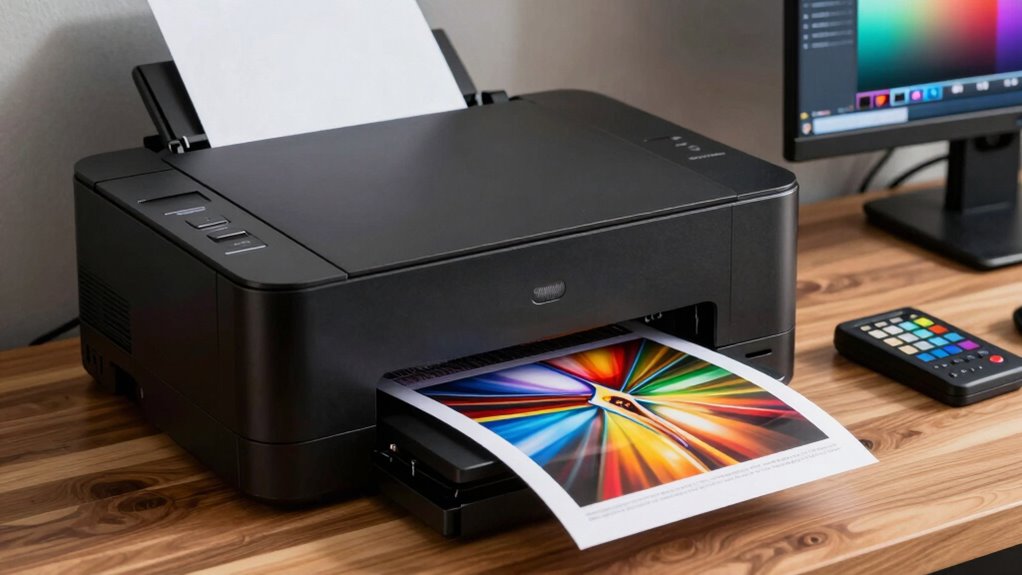
Internal proofing is essential for ensuring your photo prints match your expectations. It helps you spot potential issues like color mismatches or tonal problems early, saving you time, ink, and paper. By previewing the final result, you can make adjustments to calibration, paper, or color settings before the actual print run. Proper internal proofing guarantees your prints will be vibrant, accurate, and true to your original vision—learn more about how to perfect this process.
Key Takeaways
- Internal proofing allows previewing how images will print, helping identify color or tonal issues before final output.
- Proper calibration ensures the printer’s colors match the monitor, maintaining color accuracy in prints.
- Selecting the right paper type influences vibrancy, contrast, and detail, crucial for achieving desired artistic effects.
- Internal proofing reduces waste by enabling adjustments early, saving ink, paper, and time.
- Consistent setup and proofing improve overall print quality, ensuring images are true to the original vision.

Have you ever printed a photo only to be disappointed by the color accuracy or detail? It’s frustrating when the image on your screen looks vibrant and true to life, only to lose that brilliance once it’s printed. This is where internal proofing plays a *key* role, and understanding the importance of proper color calibration and paper selection can make all the difference. When you’re preparing to print, you need to *guarantee* that your printer’s output aligns with what you see on your monitor. Color calibration helps you achieve this by matching your display’s colors with your printer’s capabilities, so your prints reflect the original scene or artwork as accurately as possible. Skipping calibration often results in dull or overly saturated prints that don’t do justice to your original image.
Internal proofing ensures your prints match your monitor’s vibrant, accurate colors and details perfectly.
Beyond calibration, paper selection is equally *essential*. The type of paper you choose impacts the final look of your print more than you might think. Glossy, matte, or fine art papers each interact differently with ink, affecting color vibrancy, contrast, and detail. When you pick the right paper for your project, you’re tailoring the print to suit your desired aesthetic and *guarantee* the colors remain true to your vision. Using a paper that’s incompatible with your printer or doesn’t suit your image’s style can distort colors or cause loss of detail, undermining your effort to produce a professional-quality print.
Internal proofing, in this *setting*, acts as a *critical* checkpoint. It allows you to preview how your image will look once printed, enabling adjustments before the final run. This process relies heavily on accurate color calibration and thoughtful paper selection to get the best results. Without internal proofing, you risk wasting ink and paper on prints that don’t meet your standards. It’s a way to catch issues early, whether it’s color mismatch, tonal imbalance, or detail loss. By doing so, you can tweak your settings, swap out papers, or refine your calibration to *assure* your printed photos match your expectations.
In the end, internal proofing isn’t just about avoiding mistakes; it’s about achieving consistency and confidence in your printing process. When you take the time to calibrate your colors and select the right paper, you’re setting yourself up for success. Your prints will be more accurate, vibrant, and true to your original vision. Remember, a professional-looking print starts long before the paper hits the printer—it begins with careful preparation and internal proofing that respects the nuances of color and material.

Calibrite Display 123 Monitor Calibration Colorimeter for Photo Editing and Color Accurate Viewing, Easy 1 2 3 Software Workflow, USB C Connection, and Before and After Check, Supports 2 Displays
SPECIFICATIONS: Monitor calibration colorimeter with Easy 1 2 3 software workflow, USB C connection, compact body approx. 34mm…
As an affiliate, we earn on qualifying purchases.
As an affiliate, we earn on qualifying purchases.
Frequently Asked Questions
How Do Internal Proofing Settings Differ Between Printer Models?
You’ll notice internal proofing settings differ between printer models because each has unique color management systems and print workflow options. Some printers offer advanced color calibration features, guaranteeing your proofs match your final output more accurately. Others may have simpler settings, requiring you to adjust color profiles manually. Understanding these differences helps you optimize your workflow, achieve consistent results, and ensure your proofs accurately represent your intended colors across various printer models.
What Are the Best Calibration Tools for Photo Printers?
The best calibration tools for photo printers include spectrophotometers like the X-Rite i1Pro 2 or Datacolor SpyderX Elite, which guarantee precise color management and consistent prints. These tools help you verify ink compatibility and color accuracy, reducing guesswork. Regular calibration using these devices allows you to maintain accurate color reproduction, ensuring your prints match your digital files perfectly and that your ink choices remain compatible for peak results.
How Often Should Internal Proofing Profiles Be Updated?
You should update internal proofing profiles whenever your printer or media changes, or every few months to maintain ideal color management and color consistency. Regular updates ensure your proofs accurately represent your final prints. If you notice color shifts or inconsistencies, it’s a clear sign it’s time to refresh your profiles. Consistent updates help you achieve predictable, high-quality results, keeping your color management precise and reliable.
Can Internal Proofing Eliminate the Need for External Proofing?
Internal proofing can’t fully eliminate external proofing because it guarantees color consistency and paper compatibility within your workflow, but external proofing provides an essential real-world check against client expectations and printing conditions. While internal proofing streamlines your process and minimizes surprises, you still need external proofs to confirm color accuracy and paper matching, especially for critical projects. Rely on both methods for the best overall accuracy and client satisfaction.
What Common Issues Affect Color Accuracy in Internal Proofing?
You might notice color inaccuracies during internal proofing due to inconsistent color calibration and print variability. These issues can cause colors to shift unexpectedly, affecting print consistency. To minimize these problems, regularly calibrate your monitor and printer, and use high-quality, matching inks and paper. Coincidentally, keeping your workflow consistent and performing routine checks helps guarantee your colors stay true, saving you time and improving overall print quality.

Reastar Glossy Photo Paper 8.5 x 11, 36 Sheets Inkjet Photo Printer Paper, Instant Dry Picture Paper for DIY Chip Bag, Flyers, Cards, Calendars and Brochures(180gsm/48lb)
Photo Paper Package: 36 sheets of glossy photo paper, 8.5×11 inch, industry standard 180gsm/48lb, single-sided printing and blank…
As an affiliate, we earn on qualifying purchases.
As an affiliate, we earn on qualifying purchases.
Conclusion
Ultimately, relying solely on internal proofing might feel sufficient, but it’s worth questioning if it truly captures the nuanced details of your prints. While technology advances, the theory that internal calibration guarantees perfect results isn’t entirely foolproof—human oversight remains essential. By trusting your eyes and occasionally stepping outside the machine’s feedback loop, you ensure your photos meet professional standards. Internal proofing is a tool, but not the definitive solution; combining it with your judgment yields the best results.

Liene M100 4×6'' Photo Printer, Phone Printer 100 Sheets & 3 Cartridges, Full-Color Photo, Portable Instant Photo Printer for iPhone Android, Thermal Dye Sublimation, Wi-Fi Picture Printer 100 Papers
User-Friendly Portable Photo Printer for iPhone, Android & PC – Get beautiful and colourful memories with Liene 4×6…
As an affiliate, we earn on qualifying purchases.
As an affiliate, we earn on qualifying purchases.
Calibrite Display 123 Monitor Calibration Colorimeter for Photo Editing and Color Accurate Viewing, Easy 1 2 3 Software Workflow, USB C Connection, and Before and After Check, Supports 2 Displays
SPECIFICATIONS: Monitor calibration colorimeter with Easy 1 2 3 software workflow, USB C connection, compact body approx. 34mm…
As an affiliate, we earn on qualifying purchases.
As an affiliate, we earn on qualifying purchases.