

To audit your conversion tracking integrity effectively, start by verifying proper tag implementation on key pages like checkout or sign-up. Use debugging tools such as Google Tag Assistant or Chrome DevTools to guarantee tags fire correctly across devices and browsers. Perform test conversions, then review your data for discrepancies or inconsistencies. Regularly monitor and document changes to maintain accuracy. By following these steps, you’ll strengthen your tracking setup and avoid costly errors—keep exploring to master the details.
Key Takeaways
- Conduct regular tests by performing conversions across devices and browsers to verify accurate data reflection.
- Use debugging tools like Google Tag Assistant and Chrome DevTools to ensure proper tag firing and placement.
- Perform comprehensive audits of your tracking setup, focusing on key conversion pages and event triggers.
- Implement automated monitoring tools to detect anomalies and discrepancies in real-time.
- Document all changes and schedule periodic reviews to maintain data accuracy over time.

Ensuring your conversion tracking is accurate is essential for making informed marketing decisions. When you know precisely which actions lead to success, you can optimize campaigns, allocate budgets effectively, and measure your ROI confidently. But to trust your data, you need to regularly audit your conversion tracking setup. The first step is to identify any data discrepancies that could cloud your insights. Data discrepancies happen when the reported conversions don’t align with actual user actions, often caused by issues like incorrect tag implementation or tracking errors. These discrepancies can lead you to misinterpret campaign performance, wasting resources on strategies that aren’t actually effective.
Accurate conversion tracking is vital for confident marketing decisions and effective campaign optimization.
To start, review your current tag implementation meticulously. Ensure that all tracking tags are correctly placed on the relevant pages, especially on key conversion points like checkout pages, sign-up forms, or download buttons. Misplaced or missing tags are common culprits behind data discrepancies, so double-check that each tag fires as expected. Use debugging tools such as Google Tag Assistant or Chrome Developer Tools to verify whether your tags are firing consistently across different browsers and devices. If you find any tags aren’t triggering or are firing multiple times, fix those issues promptly. Proper tag implementation ensures that each conversion is accurately captured, preventing underreporting or overreporting of data. Additionally, understanding the tracking system architecture helps you identify potential weak points in your setup. Regular testing is critical; perform test conversions to see if they’re accurately reflected in your reports. Use different devices, browsers, and user scenarios to ensure comprehensive coverage. If your tests reveal inconsistencies, revisit your tag implementation and make necessary adjustments. Document your changes and schedule periodic audits to catch issues early. Keep in mind that tracking is an ongoing process; technology evolves, user behaviors change, and data integrity can be compromised if your setup isn’t continuously monitored and refined. Incorporating data validation techniques can further help you detect and correct discrepancies before they impact your decision-making, especially when combined with automated monitoring tools that can alert you to anomalies in real time.
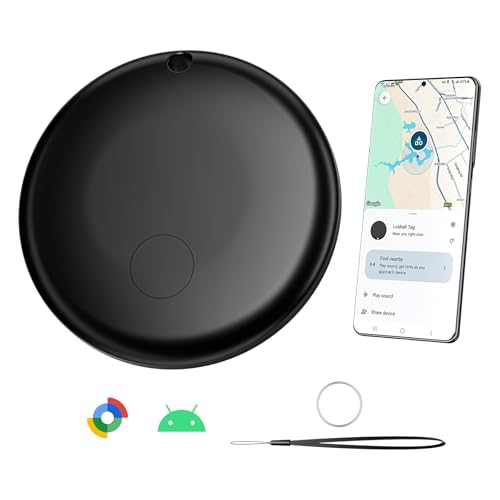
Smart Air Tag Tracker for Android, Google Android Tag Tracker Work with Google Find My Device (Find Hub), Key Finder/Luggage Tracker/Item Locator, 1 Pack Black
- Compatible with Google Find Hub: Works with Find My Device app on Android
- Precise Indoor/Outdoor Tracking: Up to 1-meter accuracy with 200m range
- Fast, Accurate Location: Utilizes a 5.3 smart chip for quick detection
As an affiliate, we earn on qualifying purchases.
As an affiliate, we earn on qualifying purchases.
Frequently Asked Questions
How Often Should I Audit My Conversion Tracking?
You should audit your conversion tracking at least once a month to guarantee conversion accuracy. Regular checks help you identify discrepancies and maintain reliable data validation. If you run frequent campaigns or experience significant website changes, consider auditing more often—every two weeks or even weekly. Staying proactive ensures your data remains trustworthy, enabling better decision-making and optimizing your marketing efforts effectively.
What Tools Are Best for Conversion Tracking Audits?
Like Sherlock with a magnifying glass, you need tools to uncover hidden flaws. Use Google Tag Manager for efficient tag management, guaranteeing your tracking codes fire properly. Pair it with data validation tools like Google Analytics or third-party solutions to verify data accuracy. These tools help you spot discrepancies, maintain integrity, and ensure your conversion data reflects reality. Regular audits with these tools keep your marketing efforts sharp and trustworthy.
Can Incorrect Tracking Data Affect My Ad Campaigns?
Incorrect tracking data can definitely impact your ad campaigns, as it skews insights into user behavior and campaign performance. When data privacy issues arise or tracking isn’t set up properly, you might optimize based on inaccurate info, wasting budget and missing opportunities. You need to regularly audit your conversion tracking to guarantee data integrity, so your decisions reflect true user actions and behaviors, ultimately improving your ad effectiveness.
How Do I Identify Tracking Discrepancies?
To identify tracking discrepancies, you should start with data validation by comparing your conversion data across multiple platforms. Check your tag implementation to make sure tags are firing correctly on all relevant pages. Use tools like Google Tag Manager or browser extensions to verify tags are properly installed and firing as intended. If you notice inconsistencies, it indicates potential tracking discrepancies that need to be addressed to guarantee accurate campaign reporting.
What Are Common Causes of Tracking Errors?
Tracking errors are like leaks in a pipeline, causing data discrepancies. Common causes include incorrect attribution models that misassign credit, pixel or tag issues that fail to fire, and misconfigured tracking code. Additionally, browser blockers and ad blockers can prevent data from recording properly. Regularly auditing your setup helps catch these problems early, ensuring your data stays accurate and reliable for making informed decisions.
Chrome DevTools debugging extension
As an affiliate, we earn on qualifying purchases.
As an affiliate, we earn on qualifying purchases.
Conclusion
To guarantee your conversion tracking remains accurate, regularly audit your setup and data. By catching discrepancies early, you prevent costly misjudgments and optimize your campaigns effectively. Did you know that 60% of digital marketers admit to tracking errors affecting their ROI? Don’t be part of that statistic—stay vigilant, verify your data frequently, and trust your numbers. Consistent audits let you make smarter decisions and truly understand what’s driving your success.

Klein Tools ESF200 Multi-Scan Stud Finder and Wall Scanner with LED Indicators, Fast Auto-Calibration, Detects Wood, Metal, and Live AC, One-Handed Operation, Compact Wall Detector
- Accurate Stud Detection: LED indicators show stud edges clearly
- Fast Auto-Calibration: Quickly adjusts for accurate readings
- Multi-Material Detection: Detects live AC, wood, and metal
As an affiliate, we earn on qualifying purchases.
As an affiliate, we earn on qualifying purchases.

POS Software – All in One Retail Point of Sale Software – Credit Card Processing – Store Management Features, 90 Days Money Back, Free Updates/e-mail Support/video Tutorials
- Affordable POS Software: Cost-effective retail point of sale solution
As an affiliate, we earn on qualifying purchases.
As an affiliate, we earn on qualifying purchases.