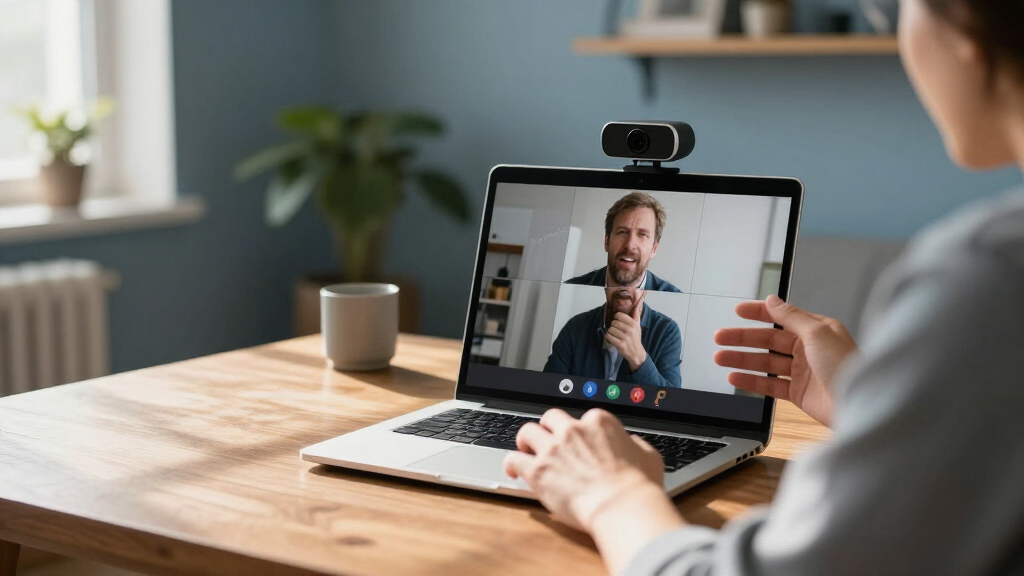
For most business users, I’d start with the Logitech C920e for its straightforward 1080p video and practical desk-meeting fit. The Yealink UVC34 is a stronger match for dedicated conference rooms, while the EMEET C60E offers a dual-camera approach for buyers who want more flexibility. The main tradeoff is between a simple webcam for one person and a larger, more capable system for group calls, along with the added cost and setup that can come with room-focused gear. I also compare budget models, privacy features, audio options, and 4K cameras so you can match the equipment to your space. Read on for the full breakdown of all 15 options.

Get business pricing on office and shipping supplies
- Business-only prices and quantity discounts
- Tax-exempt purchasing
- Multiple users, one account, clear invoices
Key Takeaways
- The C920e is the clearest desk-work starting point: it centers the lineup on practical 1080p video rather than room-scale features most solo callers may not need.
- Room systems serve a different job from personal webcams: the Yealink UVC34, BizEye P30, AV Access BizEye 90, and WyreStorm Focus 210 are aimed at shared meeting spaces, not just a single laptop user.
- 4K alone does not make a webcam better for business: framing, room coverage, lighting, and whether the call platform uses the extra resolution all affect the result.
- Built-in audio changes the setup equation: the BCC950 and BizEye P30 combine camera and speakerphone functions, which may simplify small-room calls but limit component-by-component upgrades.
- Several models target the same basic 1080p desk use: compare privacy shutters, microphone design, compatibility, and support rather than treating similar resolution labels as proof of equal fit.
| Logitech C270 720p HD Webcam | 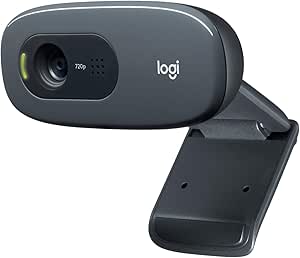 | Best for Basic One-to-One Calls | Resolution: 720p | Frame rate: 30 fps | Field of view: 55 degrees | VIEW LATEST PRICE | See Our Full Breakdown |
| Yealink UVC34 4K Video Conference Camera System |  | Best for Small Meeting Rooms | Camera resolution: 8 MP, 4K at 30 fps | Field of view: 120 degrees | Digital zoom: 5x | VIEW LATEST PRICE | See Our Full Breakdown |
| Logitech Brio 101 Full HD 1080p Webcam, Black |  | Best for Straightforward Full HD Calls | Resolution: 1080p Full HD | Viewing angle: 60 degrees | Connectivity: USB-A | VIEW LATEST PRICE | See Our Full Breakdown |
| Logitech C920e HD 1080p Webcam with Microphones |  | Best for Polished Personal Business Calls | Resolution: FHD 1080p | Field of view: 78 degrees | Focus: HD autofocus | VIEW LATEST PRICE | See Our Full Breakdown |
| EMEET C960 1080p Webcam with Dual Microphones and Privacy Cover | 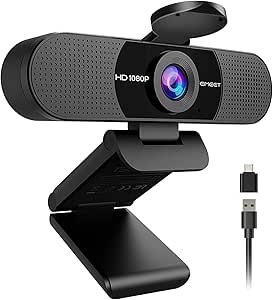 | Best for Wide Desk Framing | Resolution: 1920 × 1080 (1080p) | Field of view: 90 degrees | Focus: Fixed focus | VIEW LATEST PRICE | See Our Full Breakdown |
| EMEET C60E Dual-Camera 4K Webcam |  | Best for Presenter Close-Ups | Sensor: 1/2.8-inch CMOS, 4K | Zoom: 1× to 11× hybrid; unavailable in 4K, 60 fps, or YUY2 modes | Autofocus: PDAF | VIEW LATEST PRICE | See Our Full Breakdown |
| Logitech C920x HD Pro Webcam, 1080p at 30 fps, Black |  | Best for Reliable Individual Calls | Resolution: Full HD 1080p | Frame rate: 30 fps | Focus: Autofocus | VIEW LATEST PRICE | See Our Full Breakdown |
| BizEye P30 4K Dual-Lens Conference Camera and Bluetooth Speakerphone |  | Best All-in-One Small-Room System | Camera resolution: 4K PTZ camera and 1080p panoramic lens | Zoom: 3× optical and 5× digital | Field of view: 110 degrees main lens; 120 degrees panoramic lens | VIEW LATEST PRICE | See Our Full Breakdown |
| NexiGo N60 1080p USB Webcam with Microphone and Privacy Cover |  | Best for Privacy on a Budget | Resolution: Up to 1920 × 1080 (1080p) | Frame rate: 30 fps | Sensor: 2 MP CMOS | VIEW LATEST PRICE | See Our Full Breakdown |
| AV Access BizEye 90 4K Conference Room Webcam |  | Best for Wide-Angle 4K Room Framing | Sensor: 1/1.8-inch CMOS | Video resolution: 4K at 30 fps | Field of view: 120 degrees | VIEW LATEST PRICE | See Our Full Breakdown |
| EMEET C960 1080p Webcam with Dual Microphones and Privacy Cover |  | Best Value for a Solo Desk | Resolution: 1920 × 1080 (1080p) | Field of view: 90 degrees | Microphones: 2 built-in noise-reduction microphones | VIEW LATEST PRICE | See Our Full Breakdown |
| WyreStorm Focus 210 4K AI Conference Webcam |  | Best for Small Meeting Rooms | Resolution: 4K UHD | Field of view: 120 degrees | Microphones: Dual AI noise-canceling | VIEW LATEST PRICE | See Our Full Breakdown |
| Logitech BCC950 Desktop Video Conferencing Webcam and Speakerphone |  | Best All-in-One for Small Teams | Video resolution: 1080p HD at 30 fps | Lens: Carl Zeiss | Microphone: Noise-canceling, full duplex | VIEW LATEST PRICE | See Our Full Breakdown |
| EMEET C960 4K Webcam for PC, PDAF Auto Focus, Dual Omni Mics, 73° FOV |  | Best for Close-Up Detail | Resolution: 4K at 30 fps; 1080p default | Sensor: CMOS | Field of view: 73 degrees | VIEW LATEST PRICE | See Our Full Breakdown |
| Shcngqio TWC29 1080p USB Webcam with Microphone and Privacy Cover |  | Best for a Basic Spare Workstation | Video resolution: 1080p (1920 pixels) | Frame rate: 30 fps | Lens and focus: Wide-angle lens; fixed focus | VIEW LATEST PRICE | See Our Full Breakdown |
| video conferencing webcams for business | Connectivity | Compatibility | Resolution | Field of view |
|---|---|---|---|---|
| Logitech C270 720p HD Webcam | USB-A | Windows, macOS, Chrome OS | 720p | 55 degrees |
| Yealink UVC34 4K Video Confere | USB Type-A | — | — | 120 degrees |
| Logitech Brio 101 Full HD 1080 | USB-A | Windows 7 and up, macOS 10.10 and up, Chrome OS | 1080p Full HD | — |
| Logitech C920e HD 1080p Webcam | USB | Windows 8 or later, macOS 10.10 or later, ChromeOS | FHD 1080p | 78 degrees |
| EMEET C960 1080p Webcam with D | USB Type-A; USB-A-to-C adapter included | Windows 10/11, macOS 10.14+, Android TV 7.0+ | 1920 × 1080 (1080p) | 90 degrees |
| EMEET C60E Dual-Camera 4K Webc | USB 2.0 Type-A | Windows 10/11 (64-bit), macOS 10.14 or later | — | — |
| Logitech C920x HD Pro Webcam | USB | — | Full HD 1080p | — |
| BizEye P30 4K Dual-Lens Confer | USB, Bluetooth, LAN Web UI | Windows 10/11, macOS, Android, iOS | — | 110 degrees main lens; 120 degrees panoramic lens |
| NexiGo N60 1080p USB Webcam wi | USB 2.0/3.0 | Windows, macOS, Android, Linux, Chrome OS, Ubuntu | Up to 1920 × 1080 (1080p) | — |
| AV Access BizEye 90 4K Confere | USB | Windows 10/11, macOS 10.10 or higher | — | 120 degrees |
| EMEET C960 1080p Webcam with D | USB | Windows 10/11, macOS 10.14 or later, Linux, Android TV 7.0 or later | 1920 × 1080 (1080p) | 90 degrees |
| WyreStorm Focus 210 4K AI Conf | USB | Laptop, Mac, PC, tablet | 4K UHD | 120 degrees |
| Logitech BCC950 Desktop Video | USB | Windows and macOS; compatible with Skype for Business, Cisco Jabber, and WebEx | — | — |
| EMEET C960 4K Webcam for PC | USB-A | — | 4K at 30 fps; 1080p default | 73 degrees |
| Shcngqio TWC29 1080p USB Webca | USB 2.0, 3.0, 3.1, and OTG | — | — | — |
More Details on Our Top Picks
Logitech C270 720p HD Webcam
The Logitech C270 is a practical fit for an employee who needs a straightforward camera for individual calls, not a sharper picture for client presentations. Its 720p video at 30 fps and automatic light correction cover everyday check-ins, while the noise-reducing microphone can help keep nearby room sounds from dominating speech. Compared with the Logitech Brio 101, the C270 gives up Full HD resolution and a privacy shutter, so it is less polished for frequent external meetings. Its narrower 55-degree field of view keeps the frame focused on one person, which can suit a desk setup but is limiting for a shared workspace. Fixed focus also means less flexibility than the autofocus C920e. I’d choose it for a simple, compatible setup, but skip it when image detail matters.
Pros:- Records 720p video at 30 fps for routine calls
- Automatic light correction adapts the image to changing room light
- Built-in noise-reducing microphone
- Adjustable clip supports screen mounting or shelf placement
Cons:- 720p resolution is less detailed than the Brio 101 and C920e
- Fixed focus offers less flexibility than the C920e’s autofocus
- No built-in privacy shutter is listed
Best for: Employees who need an uncomplicated webcam for one-to-one internal calls on a Windows, Mac, or Chrome OS computer.
Not ideal for: Client-facing professionals who need Full HD detail, a privacy shutter, or autofocus for varied camera distances.
- Resolution:720p
- Frame rate:30 fps
- Field of view:55 degrees
- Connectivity:USB-A
- Microphone:Built-in noise-reducing
- Focus:Fixed focus
- Weight:2.56 ounces
- Compatibility:Windows, macOS, Chrome OS
Our verdict“Choose the C270 for basic single-person calls when a simple USB-A setup matters more than Full HD detail or autofocus.”
Yealink UVC34 4K Video Conference Camera System
The Yealink UVC34 is a room system rather than a desk webcam: it combines a 4K camera, eight-microphone array, and speaker in one USB-connected unit. That setup can simplify a small meeting room where several people need to be seen and heard without adding separate audio hardware. Its 120-degree field of view and AI auto framing also serve groups better than the narrower Logitech C920e, whose 78-degree view is more suited to an individual or a tighter frame. The tradeoff is scale: at 3.5 pounds and nearly 15 inches wide, the UVC34 is a more substantial installation than a clip-on webcam. Its 5x zoom is digital, not optical, so zooming does not provide the same image detail as moving closer. I’d pick it for shared rooms, not a single employee’s desk.
Pros:- Combines 4K camera, microphone array, and speaker in one device
- 120-degree field of view accommodates people around a small table
- AI auto framing can adjust the view around meeting participants
- Automatic electric lens cap provides a hardware privacy measure
Cons:- Larger and heavier than personal webcams such as the Logitech C920e
- 5x zoom is digital rather than optical
- No water resistance
Best for: Small teams equipping a shared meeting room that need camera, microphones, and speaker in one USB system.
Not ideal for: Individual employees or travelers who need a compact clip-on webcam, or teams requiring optical zoom.
- Camera resolution:8 MP, 4K at 30 fps
- Field of view:120 degrees
- Digital zoom:5x
- Microphones:Built-in 8-microphone array
- Speaker:Built-in 5 W
- Connectivity:USB Type-A
- Weight:3.5 lbs
- Privacy feature:Automatic electric lens cap
Our verdict“Choose the UVC34 for a small shared room that benefits from an all-in-one conferencing unit, not for a personal desk setup.”
Logitech Brio 101 Full HD 1080p Webcam, Black
The Logitech Brio 101 brings 1080p video and a sliding privacy shutter to a simple USB-A webcam, making it a stronger fit than the C270 for employees who appear on regular business calls. RightLight adjusts brightness and reduces shadows, which can help when a desk is not evenly lit. Its 60-degree view and fixed focus keep the setup uncomplicated, but they also make it less adaptable than the autofocus Logitech C920e, which can better handle changes in subject distance. The Brio 101’s built-in mono microphone is convenient for individual calls, though it is not a substitute for a dedicated room audio system like the Yealink UVC34. I’d favor it for a personal workstation where privacy and clear Full HD video matter more than wider framing or focus flexibility.
Pros:- Full HD 1080p video improves detail over the C270’s 720p output
- RightLight helps brighten dim or unevenly lit scenes
- Integrated sliding shutter covers the lens when not in use
- At least 34% post-consumer recycled plastic
Cons:- Fixed focus is less adaptable than the Logitech C920e’s autofocus
- 60-degree view is limited for multiple people in the frame
- Built-in microphone is mono
Best for: Office staff who want Full HD video and a physical privacy shutter on a simple personal webcam.
Not ideal for: People sharing a camera between different distances or teams needing a wide room view and more adaptable focus.
- Resolution:1080p Full HD
- Viewing angle:60 degrees
- Connectivity:USB-A
- Microphone:Built-in mono audio
- Focus:Fixed focus
- Privacy feature:Integrated sliding shutter
- Weight:4.96 ounces
- Compatibility:Windows 7 and up, macOS 10.10 and up, Chrome OS
Our verdict“Pick the Brio 101 for individual business calls when Full HD resolution and a sliding privacy shutter are priorities.”
Logitech C920e HD 1080p Webcam with Microphones
The Logitech C920e is the most adaptable personal webcam in this group for a professional who wants a clear, consistently framed image. Its 1080p video, HD autofocus, and automatic light correction make it a more flexible desk choice than the fixed-focus Brio 101, especially if camera distance changes between calls. The 78-degree field of view leaves more room in frame than the Brio 101’s 60 degrees without stretching as wide as the EMEET C960’s 90-degree view, which may capture more background than a solo presenter wants. Two omnidirectional microphones cover audio from up to one meter, but that range does not make this a room system like the Yealink UVC34. Its flip-up cover and tripod thread suit a managed desk setup, though the fixed field of view cannot be adjusted.
Pros:- HD autofocus adjusts as subject distance changes
- Automatic light correction supports varied office lighting
- Two omnidirectional microphones capture audio up to 1 meter away
- Flip-up privacy cover, adjustable clip, and tripod thread support flexible placement
Cons:- 78-degree field of view is fixed
- Audio and camera are not paired with a built-in speaker like the Yealink UVC34
- Not water resistant
Best for: Client-facing professionals who want autofocus, Full HD video, and flexible monitor or tripod mounting at a personal workstation.
Not ideal for: Small teams seeking an all-in-one room camera and speaker, or users who need to change the field of view.
- Resolution:FHD 1080p
- Field of view:78 degrees
- Focus:HD autofocus
- Microphones:Two integrated omnidirectional microphones
- Microphone range:Up to 1 meter
- Connectivity:USB
- Mounting:Adjustable clip and 1/4-inch tripod thread
- Compatibility:Windows 8 or later, macOS 10.10 or later, ChromeOS
Our verdict“Choose the C920e for a polished personal business-call setup where autofocus and flexible mounting matter more than room-wide coverage.”
EMEET C960 1080p Webcam with Dual Microphones and Privacy Cover
The EMEET C960 suits people who want more of their desk or a second participant in view without buying a room conferencing system. Its 90-degree field of view is wider than the Logitech C920e’s 78 degrees, while 1080p video keeps the image at Full HD. That extra coverage can be useful for collaborative calls, but it also admits more background into the frame; for a tightly composed solo shot, the C920e is the more restrained pick. The C960 uses fixed focus, unlike the C920e’s autofocus, so it is better for a stable webcam position than frequent changes in distance. Two omnidirectional microphones and a removable privacy cover add practical desk features. It includes a USB-A-to-C adapter, but has no built-in speaker, so computer or separate audio equipment is still needed.
Pros:- 90-degree field of view fits more of a shared desk than the C920e
- 1080p resolution supports Full HD business calls
- Two built-in omnidirectional microphones
- Includes USB-A-to-C adapter and a removable privacy cover
Cons:- Fixed focus is less flexible than the C920e’s autofocus
- Wide view can include more background than a solo presenter wants
- No built-in speakers and no Windows Hello compatibility
Best for: Remote employees who need a wider view for collaborative desk calls and want both USB-A and USB-C connection options.
Not ideal for: Solo presenters who want a tighter frame, autofocus, or a webcam with an integrated speaker.
- Resolution:1920 × 1080 (1080p)
- Field of view:90 degrees
- Focus:Fixed focus
- Microphones:2 built-in omnidirectional microphones
- Connectivity:USB Type-A; USB-A-to-C adapter included
- Privacy feature:Removable privacy cover
- Weight:0.16 kg
- Compatibility:Windows 10/11, macOS 10.14+, Android TV 7.0+
Our verdict“Choose the EMEET C960 when wide desk framing and USB-C adapter support outweigh the need for autofocus or built-in speakers.”
EMEET C60E Dual-Camera 4K Webcam
The dual-camera setup gives the C60E a more presentation-focused role than the Logitech C920x: its wide and telephoto cameras let a presenter switch between a room view and closer framing, while PDAF autofocus helps keep the subject sharp. Remote and software controls add flexibility for demonstrations, and the two microphones have a stated pickup range of 9.8 feet. The tradeoff is that its up to 11× hybrid zoom is unavailable in 4K, 60 fps, and YUY2 modes, so buyers must choose between those settings and zoom. Its 73-degree viewing angle is also narrower than the BizEye 90’s 120 degrees. I’d pick it for a presenter-led desk setup, not a room that needs broad group coverage.
Pros:- Dual-camera design supports both wide scenes and closer framing.
- PDAF autofocus helps maintain focus as the view changes.
- Remote and software controls allow image adjustments.
- Two omnidirectional microphones have a stated 9.8-foot range.
Cons:- Hybrid zoom is unavailable in 4K, 60 fps, and YUY2 modes.
- The 73-degree viewing angle is narrower than the BizEye P30 and BizEye 90.
- Not compatible with Windows Hello, and Chrome OS support may vary.
Best for: Presenters and trainers who need to alternate between a standard desk view and close-ups of objects or demonstrations.
Not ideal for: Teams that need a very wide room view, Windows Hello support, or zoom while recording in 4K or 60 fps.
- Sensor:1/2.8-inch CMOS, 4K
- Zoom:1× to 11× hybrid; unavailable in 4K, 60 fps, or YUY2 modes
- Autofocus:PDAF
- Microphones:2 omnidirectional; stated range 9.8 ft
- Connectivity:USB 2.0 Type-A
- Compatibility:Windows 10/11 (64-bit), macOS 10.14 or later
- Viewing angle:73 degrees
- Mount:1/4-inch tripod mount
Our verdict“Choose the C60E for presenter-led calls that benefit from camera switching and close-ups, but not if wide room coverage matters more.”
Logitech C920x HD Pro Webcam, 1080p at 30 fps, Black
The C920x is the straightforward choice here for individual business calls: 1080p at 30 fps, autofocus, and automatic light correction cover the basics without the room-framing complexity of the BizEye 90 or the C60E’s camera switching. Its five-element glass lens and dual stereo microphones make it a more conventional desk webcam than the BizEye P30, which bundles a separate speakerphone for group meetings. The included XSplit VCam license adds background effects, though it is time-limited. There are clear limits: video tops out at 30 fps, and no privacy shutter is included. For a fixed workstation and routine calls, its familiar feature set is easier to match to everyday use than a conference-room system; for privacy-conscious users, the NexiGo N60 includes a cover.
Pros:- Full HD 1080p video at 30 fps.
- Autofocus and automatic light correction support varied desk lighting.
- Five-element glass lens and dual stereo microphones.
- Includes a three-month XSplit VCam license for background effects.
Cons:- No privacy shutter is included, unlike the NexiGo N60.
- Limited to 30 fps at 1080p.
- Lacks the 4K resolution and meeting-room framing features of the BizEye 90.
Best for: Remote employees who want an autofocus 1080p webcam for routine one-to-one calls at a fixed desk.
Not ideal for: Privacy-conscious buyers who want a built-in lens cover, or teams seeking 4K video and room-tracking features.
- Resolution:Full HD 1080p
- Frame rate:30 fps
- Focus:Autofocus
- Lens:Five-element glass lens
- Viewing angle:78 degrees
- Microphones:Dual stereo
- Connectivity:USB
- Privacy shutter:Not included
- Included software:Three-month XSplit VCam license
Our verdict“Pick the C920x for uncomplicated individual calls with autofocus and light correction, provided you do not need a privacy cover or 4K.”
BizEye P30 4K Dual-Lens Conference Camera and Bluetooth Speakerphone
The BizEye P30 is the clearest fit for a small meeting room that needs both group video and room audio: it pairs a 4K PTZ camera with a 1080p panoramic lens and a Bluetooth speakerphone, rather than asking a team to assemble separate pieces. AI framing, presenter tracking, and gallery modes are designed for meetings of up to eight participants. Its four omnidirectional microphones, noise reduction, and up to 10 hours of wireless speakerphone use make it more room-oriented than the C920x, which is built for a single desk user. That room focus brings tradeoffs: the stated audio pickup range is up to 5 m, and the system is recommended for only four to eight people. At 1.88 kg, it is also less suited to frequent desk-to-desk moves than a compact webcam such as the NexiGo N60.
Pros:- Combines a 4K PTZ camera, panoramic lens, and Bluetooth speakerphone.
- AI framing, presenter tracking, and gallery modes support group meetings.
- Four microphones include noise reduction and echo cancellation.
- Speakerphone offers up to 10 hours of wireless use.
Cons:- Recommended for rooms with only four to eight participants.
- Speakerphone audio pickup range is up to 5 m.
- At 1.88 kg, it is less convenient to move than a standard desk webcam.
Best for: Small teams of four to eight who want a coordinated camera and speakerphone for a shared meeting room.
Not ideal for: Solo desk users, larger conference rooms, or teams needing audio pickup beyond the stated 5 m range.
- Camera resolution:4K PTZ camera and 1080p panoramic lens
- Zoom:3× optical and 5× digital
- Field of view:110 degrees main lens; 120 degrees panoramic lens
- Microphones:4 omnidirectional; audio pickup up to 5 m
- Wireless battery life:Up to 10 hours
- Connectivity:USB, Bluetooth, LAN Web UI
- Compatibility:Windows 10/11, macOS, Android, iOS
- Recommended room size:4–8 participants
- Weight:1.88 kg
Our verdict“Choose the BizEye P30 when a small meeting room needs an integrated camera and speakerphone, rather than a simple personal webcam.”
NexiGo N60 1080p USB Webcam with Microphone and Privacy Cover
The N60 keeps a business desk setup simple with 1080p video, plug-and-play USB, a built-in noise-canceling microphone, and a physical privacy cover. That cover gives it a practical advantage over the Logitech C920x, which has autofocus but no shutter. The N60’s 110-degree fixed-focus lens captures a broader view than the C920x’s 78-degree angle, which can help include more of a workstation or a second person. The compromise is focus flexibility: its lens is optimized for indoor use at roughly 19.6 inches to 13 feet, so it is less adaptable than an autofocus webcam when the subject changes position. It also lacks the 4K resolution and tracking options of the BizEye 90. I’d favor it for a fixed desk where privacy and broad framing matter more than focus control.
Pros:- Captures video at up to 1920 × 1080 and 30 fps.
- Included privacy cover blocks the lens when not in use.
- 110-degree viewing angle provides broad framing.
- USB plug-and-play connectivity and compatibility with several operating systems.
Cons:- Fixed-focus lens offers less flexibility than the autofocus C920x.
- Audio delays may require a firmware update.
- Does not offer the 4K video or tracking features of the BizEye 90.
Best for: Remote workers and shared-workstation users who want a physical lens cover, broad framing, and simple USB setup.
Not ideal for: Presenters who move around, buyers who need autofocus, or teams seeking 4K and AI room framing.
- Resolution:Up to 1920 × 1080 (1080p)
- Frame rate:30 fps
- Sensor:2 MP CMOS
- Lens:3.6 mm wide-angle glass; fixed focus
- Viewing angle:110 degrees
- Optimized focus distance:19.6 inches to 13 feet
- Connectivity:USB 2.0/3.0
- Microphone and privacy:Built-in noise-canceling microphone; privacy cover included
- Compatibility:Windows, macOS, Android, Linux, Chrome OS, Ubuntu
Our verdict“Choose the N60 for a fixed desk where a privacy cover and wide view matter more than autofocus or advanced meeting-room features.”
AV Access BizEye 90 4K Conference Room Webcam
The BizEye 90 is aimed at teams that want one USB camera to cover a broad conference-room view: its 120-degree field of view, 4K video, and AI auto framing can capture more than a standard desk webcam such as the Logitech C920x. Presenter tracking and individual gallery mode add meeting-focused framing, while driver-free USB setup keeps installation straightforward. Compared with the BizEye P30, it is a webcam rather than a camera-and-speakerphone kit, so it is a simpler choice when room audio is already handled separately. The 5× digital zoom helps adjust framing, but magnification can reduce image detail; its fixed-focus lens also offers no manual adjustment. Its microphone range is stated as up to 3 meters, making this a better fit for camera coverage than for replacing a dedicated room audio system.
Pros:- 4K video at 30 fps from a 1/1.8-inch CMOS sensor.
- 120-degree field of view suits group framing.
- AI auto framing, presenter tracking, and individual gallery mode support meetings.
- Driver-free USB connection and included mounting clip.
Cons:- 5× zoom is digital and can reduce image detail when magnified.
- Fixed-focus lens has no manual focus adjustment.
- Microphone range is up to 3 meters, shorter than the BizEye P30’s stated pickup range.
Best for: Small and midsize teams that need wide 4K room coverage, automated framing, and a USB connection to an existing audio setup.
Not ideal for: Buyers who need a bundled speakerphone, optical zoom, or adjustable focus for changing camera distances.
- Sensor:1/1.8-inch CMOS
- Video resolution:4K at 30 fps
- Field of view:120 degrees
- Zoom:5× digital
- Focus:Fixed focus
- Microphone range:Up to 3 meters
- Connectivity:USB
- Compatibility:Windows 10/11, macOS 10.10 or higher
- Mounting:Laptop and monitor clip; tripod compatible
Our verdict“Choose the BizEye 90 for wide-angle 4K coverage and automated framing, but pair it with separate room audio if needed.”
EMEET C960 1080p Webcam with Dual Microphones and Privacy Cover
For a business user who needs a straightforward desk camera, the EMEET C960 covers the basics with 1080p video, two noise-reduction microphones, and a removable privacy cover. Its 90-degree view can include more of a desk or a second person than the narrower 73-degree EMEET C960 4K, though that extra width may show more of the room than a solo caller wants. Automatic low-light correction can help when office lighting is uneven, but it cannot make this a substitute for good lighting.
The main compromise is fixed focus: it suits a seated caller who stays in place, not someone who frequently moves toward the camera or shares close-up materials. Compared with the Logitech BCC950, this model is simpler and lighter, but it lacks an integrated speakerphone and physical call controls. I’d choose it for basic individual meetings, not for a shared conference table.
Pros:- 1080p video and a 90-degree field of view suit everyday desk meetings.
- Two noise-reduction microphones capture voice without a separate mic.
- Automatic low-light correction can help in uneven indoor lighting.
- Removable privacy cover, foldable clip, and tripod holder add setup flexibility.
Cons:- Fixed focus is less forgiving when the caller or subject moves.
- The wide view may include unwanted background in a small home office.
- Not compatible with Windows Hello.
Best for: Remote employees who want an uncomplicated 1080p webcam with a privacy cover and built-in microphones for regular one-person calls.
Not ideal for: People who move around during calls, need autofocus, or want a complete room-conferencing setup with a speakerphone.
- Resolution:1920 × 1080 (1080p)
- Field of view:90 degrees
- Microphones:2 built-in noise-reduction microphones
- Focus:Fixed focus
- Connectivity:USB
- Compatibility:Windows 10/11, macOS 10.14 or later, Linux, Android TV 7.0 or later
- Mounting and privacy:Foldable clip, tripod holder, removable privacy cover
- Weight:0.16 kg
Our verdict“Choose this EMEET for a simple, privacy-conscious solo workstation, but pick an autofocus model or an all-in-one conference system for more demanding setups.”
WyreStorm Focus 210 4K AI Conference Webcam
The WyreStorm Focus 210 is aimed at a different job from desk webcams: bringing a small meeting room into the call. Its 120-degree view and AI group framing can keep several seated participants visible, while presenter tracking is useful when someone speaks from a different spot. Dual noise-canceling microphones have a stated pickup range of up to five meters, giving it more room coverage than the EMEET C960 models, which are better suited to an individual workstation.
That room focus is also its main limitation. The broad angle can be excessive for a solo desk, and its listed compatibility is broad but less specific than the operating-system details supplied for the EMEET C960 1080p. This is a USB camera, not the all-in-one speakerphone system offered by the Logitech BCC950. I’d shortlist it for small-room framing features, while checking that the meeting platform and room audio setup match its intended use.
Pros:- 120-degree field of view helps include multiple people in a small room.
- AI group framing and presenter tracking reduce manual camera adjustments.
- Dual noise-canceling microphones list pickup up to five meters.
- Physical privacy cover is included.
Cons:- Room-oriented wide framing is less suited to a single-person desk setup.
- The description does not specify detailed operating-system versions.
- Does not include the all-in-one speakerphone controls and audio system of the Logitech BCC950.
Best for: Small teams using a dedicated meeting room who want wide coverage, automatic group framing, and presenter tracking over USB.
Not ideal for: Solo callers or buyers seeking a compact personal webcam, or a camera-and-speakerphone bundle for a room without separate audio equipment.
- Resolution:4K UHD
- Field of view:120 degrees
- Microphones:Dual AI noise-canceling
- Microphone pickup range:Up to 5 m
- Camera features:AI group framing and presenter tracking
- Connectivity:USB
- Compatibility:Laptop, Mac, PC, tablet
- Dimensions and weight:3 × 6 × 3 in; 8 oz
- Warranty:2 years
Our verdict“Pick the Focus 210 for a small team room that can use its tracking and wide coverage, not as a simple personal desk webcam.”
Logitech BCC950 Desktop Video Conferencing Webcam and Speakerphone
The Logitech BCC950 earns its place by combining a 1080p camera with a full-duplex speakerphone, so a small meeting group does not need to assemble separate webcam and audio gear. Its noise-canceling microphone is specified for voices up to eight feet away, and the remote and base controls let participants adjust pan, tilt, zoom, volume, mute, and calls without reaching for the computer. Compared with the WyreStorm Focus 210, it gives up 4K video and AI presenter tracking in exchange for integrated room audio and direct controls.
The stated audience is small meetings of up to four people, and that limit matters: this is not a room-wide system for larger groups. Its 2.3-pound base is also less travel-friendly than the compact EMEET C960 4K. Choose the BCC950 when a compact team needs one USB-connected conferencing unit; skip it if your priority is a personal webcam or modern tracking features.
Pros:- Combines a 1080p webcam and full-duplex speakerphone in one system.
- Microphone pickup is specified for up to eight feet.
- Remote and base buttons control camera movement, calls, volume, and mute.
- Noise-canceling and echo-cancellation audio features support two-way conversation.
Cons:- Designed for small meetings of up to four people, not larger rooms.
- The 2.3-pound unit is less portable than compact desk webcams.
- 1080p video lacks the resolution and AI framing features of the WyreStorm Focus 210.
Best for: Small teams of up to four people who meet around one desk and want camera, microphone, speakerphone, and call controls in one USB system.
Not ideal for: Larger conference rooms, mobile workers, or buyers who need 4K video and AI framing rather than integrated speakerphone audio.
- Video resolution:1080p HD at 30 fps
- Lens:Carl Zeiss
- Microphone:Noise-canceling, full duplex
- Audio range:Up to 8 feet
- Frequency response:200 Hz–8 kHz
- Connectivity:USB
- Controls:Remote and base buttons for pan, tilt, zoom, volume, mute, answer, and hang-up
- Compatibility:Windows and macOS; compatible with Skype for Business, Cisco Jabber, and WebEx
- Dimensions and weight:6.97 × 6.81 × 4.88 inches; 2.3 pounds
Our verdict“Choose the BCC950 when a small team values integrated speakerphone audio and hands-on controls more than 4K video or AI tracking.”
EMEET C960 4K Webcam for PC, PDAF Auto Focus, Dual Omni Mics, 73° FOV
For business calls where a sharp, tightly framed image matters, the EMEET C960 4K offers true 4K capture and PDAF autofocus in a compact USB-A camera. Its 73-degree field of view is narrower than the 90-degree EMEET C960 1080p, which can keep more background out of a small office and make a solo caller the focus. Autofocus also makes it better suited to someone who shifts position or brings an object toward the camera than either fixed-focus EMEET or the Shcngqio TWC29.
There are practical compromises: video defaults to 1080p, so the user must enable 4K through software, and the supplied details note limited low-light performance despite automatic light correction. It has no hardware zoom or optical stabilization, and its tighter view is less suited to group calls than the WyreStorm Focus 210’s 120-degree coverage. I’d choose it for a solo professional who values focus and detail, not room coverage.
Pros:- True 4K at 30 fps provides more image detail than the 1080p models here.
- PDAF autofocus helps keep the image sharp as the subject moves.
- 73-degree field of view keeps a solo caller more tightly framed than wider room cameras.
- Dual omnidirectional microphones and a privacy cover are built in.
Cons:- Defaults to 1080p; 4K must be enabled through software.
- Limited low-light performance can constrain use in dim workspaces.
- No built-in hardware zoom or optical stabilization.
Best for: Solo professionals, presenters, and remote instructors who want autofocus and the option of detailed 4K video in a compact camera.
Not ideal for: Teams sharing one camera, people who need dependable image quality in dim rooms, or buyers who want plug-in 4K without changing software settings.
- Resolution:4K at 30 fps; 1080p default
- Sensor:CMOS
- Field of view:73 degrees
- Focus:PDAF autofocus
- Microphones:Dual omnidirectional
- Connectivity:USB-A
- Operating systems:Windows, macOS, Android TV, Linux
- Mounting:360-degree horizontal rotation, 15-degree vertical tilt, 1/4-inch tripod thread
- Dimensions and weight:3.9 × 2.3 × 2.2 inches; 4.8 ounces
Our verdict“Choose this EMEET when autofocus and close-up 4K detail matter more than wide room coverage or effortless low-light performance.”
Shcngqio TWC29 1080p USB Webcam with Microphone and Privacy Cover
The Shcngqio TWC29 is a basic 1080p option for a workstation that needs a camera without extra setup steps. It offers 30 fps video, automatic light correction, a noise-reducing microphone, and a sliding privacy cover, with a five-foot cable and USB 2.0, 3.0, 3.1, and OTG connectivity listed. Compared with the EMEET C960 1080p, it shares the fixed-focus, plug-and-play approach, but the EMEET provides a specified 90-degree field of view and dual microphones; Shcngqio does not state its field of view or microphone count.
That missing detail makes it harder to predict framing and audio coverage before purchase, which matters in a business setting. Fixed focus also favors a caller who sits still, while the EMEET C960 4K offers autofocus for people who move during meetings. I’d treat the TWC29 as a simple spare or entry-level desk camera, not a known quantity for shared rooms or presentations that require precise framing.
Pros:- 1080p video at 30 fps suits routine video calls.
- Automatic light correction can adjust to changing indoor lighting.
- Noise-reducing microphone and sliding privacy cover are included.
- Five-foot cable and listed USB/OTG connectivity support flexible desk placement.
Cons:- Fixed focus is less adaptable if the subject moves.
- The field of view is not specified, making framing difficult to predict.
- Microphone count and pickup range are not provided.
Best for: Office users setting up a spare laptop or fixed desk who need basic 1080p video, a built-in mic, and a privacy cover.
Not ideal for: Business buyers who need a specified field of view, autofocus, multi-person coverage, or clear microphone pickup details before choosing.
- Video resolution:1080p (1920 pixels)
- Frame rate:30 fps
- Lens and focus:Wide-angle lens; fixed focus
- Sensor:CMOS
- Connectivity:USB 2.0, 3.0, 3.1, and OTG
- Cable length:5 ft
- Features:Noise-reducing microphone, automatic light correction, sliding privacy cover
- Video and audio formats:AVI video; AAC and MP3 audio
Our verdict“Pick the TWC29 for a basic fixed-desk setup, but choose the EMEET C960 1080p if you want clearer specifications for framing and microphones.”
How We Picked
I compared these business video conferencing webcams by intended setup: individual desk calls, shared office meetings, and dedicated conference rooms. I considered resolution and autofocus alongside practical factors such as field of view, microphones, speakerphone integration, privacy controls, mounting, and the likely effort involved in installation. A camera’s listed resolution was treated as one part of image quality, not a stand-in for good framing or reliable performance in a real meeting space.
The ranking gives priority to clear role fit and everyday usability, then weighs versatility, included audio, and the tradeoffs of a more specialized setup. Simple 1080p webcams rank well when they meet routine desk needs without adding room-system complexity; conference cameras move ahead for buyers who need shared-space coverage or integrated audio. The lineup includes repeated C960 listings and similarly positioned Logitech models, so those are judged by their stated configurations rather than presented as wholly different categories.
| video conferencing webcams for business | Focus |
|---|---|
| Logitech C270 720p HD Webcam | Fixed focus |
| Yealink UVC34 4K Video Confere | — |
| Logitech Brio 101 Full HD 1080 | Fixed focus |
| Logitech C920e HD 1080p Webcam | HD autofocus |
| EMEET C960 1080p Webcam with D | Fixed focus |
| EMEET C60E Dual-Camera 4K Webc | — |
| Logitech C920x HD Pro Webcam | Autofocus |
| BizEye P30 4K Dual-Lens Confer | — |
| NexiGo N60 1080p USB Webcam wi | — |
| AV Access BizEye 90 4K Confere | Fixed focus |
| EMEET C960 1080p Webcam with D | Fixed focus |
| WyreStorm Focus 210 4K AI Conf | — |
| Logitech BCC950 Desktop Video | — |
| EMEET C960 4K Webcam for PC | PDAF autofocus |
| Shcngqio TWC29 1080p USB Webca | — |
Factors to Consider When Choosing Video Conferencing Webcams For Business
Before choosing a camera, I’d match it to the room and meeting pattern, not just the resolution printed on the box. These factors help separate an inexpensive personal webcam from equipment that can serve a whole conference table.
Match the camera to the room size
A webcam positioned at one person’s monitor has a different job from a camera at the end of a meeting table. For solo calls, a narrow or moderate field of view can keep the speaker prominent and reduce distractions around the desk. In a shared room, a narrow view may crop out colleagues, while an overly wide one can make faces look small and capture unnecessary background. Measure the distance from camera to participants and check how many people need to fit in frame before choosing. A common mistake is buying a 4K desk webcam for a room that needs broader framing or a camera placed farther away. Room layout, seating, and mounting position can matter more than the resolution headline.
Choose resolution for the call, not the spec sheet
1080p is often a sensible match for everyday business meetings, especially when the camera is close to the speaker and the video platform limits outgoing quality. A 4K sensor can provide room to crop or reframe, but that advantage depends on software support, bandwidth, and the camera’s field of view. It does not automatically make low-light video sharper or improve a compressed call. Think about whether your team records, streams, or crops footage, or mainly joins standard video meetings. Paying extra for 4K makes more sense when those workflows use it. If calls are routine and bandwidth is constrained, good framing and adequate lighting may matter more.
Treat audio as a separate buying decision
Built-in microphones can reduce desk clutter, but their usefulness depends on the speaker’s distance and the room’s echo. For a solo caller sitting near the camera, onboard microphones may be adequate; for a group around a table, a dedicated speakerphone or room audio system can make conversation easier to follow. Integrated camera-and-speakerphone units simplify setup, while separate components give an office more freedom to upgrade audio later. Check whether the webcam’s microphones are intended for one person or a room before relying on them as the only audio source. A common misstep is choosing a camera for video quality and assuming its microphones will cover every seating position. In larger spaces, prioritize a tested room-audio plan over microphone count alone.
Check workplace compatibility and deployment
A webcam that works on one employee’s computer may not fit a managed office environment. Confirm operating-system support, connection type, mounting options, and compatibility with the meeting platforms your organization uses. For shared rooms, check how the system connects to the room computer or conferencing appliance and whether staff can start meetings without extra setup steps. IT teams should also consider device management, cable runs, and how replacements will be handled across multiple rooms. A low-complexity USB camera can be easier to deploy broadly than a specialized conference system. Paying more for room equipment is justified when it reduces recurring setup problems or supports a dedicated meeting space.
Decide how much privacy control you need
Physical privacy covers and shutters can make it obvious when a lens is blocked, which is useful for shared desks and hot-desking offices. They do not replace meeting controls or protect audio, so teams should still set clear camera and microphone practices. Consider whether the webcam stays installed between calls, travels with a laptop, or sits in an accessible shared room. A built-in cover is convenient, but a loose accessory can be misplaced and may not suit every mounting arrangement. Check how the cover operates before buying several units for an office. For sensitive meetings, pair physical lens privacy with sensible device permissions and meeting-room procedures.
Pay for features that solve a recurring problem
Higher-end room cameras and dual-camera designs make the most sense when they address a repeated need, such as framing several participants or simplifying a dedicated conference room. If a team mostly holds one-to-one calls, a basic webcam may provide a cleaner and easier setup. Before spending on advanced features, identify what is currently failing: poor framing, distant voices, awkward positioning, or time lost connecting equipment. Avoid buying extra resolution or bundled audio simply because it sounds future-proof; unused features add setup and support considerations without improving routine calls. For offices with varied needs, a mix of desk webcams and a few room systems may serve staff better than standardizing on one costly model.
Frequently Asked Questions
Is a 4K webcam worth choosing for ordinary business calls?
For many everyday calls, a good 1080p webcam is enough, particularly when one person sits close to the camera and the meeting platform compresses video. 4K is more useful when you need to crop or reframe the image, show a wider room, or support recording workflows that preserve higher resolution. It cannot compensate for poor lighting, an awkward camera angle, or weak room audio. Check whether your computer and conferencing software support the features you want before paying for more resolution. If your current calls look clear and properly framed, 4K may not solve a meaningful problem.
Should I buy a webcam with built-in microphones or a separate speakerphone?
For one person near the monitor, built-in microphones may keep the setup simple and reduce desktop clutter. A speakerphone or dedicated room audio is usually a safer choice when several people need to speak from around a table. Room shape, distance, and echo influence pickup, so microphone count alone is not a reliable guide. Integrated camera-and-audio products can be convenient for small rooms, while separate devices let you upgrade audio without replacing the camera. Choose based on where participants sit and how often the equipment will be used by different people.
Can I use a personal webcam in a conference room?
You can, but a desk webcam may frame only the person nearest the display and may not pick up voices across the table. Before repurposing one, check its field of view, mounting position, cable reach, and microphone pickup for the room. A larger conference space may call for a room camera and separate audio rather than a standard monitor-mounted device. For a small huddle area, a personal webcam may be sufficient if participants sit close together. The best test is whether everyone can be seen and heard from their usual seats without rearranging the room.
What should an IT team check before buying webcams for several offices?
Confirm operating-system and meeting-platform compatibility, connection requirements, mounting options, and whether the cameras work with the organization’s standard computers. For shared rooms, map cable paths and decide how users will start calls without help from IT. Check privacy controls and document how cameras should be positioned and stored. It also helps to separate desk-camera needs from conference-room needs instead of choosing one model for every location. A small pilot across different room types can reveal fit and setup issues before a larger rollout.
Are the two EMEET C960 listings the same webcam?
The roundup includes two listings described as the EMEET C960 1080p webcam with dual microphones and a privacy cover, as well as a separate EMEET C960 4K listing with PDAF autofocus and a stated 73-degree field of view. The two 1080p entries appear to describe the same configuration, so buyers should verify the exact model and included accessories rather than treating them as distinct choices. The 4K listing has different stated specifications and should be checked separately. Compare the product identifier, resolution, autofocus, and connection details on the seller’s current page before ordering. That step can prevent confusion when listings use similar names.
Conclusion
For a dependable personal desk setup, I’d choose the Logitech C920e as the best overall because it keeps the focus on straightforward 1080p business calls. The Logitech Brio 101 or EMEET C960 1080p are sensible value-minded options for buyers who want a basic webcam with fewer room-system demands, while the Yealink UVC34 is my premium pick for a dedicated conference room. Beginners who want a simple USB desk camera can start with the Logitech C270, accepting its lower 720p resolution. For small rooms where integrated camera and speakerphone functions matter, look at the Logitech BCC950 or BizEye P30; for 4K and more flexible framing, compare the EMEET C60E and WyreStorm Focus 210. Choose the least complex option that covers your room, audio, and privacy needs rather than paying for features your meetings will not use.
Fall Picks
fall essentials
As an affiliate, we earn on qualifying purchases.