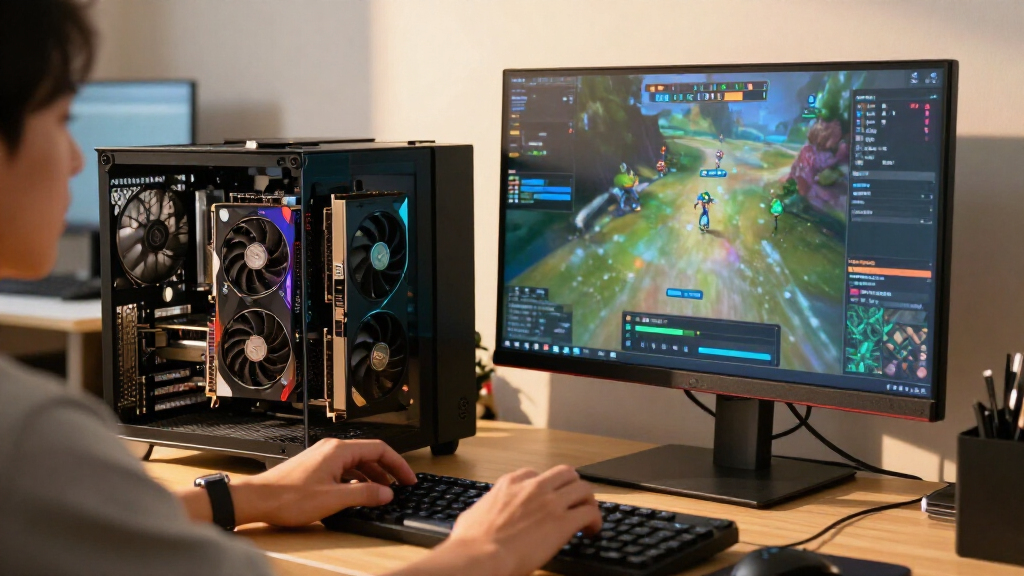

🔍 Read the full analysis: A Practical Guide To 10 Graphics Cards For Gaming And Professional Use on ThorstenMeyerAI.com

Get business pricing on office and shipping supplies
- Business-only prices and quantity discounts
- Tax-exempt purchasing
- Multiple users, one account, clear invoices
TL;DR
The source guide compares 10 graphics cards, from newer RTX 50-series and RX 9000-series models to older cards suited mainly to display output or niche workstation use. Its recommendations depend on workload, memory, cooling, power supply and software support; performance and compatibility claims should be checked against independent tests and each card’s exact specifications.
ThorstenMeyerAI.com has published a guide to 10 graphics cards for gaming, creative work and basic display use, ranging from current high-performance models to older budget options. The guide argues that buyers should match a card to their workload, case and power supply, while its product rankings and performance descriptions are the source’s assessments rather than independently verified test results.
The guide names the ASUS ROG Astral GeForce RTX 5080 as its premium overall choice, citing its cooling design and overclocking headroom. It presents the ASUS Dual GeForce RTX 5060 Ti as a more affordable option with 16GB of memory, and the AMD Radeon RX 9070 XT as an alternative for workloads that favor traditional rasterized graphics. Other graphics card options for gaming, AI and creative work can provide additional context for comparing choices. These are editorial judgments; the supplied material does not include benchmark charts, prices or test methods that would let readers compare the claims directly.
The other models discussed are the PNY RTX 5080, Radeon RX 9070, Radeon RX 580, VisionTek RX 580, Radeon RX 550, GT 730 and RTX 3060. The source frames the older RX 550 and GT 730 as cards for display output and light tasks, not modern gaming. It points to the VisionTek RX 580’s multiple mini-DisplayPort outputs as a potential fit for specific multi-display workstation setups, while warning that older hardware can lack support for newer games and features.
Its selection criteria include GPU generation, memory capacity and type, cooling, connectivity and form factor. The guide also says that NVIDIA’s CUDA and NVENC features may suit some creator workflows, while AMD cards can be competitive for gaming; choosing a graphics card for AI and gaming depends on the intended workload. Buyers are advised to verify application support, card dimensions and the recommended power supply for the exact model they are considering.
The 10 picks
- 1
 ASUS ROG Astral GeForce RTX 5080 OC Edition 16GB GDDR7 Graphics CardView on Amazon →
- 2
 PNY NVIDIA GeForce RTX 5080 OC Triple-Fan Graphics CardView on Amazon →
- 3
 ASUS Prime Radeon RX 9070 XT 16GB GDDR6 OC Edition Gaming Graphics CardView on Amazon →
- 4
 ASUS Prime Radeon RX 9070 EVO 16GB GDDR6 OC Gaming Graphics CardView on Amazon →
- 5
 ASUS Dual GeForce RTX 5060 Ti 16GB GDDR7 White OC Edition Graphics CardView on Amazon →
- 6
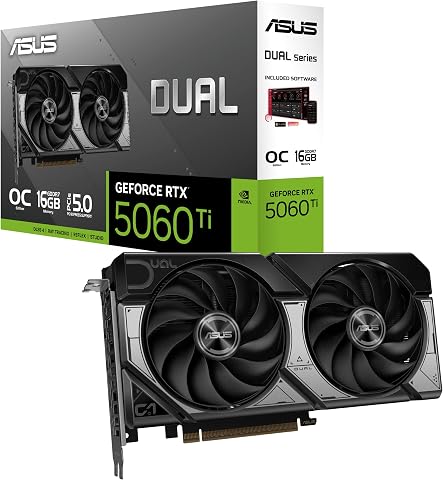 ASUS Dual GeForce RTX 5060 Ti 16GB GDDR7 OC Edition Gaming Graphics CardView on Amazon →
- 7
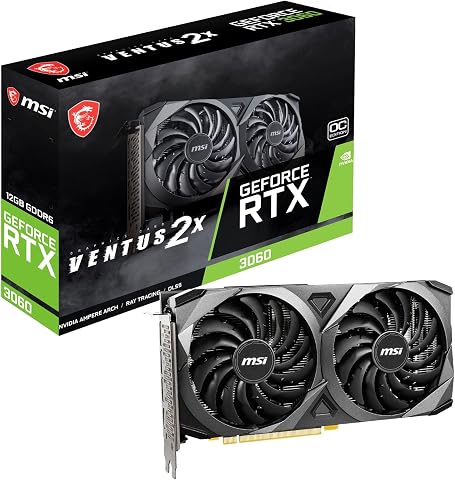 MSI GeForce RTX 3060 Ventus 2X 12G OC V1 Graphics CardView on Amazon →
- 8
 VisionTek AMD Radeon RX 580 8GB Graphics Card with 6 Mini DisplayPort OutputsView on Amazon →
- 9
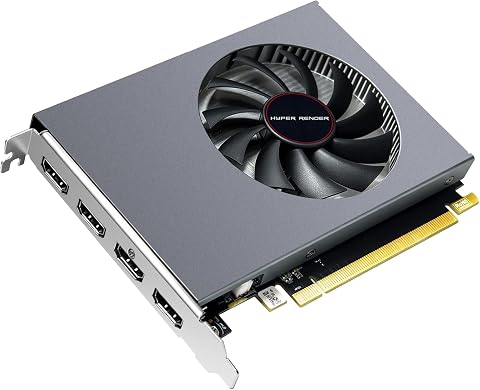 RX 550 4GB GDDR5 Graphics Card 4 HDMI GPU Tarjeta Gráfica 4 Port Video cardView on Amazon →
- 10
 Vandossy GeForce GT 730 4GB GDDR5 Graphics Card with 4 HDMI PortsView on Amazon →
Matching GPU Choices to Real Workloads
The comparison matters because a graphics card that is suitable for one task may be poor value for another. A gaming buyer may prioritize frame rates, ray tracing and memory, while a video editor or 3D artist may depend on software acceleration and specific codecs. Someone who only needs several display outputs may not benefit from paying for a high-end gaming card.
There are also practical costs beyond the card itself. Large coolers can conflict with case clearance, and powerful models may call for a higher-capacity power supply. Those fit and power checks can affect the total cost of an upgrade. The guide offers a useful list of factors, but its recommendations are not a substitute for checking current prices, independent performance testing and compatibility with a particular system.
Popular right now

Ninja CREAMi Scoop & Swirl 13-in-1 Ice Cream and Soft Serve Maker, NC701

Vitamix 5200 Blender with 64 oz. Container, Black

TCL 55-Inch R7D Series QLED 4K UHD HDR Roku Smart TV (55R7D, 2026)
As an affiliate, we earn on qualifying purchases.
The Guide’s Selection Criteria
The source says it favors newer architectures, including NVIDIA Blackwell and AMD RDNA 4, for newer graphics and AI-assisted features. It also gives weight to memory bandwidth and cooling. These criteria explain why the guide places newer cards above older models for demanding gaming, while reserving older options for lower-cost or specialized uses.
The source presents 16GB of VRAM as useful for demanding resolutions and textures, but the amount needed varies by game, settings and workload. Its statement that 4GB is insufficient for modern 1080p gaming is a broad editorial claim, not a universal result established by the supplied material. The guide does not provide a publication date, a full testing methodology, measured temperatures or frame rates, or prices at the time of publication.
“The main tradeoff lies between paying for cutting-edge architecture and accepting older technology for cost savings.”
— ThorstenMeyerAI.com guide
Performance Claims Need Independent Tests
The supplied guide does not state when testing took place or identify a complete set of card models, prices, benchmark systems or measured results. It also does not clarify whether every product was tested directly or assessed from specifications and other information. As a result, claims about which card is “best,” cooling performance, gaming capability and value should be treated as the source’s evaluation rather than settled comparisons.
Specifications and features can vary between manufacturers’ versions of the same GPU. Availability, pricing, driver support and application performance can also change. The source makes broad statements about future gaming requirements and the suitability of particular VRAM capacities, but does not provide evidence or a defined time frame for those forecasts.
Check Current Prices and Compatibility
Readers considering a purchase should compare current prices and independent benchmarks for the exact card model, then check its dimensions, power connectors, recommended power supply and the software they use. For professional workloads, confirming support in the relevant editing, rendering or AI application may matter more than gaming rankings.
The source material does not announce follow-up testing or a scheduled update. Buyers should treat the list as a starting point and seek newer pricing and driver information before making a decision, particularly for older cards whose support or availability may have changed.
Key Questions
The source names the ASUS ROG Astral GeForce RTX 5080, citing cooling and overclocking headroom. That is the guide’s assessment, not an independently verified ranking in the supplied material.
Does the guide identify a mid-range option?
Yes. It highlights the ASUS Dual GeForce RTX 5060 Ti and points to its 16GB of memory. Buyers should check the exact version, current price and performance in their intended games or applications.
Are the RX 550 and GT 730 suitable for modern gaming?
The guide describes them as better suited to display output and light tasks than modern gaming. Actual capability depends on the game and settings, but the source does not provide benchmarks to quantify performance.
What should buyers check before installing a graphics card?
Check case clearance, power supply capacity and connectors, as well as motherboard and display connections. For professional use, confirm that the applications and drivers support the GPU’s features.
Source: ThorstenMeyerAI.com