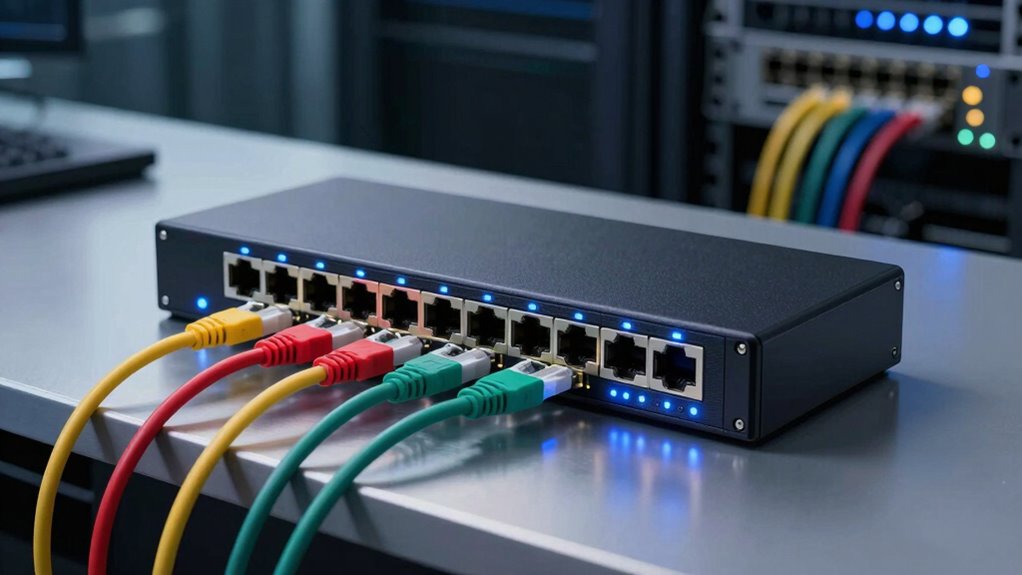

As your agency outgrows consumer gear, knowing the basics of network switches helps you create a scalable and secure infrastructure. Switches connect multiple devices, manage data flow intelligently, and support higher traffic loads. They also offer features like wireless integration, Power over Ethernet (PoE), and advanced security. Properly selecting and managing switches guarantees reliable, fast connections as your network expands. Keep exploring to discover how to optimize your network for growth and security.

Get business pricing on office and shipping supplies
- Business-only prices and quantity discounts
- Tax-exempt purchasing
- Multiple users, one account, clear invoices
Key Takeaways
- Managed network switches optimize data flow and support increased device connectivity, essential for growing agency infrastructure.
- They offer security features to protect sensitive data as network complexity expands.
- Incorporating PoE simplifies device deployment like IP cameras and phones, reducing wiring and installation costs.
- Wireless integration via switches ensures reliable Wi-Fi access and centralized management for seamless connectivity.
- Advanced switches include management tools to monitor, control, and optimize network performance effectively.
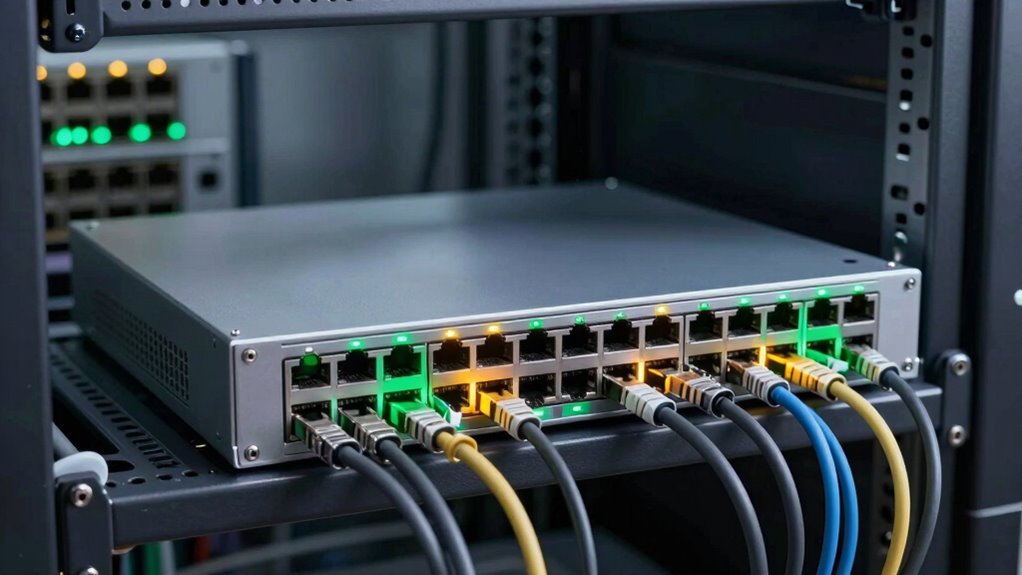
Have you ever wondered how devices in a network communicate seamlessly? It’s thanks to the intelligent management of data flow, and that’s where a network switch plays a pivotal role. As your agency grows, relying on consumer-grade equipment just won’t cut it anymore. You need a switch capable of handling increased traffic, offering better security, and supporting features like wireless integration and Power over Ethernet (PoE). These features are fundamental for creating a robust, scalable network that can keep up with your expanding demands.
Wireless integration is a key benefit you should look for in a network switch. It allows your wired network to connect effortlessly with wireless devices, providing reliable Wi-Fi access without sacrificing speed or security. By integrating wireless access points directly into the switch, you can centralize management, making it easier to monitor and control your entire network. This setup ensures data flows smoothly from wired to wireless devices, reducing bottlenecks and improving overall efficiency. Plus, it simplifies troubleshooting because everything is managed from a single interface, which is essential as your network becomes more complex.
Power over Ethernet is another game-changer. It lets you power devices like IP phones, security cameras, and wireless access points directly through the network cable, removing the need for additional power supplies or outlets. This not only simplifies installation but also reduces clutter and costs. When your agency’s infrastructure expands, PoE makes it easier to deploy new devices quickly and securely, even in hard-to-reach places. It also ensures that devices stay powered during power outages if you pair PoE switches with uninterruptible power supplies (UPS). This resilience is critical for maintaining security and communication, especially in sensitive environments. Additionally, understanding contrast ratio in projectors can help you optimize your visual display setup when creating presentations or monitoring systems in your agency.
Understanding network capacity is crucial for planning your infrastructure to accommodate future growth effectively. Moreover, network security features in advanced switches can help protect sensitive data as your network expands. Staying informed about network management tools can further streamline your operations and enhance overall performance. Incorporating proper configuration of these features is essential to maximize their benefits and ensure your network remains reliable and secure as it evolves.
As an affiliate, we earn on qualifying purchases.
Frequently Asked Questions
How Do I Determine the Right Switch Capacity for My Agency?
To determine the right switch capacity, start by evaluating your agency’s current device count and future growth plans. Consider the number of ports needed for VLAN configuration and whether you require Power over Ethernet (PoE) to power devices like cameras or phones. Choose a switch with enough ports, bandwidth, and PoE capabilities to support your expanding network, ensuring smooth performance and scalability.
What Security Features Are Essential in Enterprise Switches?
You need enterprise switches with essential security features like VLAN segmentation and port security. VLAN segmentation isolates network traffic, reducing risks and containing breaches, while port security controls which devices can connect to switch ports, preventing unauthorized access. These features help you safeguard sensitive data and maintain network integrity. Make sure your switch supports these capabilities to protect your agency’s network effectively against threats.
Can Network Switches Be Remotely Managed and Monitored?
Yes, network switches can be remotely managed and monitored. You can access them through remote access tools, allowing you to configure settings, troubleshoot issues, and update firmware from anywhere. They also enable performance monitoring, giving you real-time insights into network traffic, device health, and bandwidth usage. This proactive management helps you optimize network performance, enhance security, and quickly respond to problems without being physically present.
How Do Switches Handle Different Network Protocols?
Switches handle different network protocols through protocol compatibility, allowing them to communicate across various systems. They interpret data based on switch firmware, which determines supported protocols like Ethernet, TCP/IP, or VLANs. Regular firmware updates enhance protocol support and security. You should guarantee your switch’s firmware is current to maintain compatibility and peak performance, especially when integrating with diverse network devices and protocols.
What Are the Benefits of Managed Versus Unmanaged Switches?
Think of managed switches as your command center, offering VLAN segmentation and Power over Ethernet to prioritize traffic and power devices seamlessly. They give you control over network traffic, troubleshooting, and security, much like a conductor guiding an orchestra. Unmanaged switches, on the other hand, act like background musicians—simple, plug-and-play, ideal for small setups. Choosing managed switches empowers you to scale and secure your network with precision.
Wireless integration network switch
As an affiliate, we earn on qualifying purchases.
As an affiliate, we earn on qualifying purchases.
Conclusion
As you shift from consumer gear to a dedicated network switch, remember that it’s not just about faster connections, but about smarter management. Some say switches are just fancy hubs, but in reality, they’re the backbone of your growing agency’s efficiency. Embrace the change, and you might find that investing in proper networking equipment actually saves you time and headaches down the line. After all, isn’t a smoother network worth the upgrade?
As an affiliate, we earn on qualifying purchases.
Network security switch for small business
As an affiliate, we earn on qualifying purchases.
As an affiliate, we earn on qualifying purchases.
Fall Picks
fall essentials
As an affiliate, we earn on qualifying purchases.