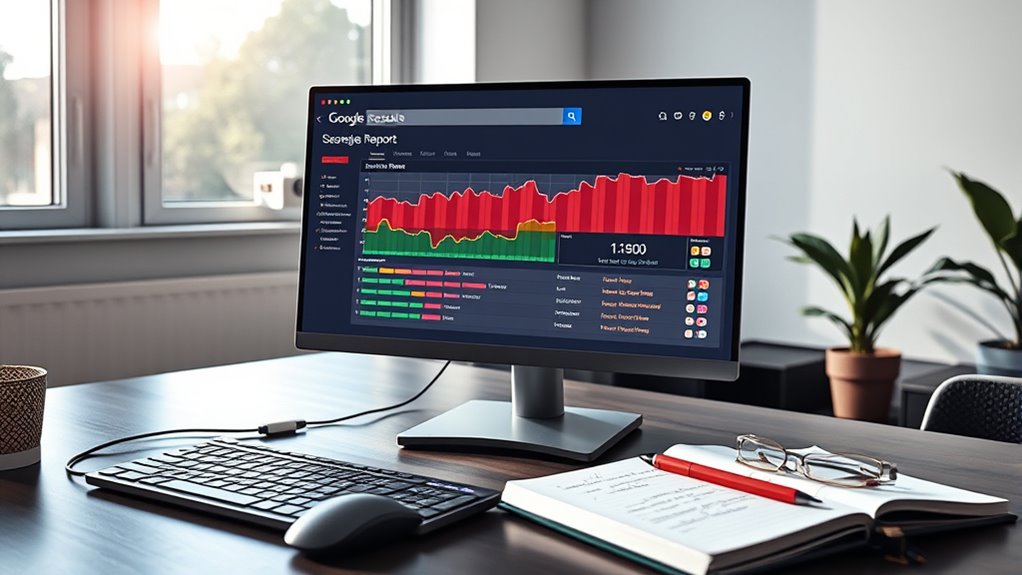

To diagnose indexing issues effectively, start by reviewing the Coverage report in Google Search Console. Look for errors, warnings, and excluded pages to pinpoint problems like server issues, URL errors, or noindex directives. Fix identified issues promptly, update your sitemap, and monitor how pages are being crawled and indexed. By understanding these insights, you can improve your site’s visibility. Keep exploring to discover more ways to optimize your indexing process.
Key Takeaways
- Regularly review the Coverage report to identify errors, warnings, and excluded pages affecting indexing.
- Investigate specific error types, such as server issues or URL problems, and implement targeted fixes.
- Use the report to understand why pages are excluded, like noindex tags or duplicate content.
- Ensure your sitemap is submitted, up-to-date, and correctly formatted to facilitate efficient crawling and indexing.
- Leverage insights from GSC to prioritize site improvements, maintain health, and enhance search visibility.

Indexing issues can considerably hinder your website’s visibility in search engine results, making it essential to diagnose and resolve them quickly. One of the most effective ways to do this is by using Google Search Console’s Coverage report. This tool offers valuable insights into how Google views your website’s pages and highlights problems that prevent proper indexing. When you access the Coverage report, you’ll see a detailed breakdown of errors, warnings, and valid pages, helping you pinpoint exactly where issues lie.
Use Google Search Console’s Coverage report to identify and fix indexing issues quickly.
Crawl errors are among the most common obstacles you’ll encounter. These errors occur when Googlebot attempts to access your pages but fails due to various reasons, such as server issues, broken links, or incorrect URL structures. When crawl errors appear in the report, it’s crucial to investigate and fix them promptly, as unresolved errors can prevent pages from appearing in search results. Fixing crawl errors might involve updating server configurations, removing or correcting broken links, or ensuring your URLs are properly formatted. Regularly monitoring and resolving crawl errors helps maintain a healthy site that Google can easily crawl and index.
Another critical aspect of diagnosing indexing issues involves your sitemap submission. A sitemap acts as a roadmap, guiding search engines through your website’s structure and ensuring they find all your important pages. If your sitemap isn’t properly submitted or updated, Google may miss indexing some pages, leading to incomplete search visibility. Make sure you’ve submitted your sitemap through the Search Console’s Sitemaps section and that it’s correctly formatted—usually in XML. Additionally, keep your sitemap updated whenever you add or remove significant pages, so Google always has the latest version. Proper sitemap submission not only helps with indexing but also speeds up the process, especially for large sites or new content.
Furthermore, the Coverage report provides insights into pages that are excluded from indexing and the reasons why. Sometimes, pages are excluded due to noindex directives or duplicate content issues. Understanding these reasons allows you to make informed decisions about whether to revise your site’s directives or consolidate content. Additionally, regularly reviewing website content quality and ensuring it meets search engine standards can prevent unnecessary exclusions. By systematically reviewing crawl errors and ensuring your sitemap is correctly submitted and maintained, you’ll considerably improve your site’s chances of being properly indexed. This proactive approach prevents indexing issues from piling up and ensures your content is visible to your target audience in search engine results. Staying vigilant with these tools and strategies ultimately boosts your site’s SEO performance and visibility.
Google Search Console coverage report tool
As an affiliate, we earn on qualifying purchases.
As an affiliate, we earn on qualifying purchases.
Frequently Asked Questions
How Often Should I Review GSC Coverage Reports for Optimal Site Health?
You should review GSC coverage reports at least once a week to stay on top of your site’s health. Regular checks help you catch issues early, especially if your crawl frequency or update intervals change. If your site updates frequently, consider reviewing more often—perhaps every few days. Consistent monitoring guarantees you catch indexing problems quickly, allowing you to address them before they impact your search visibility.
Can GSC Detect Issues With Javascript-Rendered Content Automatically?
Google Search Console doesn’t automatically detect JavaScript rendering issues, but it helps you identify render problems through coverage reports. You should regularly check GSC for JavaScript detection and render issues because these can prevent your pages from being indexed properly. By monitoring these reports, you can quickly spot and fix render issues caused by JavaScript, ensuring your content is accessible and properly indexed by Google.
What Are Common False Positives in Gsc’s Coverage Reports?
False positives in GSC’s coverage reports can lead you to believe there are indexing errors when none exist. Common false positives include pages marked as “Blocked by robots.txt” or “Noindex” when they’re intentionally excluded, and URLs showing errors due to temporary server issues. These false positives can mislead your troubleshooting, so always verify with actual page access or other tools before fixing perceived indexing errors.
How Do I Prioritize Fixing Issues Identified in the Coverage Report?
Coincidences often highlight what needs your immediate attention. To prioritize fixing issues from the coverage report, focus on crawl prioritization by addressing errors with high issue severity first, such as noindex tags or server errors. These can substantially impact your site’s visibility. Then, tackle less critical issues like warnings or informational notices. This approach ensures you efficiently improve your site’s indexing and overall performance.
Are There Alternative Tools to GSC for Diagnosing Indexing Problems?
Yes, there are third-party tools like Screaming Frog, Ahrefs, and SEMrush that can help diagnose indexing problems. These tools offer crawl diagnostics, allowing you to identify issues such as broken links, duplicate content, or server errors. Use them alongside GSC to get a thorough view of your site’s health. They’re especially useful if you want more detailed insights or if GSC data is limited.
website sitemap XML generator
As an affiliate, we earn on qualifying purchases.
As an affiliate, we earn on qualifying purchases.
Conclusion
So, next time your site’s pages decide to go undercover, don’t panic—just plunge into GSC’s coverage report. With a little detective work, you’ll soon uncover the mystery behind those sneaky indexing issues. Remember, your website isn’t playing hide-and-seek; it’s just waiting for you to spot its hiding spots. Keep calm, troubleshoot smartly, and turn those “missing” pages into shining stars—because nothing says victory like a well-indexed site. Happy troubleshooting!

ANCEL AD310 Classic Enhanced Universal OBD II Scanner Car Engine Fault Code Reader CAN Diagnostic Scan Tool, Read and Clear Error Codes for 1996 or Newer OBD2 Protocol Vehicle (Black)
CEL Doctor: The ANCEL AD310 is one of the best-selling OBD II scanners on the market and is…
As an affiliate, we earn on qualifying purchases.
As an affiliate, we earn on qualifying purchases.

Dr. Scholl's Complete Care Skin Tag Remover Kit, 12 ct – Removes Skin Tags in As Little As 1 Treatment, FDA-Cleared & Clinically Proven, Permanent Results, Plus Serum
FDA-Cleared for safe, at-home skin tag removal
As an affiliate, we earn on qualifying purchases.
As an affiliate, we earn on qualifying purchases.