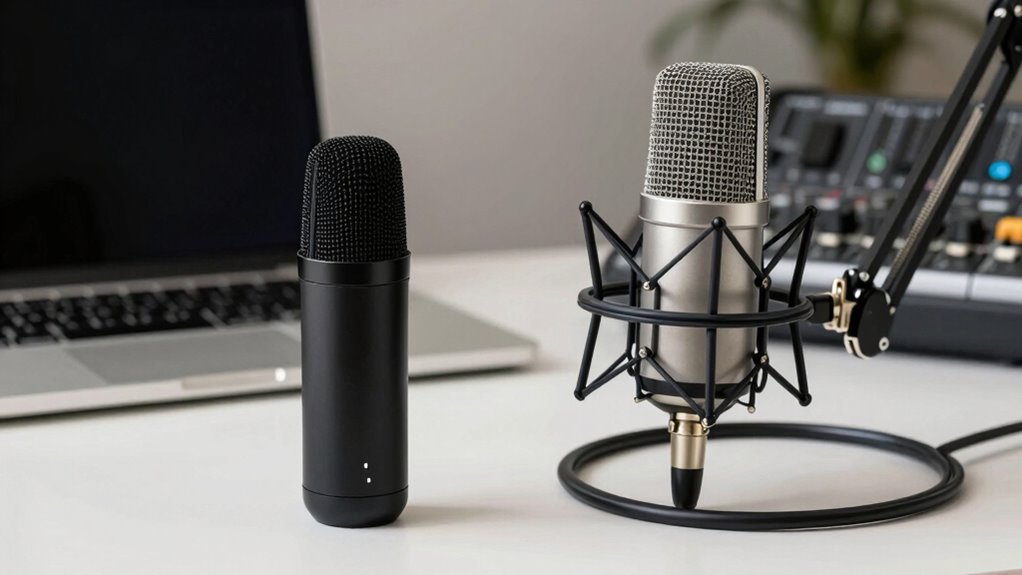

Choosing between USB microphones and XLR setups depends on your budget, professionalism, and webinar size. USB microphones are easy to set up, affordable, and great for small or casual webinars. XLR setups offer superior sound quality and flexibility for larger or more professional productions, but they require extra equipment and a higher investment. If you’re considering long-term quality and growth, understanding your options will help you make the best choice for your needs.
Key Takeaways
- USB microphones are easier and quicker to set up, ideal for beginners and small webinars, while XLR setups require more equipment and technical knowledge.
- XLR systems provide superior audio quality and better handling of complex sound requirements, suitable for professional webinar production.
- Wireless USB microphones offer mobility and convenience, whereas wireless XLR setups involve additional hardware, increasing complexity and cost.
- USB microphones are budget-friendly and sufficient for casual or small-scale webinars; XLR systems are more expensive but deliver higher sound fidelity.
- Choose USB for simplicity and affordability, or XLR for professional-grade sound and larger, more demanding webinar environments.
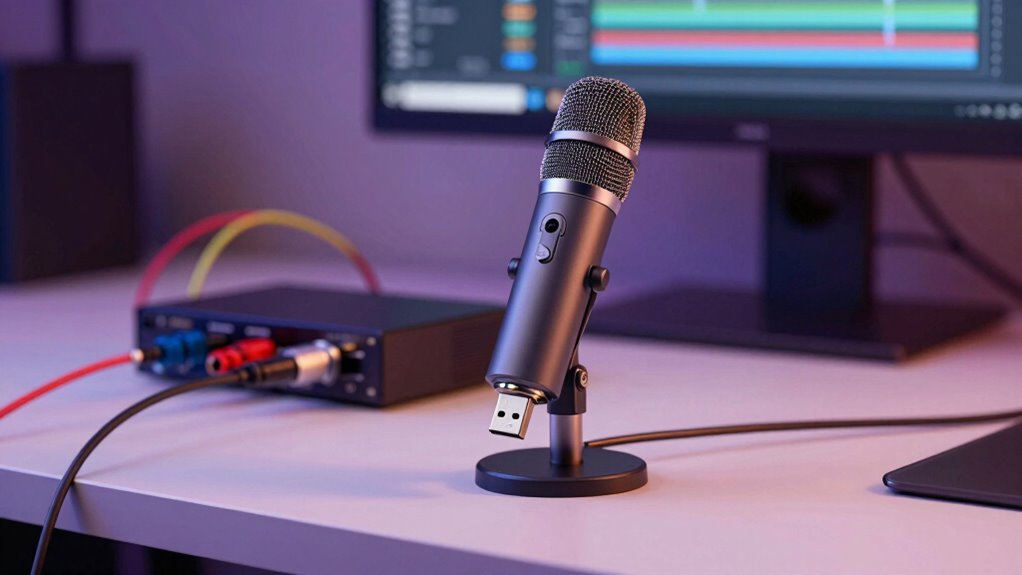
When it comes to producing high-quality webinars, choosing the right microphone setup is essential, but the decision isn’t always straightforward. You’ll need to consider factors like audio clarity, ease of use, and your technical setup. One of the key choices is whether to go with a USB microphone or an XLR setup. USB microphones are popular because they connect directly to your computer via a simple USB port, making them very user-friendly and quick to set up. They’re often favored by beginners or those with limited technical knowledge. On the other hand, XLR setups involve a separate microphone, an audio interface, and possibly mixers, which can handle more complex audio configurations and deliver superior sound quality. However, this setup typically requires more equipment, technical know-how, and initial investment. Additionally, silly tantrums or unexpected pet antics can sometimes occur during recordings, adding unplanned humor or challenges to your production process. Wireless connectivity plays a significant role in this decision. Many USB microphones now come with built-in wireless options, like Bluetooth or Wi-Fi, allowing you to move freely during your presentation without being tethered by cables. This flexibility is particularly useful if you like to stand or walk around during your webinar. With XLR setups, wireless options are also available but often involve additional equipment, like wireless transmitters and receivers, which can add to complexity and cost. If wireless connectivity is a priority, you’ll want to compare the ease of use and reliability of these options for both setups. Moreover, understanding the audio quality potential of each setup can help you make a more informed choice for your specific needs. As the contrast ratio of a microphone setup can influence perceived sound clarity, it’s important to consider how different configurations handle dynamic audio levels. Cost comparison is another vital factor. Generally, USB microphones are more budget-friendly, often priced from $50 to $200, making them accessible for most users. They eliminate the need for additional hardware and can be a cost-effective solution for smaller setups. XLR microphones, however, tend to start around $100 and can go well into thousands of dollars, especially when factoring in the cost of an audio interface, cables, and possibly a mixer. While the initial investment is higher, XLR systems can provide richer, more professional sound quality, which might be worth it for larger webinars or professional productions. Additionally, investing in quality cables and proper battery maintenance can help ensure consistent performance over time, especially for wireless XLR setups.

TONOR Conference USB Microphone, Omnidirectional Condenser PC Mic for Video Conference, Recording, Skype, Online Class, Court Reporter, Plug & Play Compatible with Mac OS X Windows PC Compute, G11
Omnidirectional Microphone – It is not a Speaker or Speakerphone, it is a condenser microphone. The microphone has…
As an affiliate, we earn on qualifying purchases.
As an affiliate, we earn on qualifying purchases.
Frequently Asked Questions
Can I Upgrade My USB Microphone to an XLR Later?
Yes, you can upgrade your USB microphone to an XLR setup later, but be aware of potential compatibility issues. Moving to an XLR microphone often means investing in a mixer or audio interface, which can improve microphone durability and audio quality. Keep in mind, you’ll need to make sure your equipment’s compatibility. Upgrading gives you more control over sound, but it’s essential to plan for the additional gear and setup involved.
Which Setup Is More Cost-Effective for Beginners?
Starting with a USB microphone keeps things simple and budget-friendly, making it a more cost-effective choice for beginners focused on audio quality and portability. As your skills grow, upgrading to an XLR setup can enhance sound even further, but initial investment is higher. This approach allows you to enjoy decent audio early on without sacrificing portability, then seamlessly shift when you’re ready for professional-level quality.
Do XLR Microphones Require Special Software?
XLR microphones don’t require special software themselves, but you’ll need audio interface software to connect and control the setup. This can impact compatibility issues, especially with different computers or operating systems. While they generally offer better audio quality, you might face more compatibility challenges compared to USB mics, which are plug-and-play. So, if you prioritize ease of use, USB might be better, but XLR offers superior sound if you’re willing to manage the setup.
How Much Space Is Needed for an XLR Setup?
XLR setups require more space than USB options, but it’s manageable with proper planning. You’ll need a dedicated spot for your microphone, an audio interface, and cable storage, which together take up about a small corner of your studio space. While it’s more equipment to organize, this setup offers better sound quality, making it worth the extra room for professional webinars. Just make certain your workspace has enough room for your gear and movement.
Are Wireless Options Available for Both Setups?
Yes, wireless options are available for both USB microphones and XLR setups. Wireless microphones using Bluetooth or dedicated wireless systems offer flexibility, but you should consider signal stability, especially in crowded environments. USB wireless microphones are typically more straightforward, while XLR wireless systems often provide stronger, more reliable connections for professional use. Regardless of your choice, guarantee the wireless connectivity maintains consistent signal stability to avoid interruptions during your webinar.

FIFINE XLR/USB Gaming Microphone Set, Dynamic PC Mic for Streaming Podcasting, Computer RGB Mic Kit with Boom Arm Stand, Mute Button, Headphones Jack, for Recording Vocal Voice-Over-AmpliGame AM8T
USB/XLR Connectivity-AM8T comes with a dynamic microphone and a boom arm stand. Versatile PC gaming microphone kit with…
As an affiliate, we earn on qualifying purchases.
As an affiliate, we earn on qualifying purchases.
Conclusion
Choosing between USB microphones and XLR setups ultimately depends on your needs and budget. USB mics are perfect for quick, simple setups, while XLR systems offer professional-grade sound for serious production. But ask yourself—are you just starting out or aiming for broadcast-quality audio? If you want clarity and flexibility, investing in an XLR might be worth it. After all, isn’t delivering premium audio worth the extra effort?
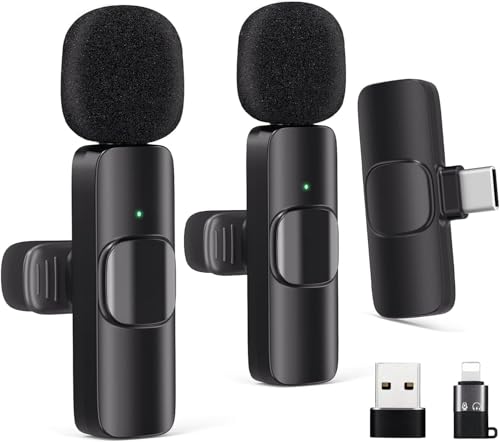
Wireless Lavalier Microphone for Android/iPhone/Computer/Laptop, Wireless Mic for iPhone 13 14 15 16 17 with Noise Reduction Chip, Mini Microphone for Recording Podcast YouTube, TikTok(2 Pack)
🔥【Automatic Pairing & Plug and Play】: This innovative clip-on microphone is easier to use than other microphones. Step…
As an affiliate, we earn on qualifying purchases.
As an affiliate, we earn on qualifying purchases.

Focusrite Scarlett Solo 3rd Gen USB Audio Interface for Guitarists, Vocalists, Podcasters or Producers to record and playback studio quality sound
Pro performance with great pre-amps – Achieve a brighter recording thanks to the high performing mic pre-amps of…
As an affiliate, we earn on qualifying purchases.
As an affiliate, we earn on qualifying purchases.