In improvised office studios, your webcam’s low-light performance depends on strategic lighting and setup. Use natural light from windows and supplement with desk lamps or LED panels to brighten your face and reduce shadows. Position your camera at eye level and keep it steady for the best angle. Adjust your environment and camera settings to maximize clarity. With some effort and smart resource use, you can achieve professional-looking videos even without expensive equipment—keep going to learn more tips.

Get business pricing on office and shipping supplies
- Business-only prices and quantity discounts
- Tax-exempt purchasing
- Multiple users, one account, clear invoices
Key Takeaways
- Proper lighting, including natural light and simple lamps, significantly improves webcam performance in improvised office setups.
- Positioning the webcam at eye level and close to light sources enhances image clarity and reduces shadows.
- Diffusing light with covers or bouncing it off walls creates softer, more natural lighting for better video quality.
- Adjusting camera settings and environment can compensate for low-light conditions without expensive equipment.
- Strategic use of available resources, like natural daylight and household lamps, transforms makeshift studios into more professional-looking spaces.
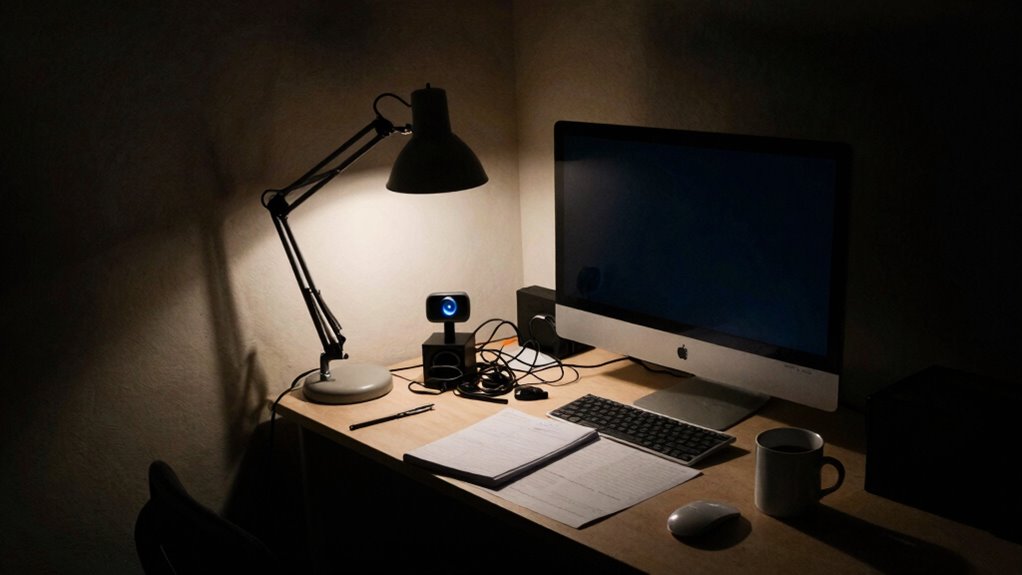
In today’s world, where remote work and virtual communication are more common than ever, having a webcam that performs well in low-light conditions is essential. Whether you’re in a makeshift office or trying to upgrade your existing setup, understanding how to optimize your environment can make a huge difference. One of the most effective ways to improve your video quality is by paying attention to studio lighting. Good lighting can transform a dull, shadowy image into a clear, professional-looking video. You don’t need expensive equipment—just a few well-placed light sources can brighten your face and reduce grainy noise, even in dim settings. Position your lights so they illuminate your face evenly, avoiding harsh shadows that can create an unflattering or unprofessional appearance. Soft, diffused light works best, so consider using lamps with covers or bouncing light off walls to achieve a natural glow.
Alongside lighting, camera placement plays a crucial role in low-light situations. You want your webcam to be at eye level, which not only looks more natural but also helps the camera capture more light effectively. When the camera is too high or too low, you risk losing important facial details or creating awkward angles that highlight shadows. Keep your webcam steady and avoid placing it far from your face, as increasing distance can make your image darker and less detailed. If possible, position your camera close enough to benefit from any available light, whether from your room’s windows or your studio lighting setup. Additionally, understanding the importance of camera settings can help you further optimize your video quality in low-light environments.
In improvised office studios, you might not have the luxury of dedicated lighting rigs or professional setups. Still, you can make the most of what you have. Use natural light during the day by situating yourself near windows, and supplement it with desk lamps or LED panels. Experiment with different camera angles and heights to find the best compromise between lighting and visibility. Remember, the goal is to create a balanced environment where your webcam can perform optimally in low-light conditions. It’s all about maximizing the available light and positioning your camera thoughtfully. With a little effort, your improvised studio can produce clearer, more professional-looking video streams that leave a good impression, even when lighting isn’t perfect.
low light webcam with adjustable settings
As an affiliate, we earn on qualifying purchases.
As an affiliate, we earn on qualifying purchases.
Frequently Asked Questions
How Do Low-Light Webcams Compare to Professional Studio Cameras?
Low-light webcams typically don’t match professional studio cameras because of differences in lens quality and sensor sensitivity. You’ll notice that studio cameras have superior lenses that capture more light accurately, and their sensors are more sensitive, producing clearer images in low-light conditions. Webcams often struggle with graininess and poor color accuracy, especially in dim settings. For high-quality video, investing in a professional camera with better lens and sensor technology makes a big difference.
Can Software Enhancements Significantly Improve Low-Light Webcam Quality?
Yes, software enhancements can considerably improve your low-light webcam quality. You might think hardware is the only solution, but advanced image processing boosts sensor sensitivity, making images brighter and clearer even in dim environments. These tools reduce noise and enhance details, transforming your video. While not perfect, they can make a noticeable difference, helping you look more professional during video calls without investing in expensive equipment.
What Are the Best Budget Options for Low-Light Webcams?
You should consider budget webcams like the Logitech C920 or the Microsoft LifeCam HD-3000. These models offer decent sensor sensitivity for low-light conditions, and their video compression optimizes image quality without requiring high-end hardware. While they’re affordable, they still improve low-light performance through better sensor sensitivity, and their video compression helps deliver clearer images during your calls, even in dim environments.
Do Low-Light Webcams Require Special Lighting Setups?
To capture clear, crisp images, low-light webcams generally don’t need special lighting setups. However, a proper lighting setup and strategic camera placement can markedly improve your video quality. You might find that adding a simple desk lamp or adjusting your existing lighting enhances visibility without overcomplicating your space. Focus on positioning your camera to maximize light exposure, ensuring you look natural and well-lit during calls.
How Does Ambient Light Influence Webcam Image Quality?
Ambient light considerably impacts your webcam image quality because it affects the image sensor’s light sensitivity. When there’s ample ambient light, your webcam captures clearer, sharper images with better color accuracy. Conversely, low ambient light reduces the sensor’s ability to gather enough light, resulting in grainy, dim, or blurry images. Improving ambient light or using additional lighting boosts your webcam’s performance, ensuring your video remains clear and professional.
desk lamp for video conferencing
As an affiliate, we earn on qualifying purchases.
As an affiliate, we earn on qualifying purchases.
Conclusion
As you navigate the world of improvised office studios, remember that investing in a good low-light webcam can considerably boost your video quality. Studies show that over 60% of remote workers find better lighting dramatically improves their on-camera presence. By understanding the limitations and capabilities of these webcams, you can create a more professional, engaging environment without breaking the bank. Embrace the challenge, and your virtual meetings will look sharper and more confident.
As an affiliate, we earn on qualifying purchases.
As an affiliate, we earn on qualifying purchases.
Halloween Picks
halloween
As an affiliate, we earn on qualifying purchases.