
Stream decks keep appearing in creator-centric workstations because they streamline workflows and make complex tasks easier to manage. You can customize buttons to quickly control camera setups, audio levels, or scene changes, saving you time and reducing errors. They integrate seamlessly with your existing hardware and software, keeping everything organized and intuitive. If you want to discover how this versatile tool can boost your productivity and creativity, keep exploring the benefits it offers.

Get business pricing on office and shipping supplies
- Business-only prices and quantity discounts
- Tax-exempt purchasing
- Multiple users, one account, clear invoices
Key Takeaways
- Stream decks streamline workflows by providing quick access to frequently used commands and functions.
- They enable seamless hardware and software integration, centralizing control of various creator tools.
- Customizable interfaces enhance user experience and help creators tailor their setups to specific tasks.
- Visual organization reduces errors and improves efficiency during live streams or editing sessions.
- They align with industry trends by offering adaptable, secure, and personalized solutions for content creators.

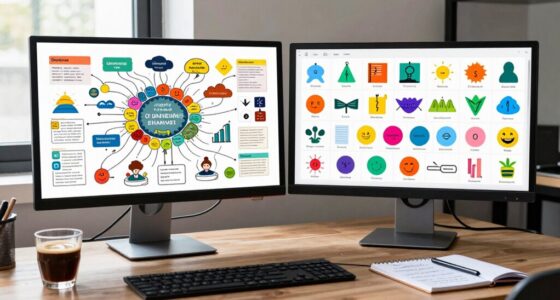
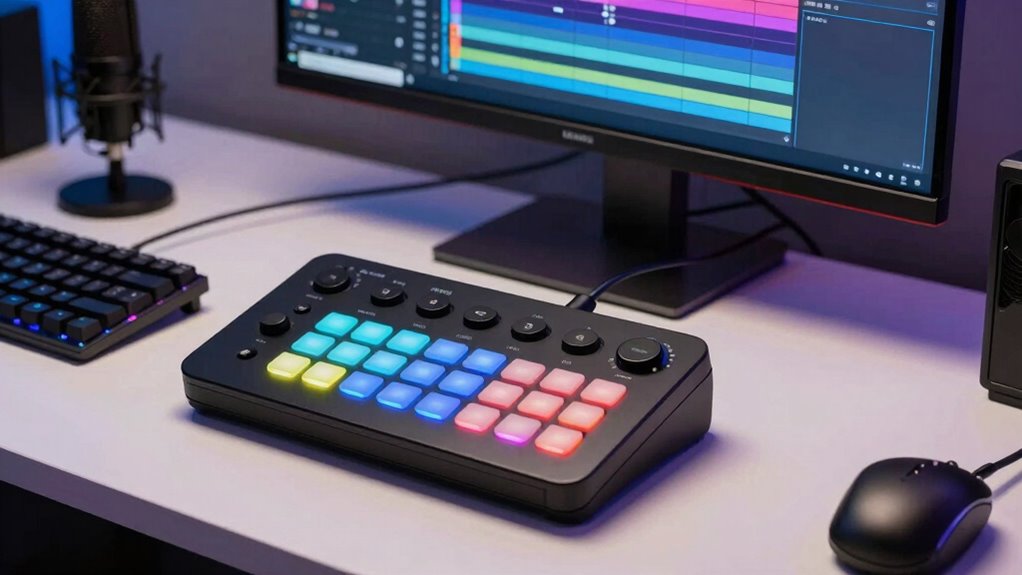
Stream decks have become vital tools in creator workstations, transforming how creators manage their workflows and streamline tasks. You’ll notice that their popularity stems from how they enhance your user interface experience, making complex tasks quick and intuitive. You instead, assign functions to customizable buttons, creating a more user-friendly interface that simplifies your creative process. This setup allows creators to quickly access frequently used commands, which is particularly beneficial during live streaming or fast-paced editing sessions. The user interface of a stream deck is designed for ease of use, allowing you to organize and label buttons clearly, so you can find what you need at a glance. With this visual clarity, you reduce the risk of errors and save valuable time during live streams or editing sessions. The emerging trends in digital publishing underscore the importance of adaptable and user-centric tools like stream decks for content creators. Hardware integration plays a vital role in why stream decks are so appealing. These devices seamlessly connect with your existing hardware setup, whether that’s your camera, microphone, lighting, or editing software. You don’t have to switch between multiple controllers or manually trigger actions; instead, the stream deck acts as a central hub. You can assign buttons to control scenes in OBS, adjust audio levels in your DAW, or activate specific filters in your editing software. This tight hardware integration ensures that your entire workflow feels cohesive and responsive. Additionally, customizable interfaces allow creators to tailor their setups further, making the device even more aligned with their specific needs. Plus, many stream decks are compatible with popular platforms and software, so you can customize them to suit your specific needs, whether you’re streaming, recording, or editing. The customizable nature of stream decks means you can tailor the user interface to fit your unique workflow. You can create profiles for different projects or tasks, switching between them effortlessly. The ability to assign custom icons and labels further enhances visual recognition, so you can operate your setup intuitively without second-guessing. This personalization, combined with hardware integration, allows you to work faster and more efficiently. It minimizes distraction, helping you stay focused on your content rather than on managing your tools. Understanding cloud services and their vulnerabilities can further inform how you safeguard your workflow with reliable backup solutions. No matter if you’re a streamer, video editor, or musician, a stream deck adapts to your needs, making it an indispensable part of your creator workstation.
As an affiliate, we earn on qualifying purchases.
Frequently Asked Questions
How Customizable Are Stream Decks for Different Workflows?
You’ll find that Stream Decks offer impressive customization flexibility for different workflows. You can assign nearly any action, shortcut, or macro to each button, tailoring it to your specific needs. This level of customization helps optimize your workflow by streamlining repetitive tasks and providing quick access to essential tools. With customizable icons and multi-action setups, you can create a highly efficient, personalized workspace that adapts seamlessly to your creative process.
What Software Integrations Are Available for Stream Decks?
You can access a wide range of software integrations for your Stream Deck, including third-party plugins and custom icon sets. These allow you to streamline your workflow by connecting with popular apps like OBS, Photoshop, and Slack. Third-party plugins expand functionality, while custom icon sets let you personalize your interface. This flexibility makes it easy to tailor your Stream Deck to your specific creative needs, enhancing efficiency and control.
Can Multiple Stream Decks Be Used Simultaneously?
Yes, you can use multiple Stream Decks simultaneously, but consider hardware compatibility and power consumption. Connecting several devices may strain your USB ports or require powered hubs to guarantee stable operation. While they work together seamlessly, be mindful that increased power draw could affect device performance. Balancing multiple decks enhances your workflow, but always check your setup’s capacity to avoid issues and secure smooth, efficient control.
How Durable Are Stream Decks for Everyday Use?
Stream decks are quite durable for everyday use thanks to rigorous durability testing and high material quality. You can depend on them for frequent presses and daily tasks without worry. The sturdy build ensures they withstand regular handling, making them a solid investment for creators. Their resilient design means they’ll hold up well over time, even with heavy usage, keeping your workflow smooth and uninterrupted.
Are There Wireless Options for Stream Decks?
Yes, wireless options for Stream Decks exist, making your setup more flexible. Curiously, some models offer wireless connectivity with battery life lasting up to several weeks on a single charge. This means you won’t need to worry about cables or frequent charging, giving you more freedom to customize your workspace. Wireless Stream Decks are perfect for creators who value mobility and a clutter-free environment while maintaining quick, reliable access to commands.
customizable streaming control pad
As an affiliate, we earn on qualifying purchases.
As an affiliate, we earn on qualifying purchases.
Conclusion
In the quiet hum of your workspace, the Stream Deck becomes a subtle symphony, guiding your creative flow with gentle, unseen hands. Its presence whispers of seamless efficiency, quietly elevating your craft without overshadowing your artistic voice. As you navigate your projects, this unassuming companion guarantees everything runs smoothly, allowing your true potential to shine through. Sometimes, it’s these understated tools that quietly shape the masterpieces we’re enthusiastic to share with the world.
USB control surface for content creators
As an affiliate, we earn on qualifying purchases.
As an affiliate, we earn on qualifying purchases.
As an affiliate, we earn on qualifying purchases.
Halloween Picks
halloween
As an affiliate, we earn on qualifying purchases.