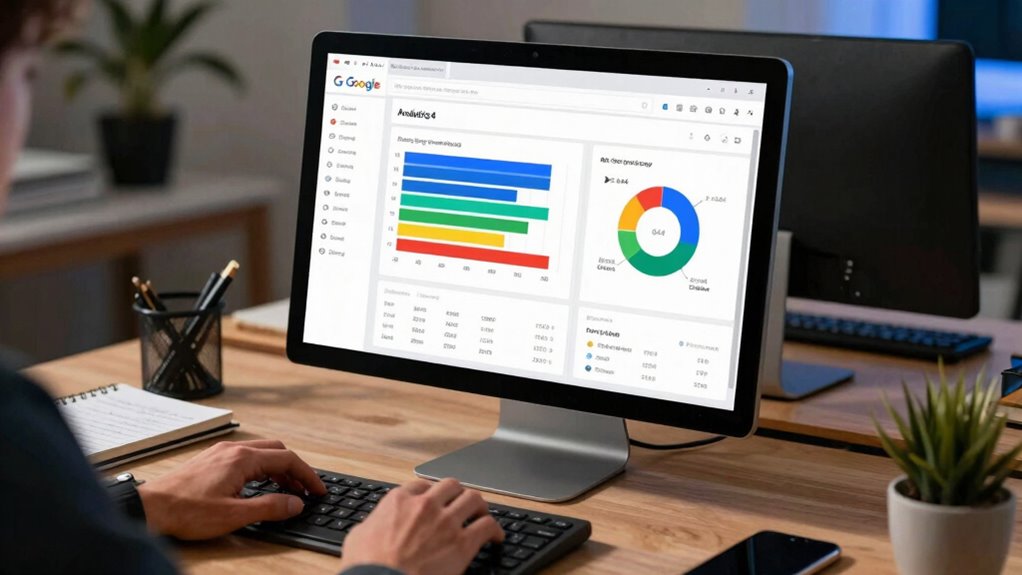

To build page group reporting in GA4 for SEO teams, start by defining your website sections using URL patterns or content types. Use custom dimensions or event parameters to categorize pages, then implement these tags through your tracking code. Create custom reports that aggregate data by these groups, analyzing key metrics like engagement and conversions. Regularly review and refine your segments for ongoing optimization. Keep exploring to discover how this process can unlock deeper insights and improve your SEO efforts.
Get ready for Prime Big Deal Days — try Prime free
Exclusive member deals on October 6–7, plus fast free delivery. Cancel anytime.
As an affiliate, we earn on qualifying purchases.
Key Takeaways
- Implement custom dimensions or event parameters to categorize pages into relevant groups based on URL patterns or content types.
- Use GA4’s content grouping feature or create custom reports to aggregate data by page groups for analysis.
- Tag pages accurately during setup to ensure consistent grouping for accurate performance tracking.
- Analyze user journeys within groups to identify drop-off points and optimize site structure accordingly.
- Regularly review and refine page groupings to adapt to content updates and evolving SEO strategies.

Are you struggling to get clear insights into how different sections of your website perform in GA4? If so, building effective page group reporting can be a game-changer for your SEO team. By leveraging content segmentation, you can categorize pages into logical groups—like blog posts, product pages, or landing pages—making it easier to analyze performance across different areas. This approach helps you pinpoint which sections attract the most visitors, generate conversions, or need optimization. Content segmentation allows you to filter data precisely, giving you a granular view of user interactions and behaviors within each group. As a result, you can tailor your SEO strategies more effectively, focusing on high-performing groups or improving underperformers. Exploring emerging trends in digital publishing can also provide insights into how content presentation influences user engagement and SEO outcomes.
Building page groups in GA4 helps analyze performance and optimize content for better SEO results.
User journey analysis becomes more insightful once you’ve established these page groups. When you understand how users navigate from one section to another, you can identify drop-off points, content gaps, and opportunities for engagement. For example, if you notice visitors frequently exit after viewing a specific category, you might need to enhance that content or improve internal linking to guide users further along their journey. By analyzing the user journey within each page group, you’ll see how different sections contribute to your overall goals, such as lead generation or sales. Incorporating content segmentation into your analysis can uncover hidden patterns and help you refine your site structure more effectively. Additionally, understanding the website content types that perform best can help prioritize your optimization efforts. This deeper understanding enables you to optimize the site’s structure and content flow, making your SEO efforts more targeted and effective.
To build this in GA4, start by setting up custom dimensions or event parameters that categorize pages into groups. You can implement this through your website’s tagging or tracking code, assigning each page to a specific segment based on URL patterns or content types. Once you’ve established your page groups, create custom reports that aggregate data by these segments. This way, you can view metrics like engagement, conversions, and bounce rates for each group side-by-side. Use these reports to track trends over time, compare performance between segments, and uncover which groups drive the most value.
Regularly reviewing your page group reports is essential. As your website evolves, so should your segmentation strategy. Refine your groups based on new content, changing user behavior, or shifting business priorities. By continuously analyzing user journey data within these groups, you gain a clearer picture of how users interact with your site, which areas need improvement, and where your SEO efforts are paying off. Ultimately, building page group reporting in GA4 empowers you to make data-driven decisions, optimize content, and enhance the overall user experience—driving better results for your SEO campaigns.
GA4 custom dimensions tracking tool
As an affiliate, we earn on qualifying purchases.
As an affiliate, we earn on qualifying purchases.
Frequently Asked Questions
Can Page Group Reports Be Customized for Different User Roles?
Yes, page group reports can be customized for different user roles in GA4. You can control access through user permissions, ensuring each role sees only relevant data. Additionally, data segmentation allows you to tailor the reports further, focusing on specific page groups or user behaviors. By combining user permissions and data segmentation, you create customized, role-specific insights that enhance your SEO team’s analysis and decision-making.
How Often Should Page Group Data Be Reviewed?
You should review page group data at least monthly to guarantee data accuracy and stay updated on performance trends. Frequent reviews help you catch discrepancies early and adjust your SEO strategies accordingly. If your site experiences rapid changes or seasonal shifts, consider increasing review frequency to weekly. Consistent monitoring helps maintain data integrity, improves decision-making, and enables your team to optimize content and user experience effectively.
Is There a Way to Automate Page Group Report Updates?
Did you know automated reports save up to 80% of your time? Yes, you can automate page group report updates using automation strategies like scheduled exports or Google Data Studio integrations. Create reusable reporting templates to streamline this process. Set up data refresh intervals, so your SEO team always has current insights without manual effort. Automating not only boosts efficiency but also guarantees timely, consistent, and accurate reporting.
Can Page Groups Be Linked to Specific Marketing Campaigns?
Yes, you can link page groups to specific marketing campaigns in GA4 by using campaign tracking and tag management. When you set up campaign parameters like UTM tags, you can configure GA4 to recognize and categorize pages based on these tags. This allows you to analyze how different campaigns influence specific page groups, giving your SEO team clearer insights into campaign performance and user engagement across various content segments.
How Do I Troubleshoot Discrepancies in Page Group Data?
To troubleshoot discrepancies in page group data, start with data reconciliation by comparing GA4 reports with your website analytics or server logs to identify inconsistencies. Check tracking accuracy by verifying that your tags are correctly implemented and firing properly across all pages. Also, review your page group definitions to guarantee they’re correctly set up. Regularly auditing these aspects helps you pinpoint issues and maintain reliable, accurate data.
website analytics content grouping software
As an affiliate, we earn on qualifying purchases.
As an affiliate, we earn on qualifying purchases.
Conclusion
By mastering page group reporting in GA4, you open a powerful lens into your SEO performance, transforming raw data into actionable insights that can elevate your strategy to legendary heights. With this knowledge, you’re not just tracking pages—you’re gaining an unbeatable edge that can outshine competitors and revolutionize your approach. Embrace this tool, and watch your SEO efforts soar to levels so extraordinary, they’ll redefine what success looks like in your digital landscape.
SEO page performance analysis tools
As an affiliate, we earn on qualifying purchases.
As an affiliate, we earn on qualifying purchases.
GA4 user journey analysis software
As an affiliate, we earn on qualifying purchases.
As an affiliate, we earn on qualifying purchases.
Fall Picks
fall essentials
As an affiliate, we earn on qualifying purchases.