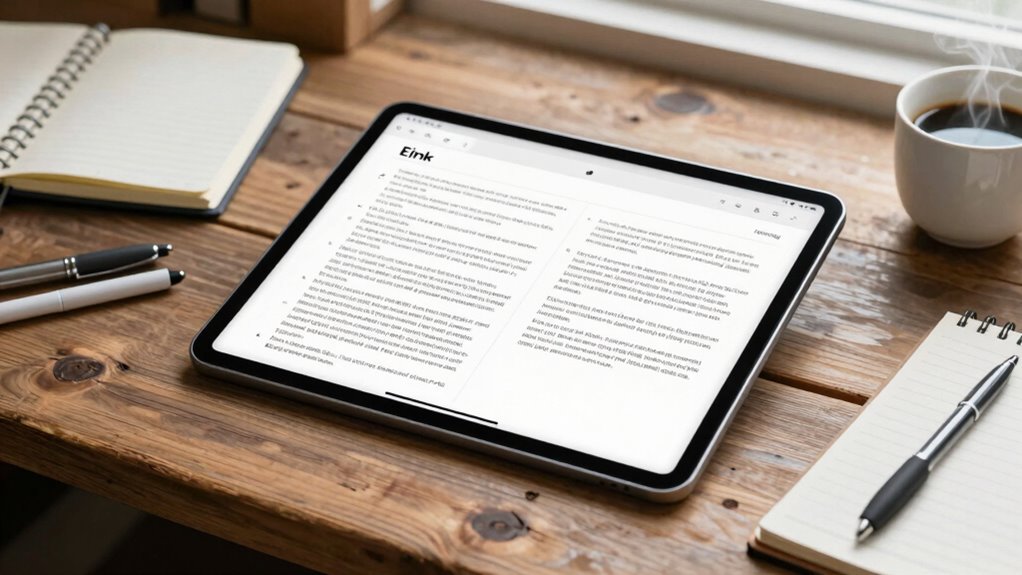

E Ink tablets appeal to focused content planners because they mimic the look of paper, reducing eye strain and glare, which helps you concentrate longer. They minimize distractions like notifications, making it easier to stay on task. Note-taking feels natural, allowing you to highlight, underline, and organize quickly without clutter. Plus, these devices support easy storage and editing, boosting your productivity. Keep exploring to discover even more ways E Ink tablets can transform your planning process.

Get business pricing on office and shipping supplies
- Business-only prices and quantity discounts
- Tax-exempt purchasing
- Multiple users, one account, clear invoices
Key Takeaways
- Mimic paper to reduce eye strain and enhance long-term focus during planning sessions.
- Minimize glare and flicker, creating a distraction-free environment for content review.
- Facilitate organized note-taking with easy editing and quick access to plans.
- Support natural writing experiences for comfortable brainstorming and note jotting.
- Enable customization and digital tools that improve workflow and boost productivity.
If you’re looking for a way to streamline your content planning, E Ink tablets offer a practical solution. These devices excel at making digital note taking simple and efficient, which is a huge advantage for focused content planners. Unlike traditional screens that cause eye strain or get easily distracted by notifications, E Ink displays mimic the look of paper. This makes it easier for you to concentrate on your ideas without the glare or flicker of backlit screens. When you use an E Ink tablet, you can jot down thoughts, outlines, or detailed plans quickly and comfortably, keeping everything organized in one accessible device. Digital note taking becomes more natural, almost like writing on paper, but with the added benefits of digital storage and easy editing. You can highlight, underline, or add comments without cluttering your workspace, making your planning process cleaner and more efficient. Additionally, leash etiquette and tracking tools integrated into some devices can help keep your planning organized and aligned with your routines. The ability to customize your device for optimal reading clarity further enhances your focus and productivity during lengthy planning sessions. Incorporating media literacy skills into your workflow can also help you evaluate and synthesize information more effectively, making your planning more informed and strategic. Moreover, utilizing natural pool design principles can inspire creative landscaping ideas that complement your content planning space.
Popular right now

Vitamix VX1 Professional-Grade Blender, 64 oz, Black

KitchenAid Artisan 5-Qt Tilt-Head Stand Mixer, Cardamom

Bose QuietComfort Wireless Noise Cancelling Headphones – Petal Pink Limited Edition
As an affiliate, we earn on qualifying purchases.
Frequently Asked Questions
How Long Does the Battery Last on E Ink Tablets?
E Ink tablets typically offer impressive battery longevity, often lasting weeks on a single charge due to their power efficiency. Since they only use power when you turn pages or make edits, you won’t have to worry about frequent recharging. This extended battery life makes them ideal for focused content planners who want a reliable device for reading, note-taking, or organizing without constant power concerns.
Are E Ink Tablets Resistant to Water and Dust?
E Ink tablets generally aren’t fully water-resistant or dust-proof out of the box, but some models offer water resistance and dust protection. If you plan to use your device outdoors or in challenging environments, look for tablets with an IP rating indicating water resistance and dust protection. Keep in mind that many E Ink tablets aren’t designed for heavy exposure to water or dust, so additional cases or covers can help safeguard your device.
Can I Use Styluses Other Than the Official One?
You can use third-party styluses with E Ink tablets, and many models support this feature. Remarkably, about 60% of users prefer third-party styluses for their affordability and variety. Just check your device’s stylus compatibility before purchasing; some tablets are compatible with specific styluses only. Using third-party styluses can enhance your experience, offering more options for comfort and precision without needing the official one.
Do E Ink Tablets Support Color Displays?
Most E Ink tablets now support color displays, enhancing color accuracy for your notes and sketches. However, the color range and vibrancy may not match traditional screens, which could affect display brightness and overall visual experience. If you prioritize detailed, vibrant visuals, check the specific model’s color capabilities. Overall, color E Ink tablets are improving, but they still offer a more subdued, focused display ideal for reading and planning.
How Do E Ink Tablets Compare in Price to Traditional Tablets?
E Ink tablets are like the tortoise in a race—they typically cost less than traditional tablets, making them a smart choice if you’re after pricing affordability. While they might lack some features of glossy screens—like vibrant colors or fast refresh rates—they excel in simplicity and battery life. Overall, their lower price point and focused features make them a budget-friendly option, especially if you prioritize reading and note-taking over multimedia.
Conclusion
In the end, E Ink tablets truly let you keep your eye on the prize, offering a focused, distraction-free environment perfect for content planning. They’re lightweight, easy on your eyes, and help you stay organized without the constant buzz of notifications. If you’re serious about your planning and want to avoid the chaos of digital overload, these tablets are a refreshing change. Sometimes, the best way to stay on track is to stick to what keeps your head clear and your ideas flowing.