
When managing content removal, use 404s for temporarily missing pages or when you’re unsure if content will return, and implement 410s for permanently deleted pages to signal they won’t come back. Properly handling these responses helps improve user experience and SEO. Redirect users when possible or customize error pages to keep visitors engaged. If you want to master the best practices for each, explore the full strategies to optimize your site’s performance and search presence.

Get business pricing on office and shipping supplies
- Business-only prices and quantity discounts
- Tax-exempt purchasing
- Multiple users, one account, clear invoices
Key Takeaways
- Use 404 for temporarily missing pages and 410 for permanently removed content to signal the correct status to search engines.
- Redirect 404 errors to relevant, existing pages to improve user experience and reduce bounce rates.
- Implement 410 when content is permanently gone to inform search engines and efficiently remove outdated pages from indexing.
- Properly manage 404s with custom error pages and redirects, while using 410s to clear obsolete content from search results.
- Understand the SEO implications of each status code to balance user experience and effective content removal strategies.
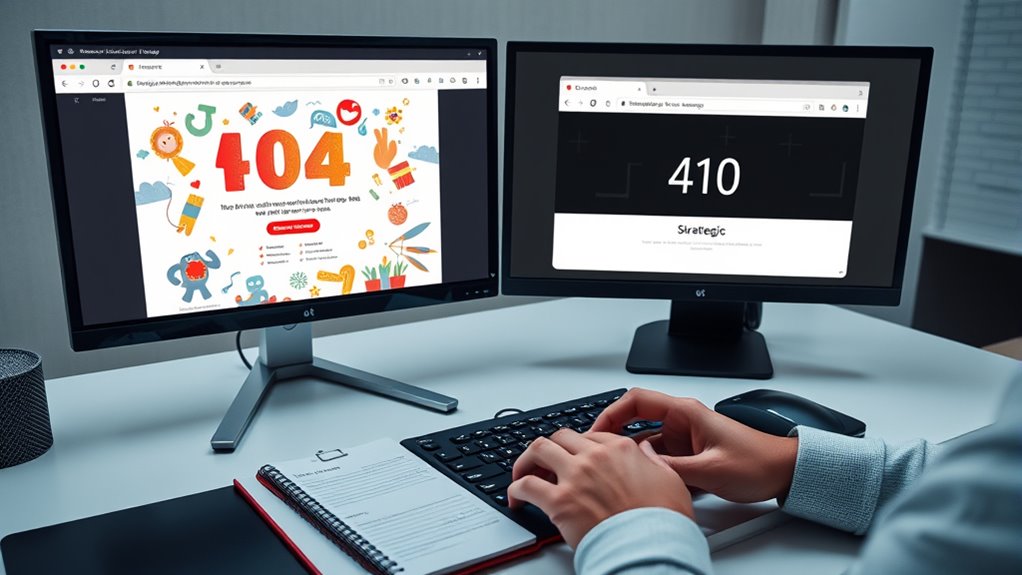
When managing website errors, understanding the difference between 404 and 410 status codes is essential. Both indicate that a page isn’t available, but they serve different purposes and impact your site differently. Knowing how to handle each can improve user experience and help maintain your site’s SEO health. When a visitor clicks a broken link or tries to access a page that no longer exists, a 404 error signals that the page was not found, but it might still be temporarily missing or moved. A 410, on the other hand, indicates that the page has been permanently removed and isn’t coming back. This distinction matters because it guides your response strategy.
In terms of user experience, how you handle these errors can make a significant difference. For 404 errors, you often want to consider URL redirection or custom error pages. Redirects, especially 301 redirects, can send visitors to relevant, existing pages, reducing frustration and keeping them engaged. For example, if a product page is removed but similar products are available, redirecting users helps them find what they need without feeling lost. Custom 404 pages also enhance user experience by providing helpful navigation options, search tools, or contact links, turning a potential dead-end into a helpful resource.
With 410 errors, since the page is permanently gone, redirecting might not always be appropriate. Instead, you should update your sitemap or remove the URL from search engine indexes to prevent users from landing on outdated content. Properly handling 410s signals to search engines that the page will not return, which can help improve your site’s SEO by clearing out dead links. However, you should only use 410 when you are certain the content is gone for good, as improper use can lead to unnecessary loss of link equity and traffic. Additionally, understanding the role of contrast ratio in projectors can help optimize your content delivery, especially in environments with variable lighting conditions.
As an affiliate, we earn on qualifying purchases.
Frequently Asked Questions
How Do 404S and 410S Impact SEO Differently?
404s and 410s impact SEO differently because 410s signal permanent removal, helping search engines update their index faster and preserve your content’s SEO value. 404s are temporary, which can confuse users and harm user experience if not managed properly. To optimize content preservation and maintain a positive user experience, use 410s for permanently deleted content and 404s for temporarily unavailable pages.
When Should I Prefer a 410 Over a 404?
You should prefer a 410 when you want to clearly signal that content has been permanently removed, improving SEO by helping search engines understand the removal’s intent. This enhances user experience by preventing visitors from encountering outdated pages. Using a 410 over a 404 is ideal for content removal, ensuring search engines quickly deindex these pages, ultimately providing a clearer, more accurate experience for your users and maintaining your site’s SEO health.
Can Using 410S Harm My Website’s Rankings?
Using a 410 can temporarily harm your rankings if not handled correctly, especially if you don’t implement proper URL redirection or content pruning afterward. Search engines may see it as a signal to remove the page quickly, but if you redirect or update your content, rankings can recover. Properly managing 410s guarantees clean site architecture, but avoid over-using them without strategic URL redirection or content pruning to protect your SEO health.
How Quickly Do Search Engines Recognize 410 Status Codes?
It’s like a lightning bolt hitting your website—you’ll see search engines recognize 410 status codes pretty fast, often within days. Your crawl delay settings can speed up this process, and the indexing speed depends on how often search engines crawl your site. Typically, they pick up 410s quickly, so you don’t have to wait long to see the effects. Keep your site updated to guarantee rapid recognition.
Are There Tools to Monitor and Manage 404S and 410S Effectively?
Yes, you can use tools like Google Search Console, Screaming Frog, or SEMrush for automated monitoring and error management of 404s and 410s. These tools help you identify broken links, track status code changes, and prioritize fixes. By regularly monitoring your site, you guarantee search engines recognize content removal quickly and maintain a healthy SEO profile. Automating this process saves you time and keeps your website error-free.
301 redirect plugin for WordPress
As an affiliate, we earn on qualifying purchases.
As an affiliate, we earn on qualifying purchases.
Conclusion
Understanding when to use 404s or 410s helps you manage your content effectively. By choosing the right status code, you ensure visitors and search engines get clear signals, preventing confusion and maintaining your site’s health. It’s almost like a coincidence—you remove content, but the way you handle it makes everything flow smoothly. So, stay strategic, stay consistent, and let your site’s signals guide your visitors and rankings seamlessly.
SEO tools for managing 410 status codes
As an affiliate, we earn on qualifying purchases.
As an affiliate, we earn on qualifying purchases.
As an affiliate, we earn on qualifying purchases.
Evergreen bestsellers Picks
bestsellers
As an affiliate, we earn on qualifying purchases.