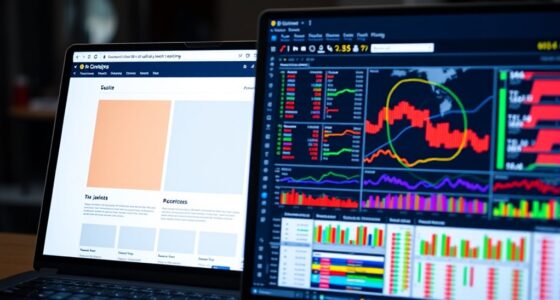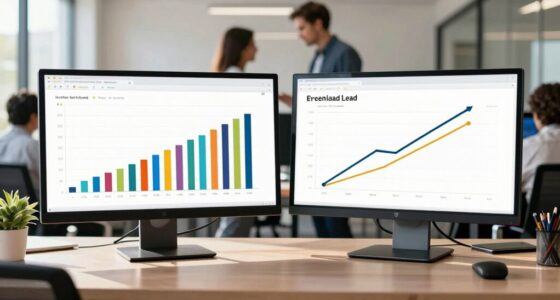

Heatmaps and scroll tracking give you clear visual insights into how visitors interact with your website, showing which areas grab attention and where interest drops off. By analyzing these patterns, you can identify high-performing content and spots where users lose engagement, helping you optimize your layout and messaging. Implementing these tools lets you make smarter decisions that boost user experience and conversions. Keep exploring further to discover how to turn these insights into actionable improvements.
Key Takeaways
- Heatmaps reveal which content elements attract the most visitor attention, guiding targeted content placement.
- Scroll tracking identifies sections where users lose interest or abandon pages early.
- Analyzing heatmaps and scroll data uncovers user engagement patterns for content refinement.
- Iterative testing with visual analytics helps optimize layouts and improve overall user experience.
- Insights from heatmaps and scroll tracking enable data-driven decisions to boost website performance.
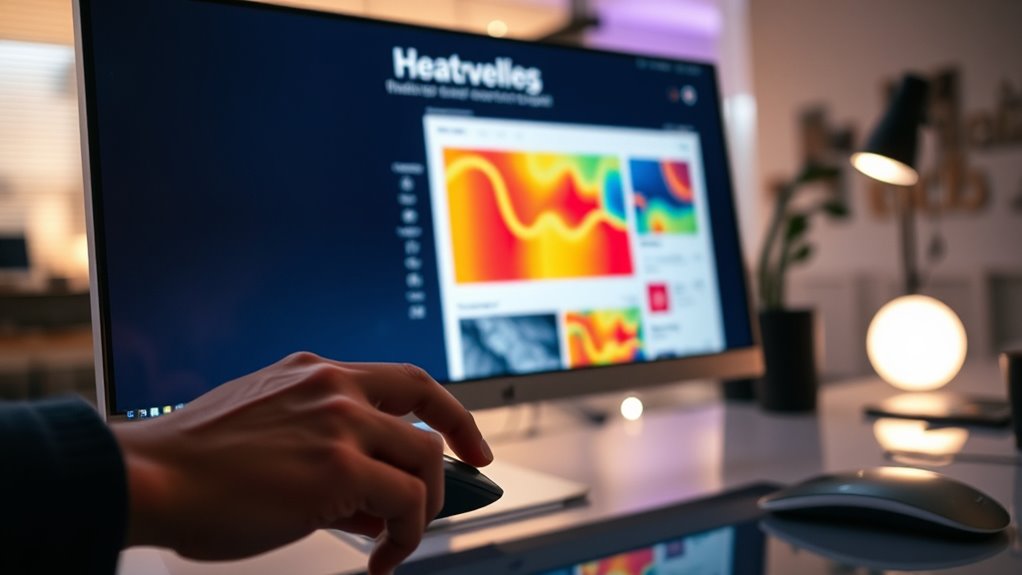
Heatmaps and scroll tracking are powerful tools that give you a clear view of how visitors interact with your website. By leveraging these techniques, you gain invaluable insights into user engagement, helping you understand what captures attention and where visitors lose interest. These tools harness visual analytics to present complex data in an intuitive, easy-to-understand format, allowing you to quickly identify which parts of your content resonate most and which areas need improvement. These insights enable more informed decision-making about content placement, design tweaks, and layout adjustments.
When you analyze heatmaps, you see a color-coded overlay that reflects user activity—hotter colors indicate areas with more engagement, while cooler shades show less interest. This visual representation makes it simple to pinpoint high-traffic sections, such as call-to-action buttons, images, or headlines. Scroll tracking complements this by revealing how far down your pages visitors scroll and which sections they tend to skip or linger on. Combined, these tools form a detailed picture of user behavior, revealing patterns that might otherwise go unnoticed. For example, if analytics show that users frequently abandon your site before reaching the bottom of a long article, you might need to reposition key messages higher up or make your content more engaging.
Understanding user engagement through visual analytics isn’t just about identifying what’s popular; it’s about uncovering why certain elements work and others don’t. You can test different layouts or content placements, then compare heatmaps and scroll data to see what improves engagement. This iterative approach helps optimize your website for better user experience and higher conversion rates. Furthermore, these insights allow you to tailor content to your audience’s preferences, making sure your most important messages are seen. For instance, if heatmaps reveal that users focus heavily on product images but ignore detailed descriptions, you can streamline your content strategy accordingly.
Ultimately, integrating heatmaps and scroll tracking into your analytics arsenal transforms raw data into actionable insights. They enable you to make precise adjustments that enhance user engagement and improve overall performance. With clear visual analytics, you don’t have to guess what works—you see it clearly, understand it deeply, and implement targeted improvements that lead to more effective content and happier visitors. Additionally, understanding user behavior patterns helps you refine your website design to better meet visitor expectations.
As an affiliate, we earn on qualifying purchases.
Frequently Asked Questions
How Can Heatmaps Improve User Experience Beyond Visual Analysis?
Heatmaps improve user experience by revealing behavioral patterns and engagement metrics that go beyond just visual analysis. You can identify which areas users find most compelling or confusing, allowing you to optimize content placement and layout accordingly. By understanding how visitors interact with your site, you can make data-driven decisions to enhance navigation, reduce frustration, and increase overall engagement, creating a more intuitive and satisfying experience for your users.
What Are Common Challenges When Implementing Scroll Tracking?
When implementing scroll tracking, you often face challenges like ensuring data accuracy and integrating it with click tracking effectively. You might struggle with capturing precise scroll depths across different devices or browsers, leading to unreliable insights. Additionally, syncing scroll data with click tracking can be complex, causing gaps in understanding user behavior. Overcoming these issues requires careful setup and ongoing calibration to get meaningful, accurate insights for optimizing your content.
How Do Heatmaps Differ Between Mobile and Desktop Users?
You’ll notice heatmaps differ between mobile and desktop users because of responsive design and device sensitivity. On mobile, heatmaps tend to be more concentrated at the top, reflecting shorter attention spans and smaller screens. Desktop heatmaps often show broader engagement, with more scrolling and interaction across the page. Understanding these differences helps you tailor your content to optimize user experience on each device, boosting engagement and conversions.
Can Heatmaps Predict Future User Behaviors?
Heatmaps can’t precisely predict future user behaviors, but they help with behavior prediction and trend forecasting. By analyzing current click and scroll patterns, you can identify emerging interests and potential shifts in user engagement. Use heatmap data to spot areas of high interest or frustration, allowing you to adjust content strategy proactively. While not crystal balls, heatmaps offer valuable insights that guide you in anticipating what users might do next.
What Privacy Considerations Are Associated With Scroll Tracking?
You need to guarantee user privacy when implementing scroll tracking by obtaining clear user consent upfront. It’s essential to anonymize data to protect individual identities and prevent personal information from being exposed. Regularly review your data collection practices to stay compliant with privacy regulations like GDPR or CCPA. By prioritizing transparency, data anonymization, and consent, you safeguard user trust while gathering valuable scroll behavior insights.
scroll tracking tool for websites
As an affiliate, we earn on qualifying purchases.
As an affiliate, we earn on qualifying purchases.
Conclusion
By leveraging heatmaps and scroll tracking, you gain valuable insights into user behavior, helping you optimize your content effectively. Did you know that 80% of users only scroll through the visible part of a webpage? This statistic highlights the importance of placing your most important content above the fold. Use these tools to refine your layout and boost engagement, ensuring your visitors find what they need quickly and stay longer on your site.
As an affiliate, we earn on qualifying purchases.
visual analytics for website optimization
As an affiliate, we earn on qualifying purchases.
As an affiliate, we earn on qualifying purchases.