

To effectively showcase trust signals above the fold, place your logo prominently at the top for instant recognition and link it to your homepage. Include security badges, industry certifications, or awards near the header to build credibility immediately. Display testimonials, client logos, and your contact info prominently, along with clear CTA buttons. If you keep these elements in the right spots, you’ll create a strong first impression—and there’s more to optimize for maximum trust right here.
Key Takeaways
- Place trust badges like SSL certificates and security icons near the top, especially around sign-up or checkout areas.
- Display industry certifications, awards, or recognizable logos above the fold to establish credibility instantly.
- Include customer reviews, star ratings, or testimonials close to the headline to showcase social proof early.
- Ensure contact information (phone, email, chat) is prominently visible above the fold for accessibility.
- Position clear, contrasting CTA buttons at the top to guide visitors toward desired actions immediately.
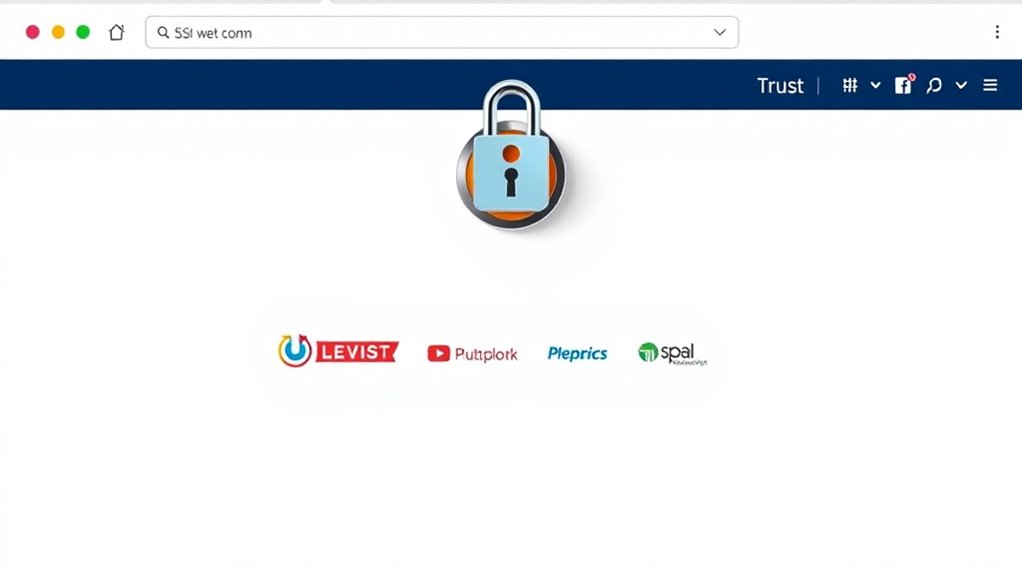
Have you ever wondered why some websites immediately earn your trust while others make you hesitant? It often comes down to the signals they send above the fold—the part of the webpage you see without scrolling. When you land on a site, your first impression counts. If you see credible signals right away, you’re more likely to stay, explore, and eventually convert. That’s why knowing what to add and where can make or break your website’s trustworthiness.
Start with your logo, placed prominently at the top left or center. It’s the visual anchor that immediately communicates your brand identity. When your logo looks professional and links back to your homepage, it reassures visitors they’re in the right place. Next, include a clear, concise headline that explains what your business does or the value you offer. This headline should be compelling and easy to understand instantly, giving visitors a reason to stay and explore further.
Your logo, prominently placed, instantly reassures visitors about your brand’s identity and credibility.
Subtle yet impactful trust signals include security badges, such as SSL certificates, displayed near the top, especially close to sign-up or checkout buttons. When visitors see these, they feel their data is protected, reducing friction and hesitation. If you have industry certifications or awards, showcase them above the fold with recognizable icons or badges. These signals instantly communicate credibility and expertise without requiring visitors to dig deeper.
Customer reviews or testimonials are powerful trust signals that work well above the fold if presented properly. Place a few brief, authentic quotes or star ratings near the top, ideally close to your headline. This immediately shows social proof, reassuring visitors that others trust your brand. If you have notable clients or partners, display their logos prominently at the top to reinforce your authority and reliability.
Contact information should also be visible above the fold. Include a phone number, email, or live chat option—something that indicates accessibility and transparency. If visitors can easily reach you or verify your legitimacy, they’re more inclined to trust your site. Additionally, consider placing a visible call-to-action (CTA), such as a “Get Started,” “Buy Now,” or “Free Trial” button, which should be clear, contrasting, and immediately accessible. A strong CTA combined with trust signals creates a seamless path from curiosity to conversion.
Furthermore, incorporating reliable content that demonstrates your expertise can significantly enhance trust from the moment visitors arrive. Ultimately, the goal is to immediately communicate reliability and professionalism as soon as visitors land on your site. By strategically placing your logo, clear messaging, security badges, social proof, contact info, and compelling CTAs above the fold, you set a solid foundation for trust. When visitors feel confident right away, they’re more likely to stay, engage, and convert—making your website a trustworthy destination from the very first glance.
Top picks for "trust signal above"
Open Amazon search results for this keyword.
As an affiliate, we earn on qualifying purchases.
Frequently Asked Questions
How Do Trust Signals Vary Across Different Industries?
Trust signals vary across industries based on customer concerns and expectations. For example, in e-commerce, you should highlight secure payment options and reviews. In healthcare, display certifications and patient testimonials. If you’re in finance, emphasize licensing and data protection. Understanding your industry helps you choose relevant trust signals that resonate with your audience, build credibility, and encourage conversions, ensuring visitors feel confident engaging with your brand.
What Color Schemes Best Enhance Trust Signals Above the Fold?
You might worry that color choices won’t make a difference, but blue is proven to foster trust and reliability, making it ideal for trust signals above the fold. Pair it with white for clarity and professionalism, or green if you’re emphasizing growth and health. Avoid overly bright or aggressive colors, as they can seem untrustworthy. Stick to calming, professional palettes to instantly reassure visitors and build credibility right away.
How Often Should Trust Signals Be Updated for Maximum Effectiveness?
You should update trust signals at least quarterly to maintain their relevance and effectiveness. Regular updates reflect your ongoing credibility and commitment to transparency. If there are significant changes, like new certifications or customer reviews, update immediately. Keep an eye on industry standards and competitor strategies to stay ahead. Consistently refreshed trust signals reinforce confidence, showing visitors that your business is active, trustworthy, and dedicated to quality.
Can Trust Signals Negatively Impact User Experience if Overused?
Yes, overusing trust signals can negatively impact your user experience. If you clutter your site with too many badges, reviews, or certifications, it becomes overwhelming and distracting. This can make visitors feel suspicious or annoyed, reducing their trust rather than boosting it. To avoid this, use trust signals strategically, placing only the most relevant ones above the fold, and guarantee they complement your design without overwhelming your audience.
What Are the Legal Considerations When Displaying Trust Signals?
You need to guarantee your trust signals are accurate and truthful, as false claims can lead to legal issues like misrepresentation or false advertising. Always verify the credentials, certifications, or partnerships you display. Avoid exaggerating endorsements or badges, and get permission before using third-party logos. Staying honest and transparent helps you comply with advertising laws and build genuine trust with your visitors, avoiding potential legal repercussions.
Conclusion
By placing trust signals above the fold, you’re planting flags that reassure visitors instantly, guiding them confidently down your page. Think of these signals as your website’s welcoming handshake—immediately building trust and credibility. Don’t leave your visitors adrift in uncertainty; anchor their confidence right at the top. When you strategically add trust signals above the fold, you turn visitors into loyal customers faster than you can say “trust me.”